
 Need help?
Do you have a question about the Wersi PEGASUS WING and is the answer not in the manual?
Describes the various ports and connections located on the rear panel of the instrument.
Instructions for connecting power, audio, and switching the instrument on/off.
Details on front panel connections like headphones and pitch bend/modulation joystick.
Explains how to use touch buttons and the touch screen for basic instrument operations.
Explains how to start, stop, and manage accompaniment features like variations, intros, and endings.
Describes various methods for selecting presets using control panel and display buttons.
Details how sounds are organized into levels and instrument groups for selection.
A comprehensive checklist to ensure all desired settings are considered before saving a Total Preset.
Step-by-step guide on how to create and save new user Total Presets with custom names.
Procedures for importing, exporting, and deleting Styles, MIDI files, presets, and audio files.
How to use the RECORD function to digitally record playing sessions as MP3 files.
Step-by-step process for burning recorded music onto a normal CD-R.
Describes the window that appears on start-up failure and options for recovery.
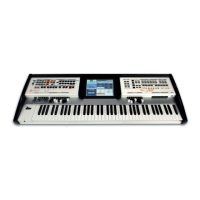
Comprehensive list of the instrument's technical specifications, features, connectivity, and power requirements.
 General
| Manufacturer | Wersi |
|---|---|
| Model | PEGASUS WING |
| Sound Engine | OpenArt-System |
| Built-in Speakers | Yes |
| Effects | Reverb, chorus |
| Connectivity | MIDI, USB, Audio In/Out |
| Display | Touchscreen |

 To Next Page
