PEGASUS WING
1st Edition – March 2011 – Software Version: V1.0 R01
19
4.2. Loudspeaker Controls
The instrument offers several loudspeaker setting possibilities which enable the best possible
overall sound.
4.2.1. Overall Volume
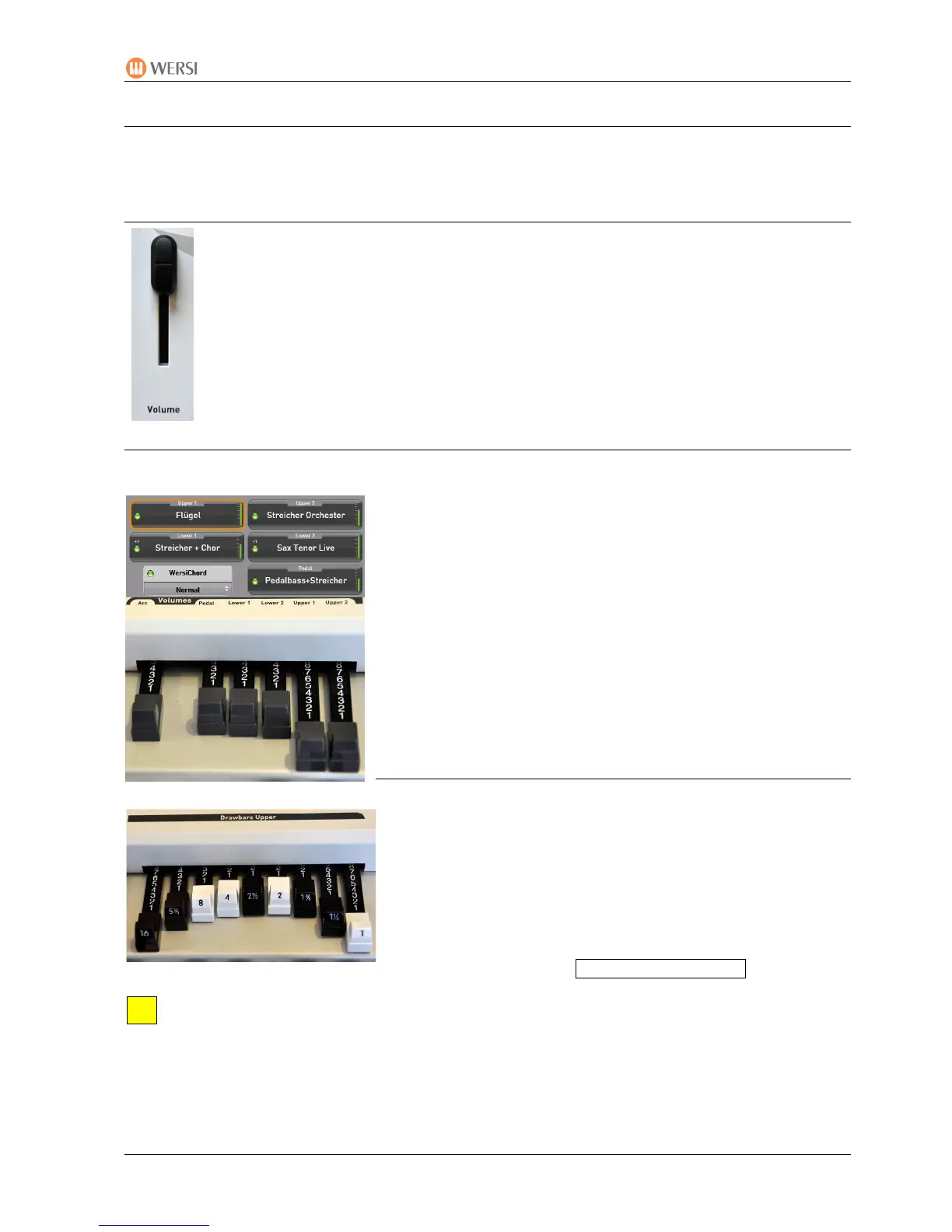
The slider control 2 for the overall volume is situated on the left side of the control
p
anel.
Set this slider to the maximum value which is most comfortable for you.
Now set the currently required volume with the swell pedal from a value of ‘0’ to
maximum.
4.2.2. Playing Area and Accompaniment Volumes
The relative volumes of the individual playing areas are shown as a green bar in the display
• Right of the split point (UPPER 1 und UPPER 2)
• Left of the split point (LOWER 1 und LOWER 2)
• Pedal
and set with the grey drawbars in the left part of the drawbar
section (the accompaniment volume slider is also here).
• Drawbar fully out (value: 8)
=
full volume
• Drawbar fully in (value: 0)
= no volume
4.2.3. The Drawbar Footages
The individual footage volumes of the drawbar system
(proportion in the mixture) are set – separately for each
playing area – with the following sliders:
• Drawbars Upper (drawbars for right of the splitpoint)
• Drawbars Lower (drawbars for left of the splitpoint)
These controls only apply to those drawbar sounds indicated
as ‘freely settable’ e.g. : DB B-Typ Rotor FREE
A detailed description of footages and setting possibilities can be found in Chapter 6.5:
‘Drawbars’ – starting at page 34.


 To Next Page
 Loading...