Making Audio CDs
PEGASUS WING User Manual
84
15. Making Audio CDs
You have already discovered how to record your own playing in Chapter 14. The recordings are
audio recordings in MP3 format (not MIDI sequences), which you can burn on a normal CD. The
result is a normal audio CD which can be played on any CD player.
Have at the ready normal blank CDs (CD-R). Rewritable CDs
(CD-RW) cannot be used.
A blank CD-R has a capacity of 650 MB, which represents 74 minutes of
music (conventional audio CDs) and 800 MB (91 minutes).
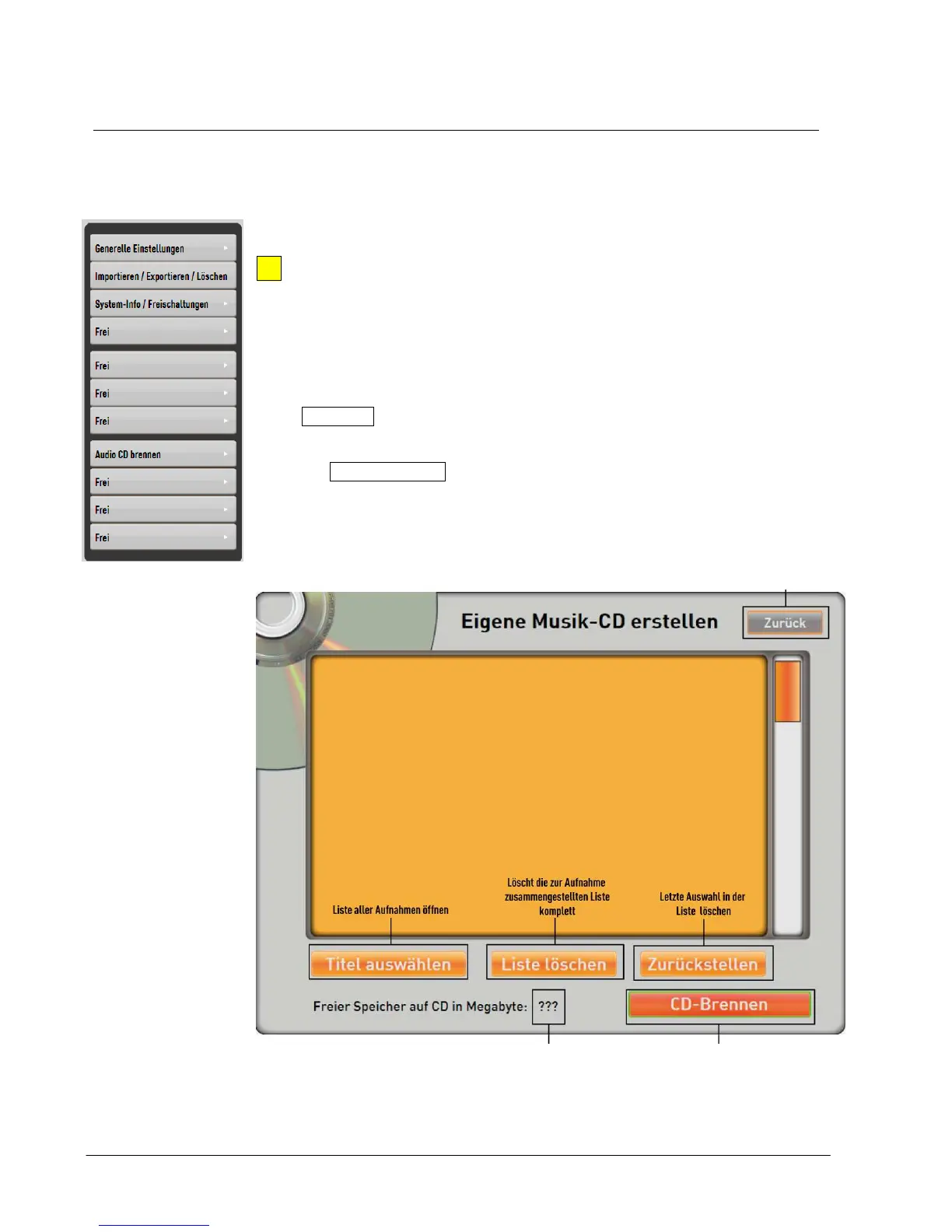
Go to Settings by tapping the corresponding button in the header bar of
the display the button is enlarged and turns grey.
Press the Burn Audio CD button.
Stop process
and go back to
Shows free memory
when blank CD inserted


 To Next Page
 Loading...