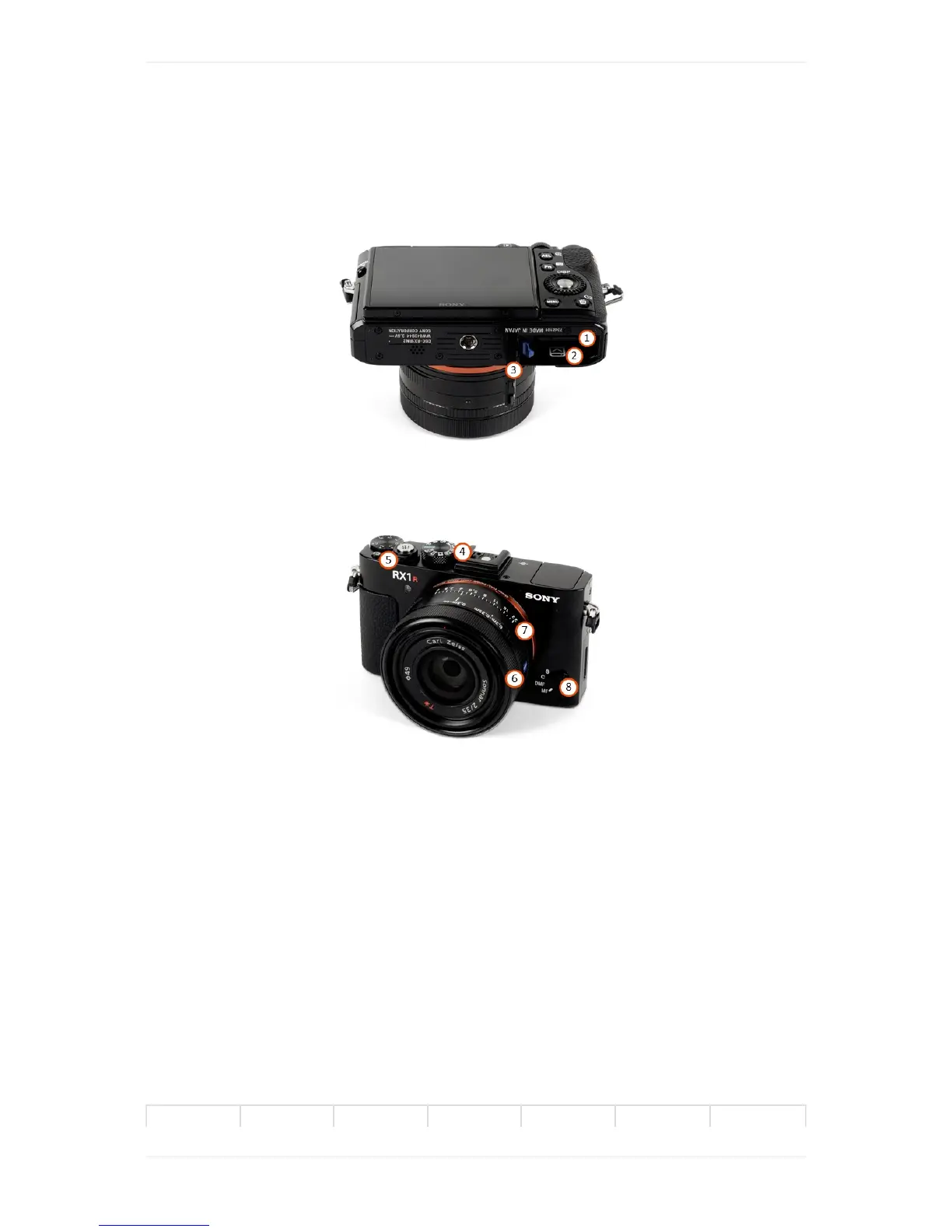
WingtraOne40MPRX1R2
1. SDcardslot(useatleast128GBSDcardsize)
2. Batterycompartment
3. Closurelid-hastostayopen
4. Modedial-default"2"
5. PowerON/OFFswitch-default"ON"
6. Focusring
7. Apertureselectionring
8. FocusModedial
Duringtheflight,thedummybatterypoweredbyWingtraOneneedstobeinsertedintothebattery
compartment.TochangethesettingswithoutpoweringonWingtraOne,theexternalcamerabattery
canbeused.TheChargingAccessorieschaptertellsyouhowtochargethisbattery.
CheckandAdjustCameraSettingsRX1R2
Inmostcases,thedefaultcamerasettings(ModeDialon2)shouldbefine.Ifyouwanttochangethe
settings,youhavetopoweronWingtraOneandadjusttheexposuresettings.



 To Next Page