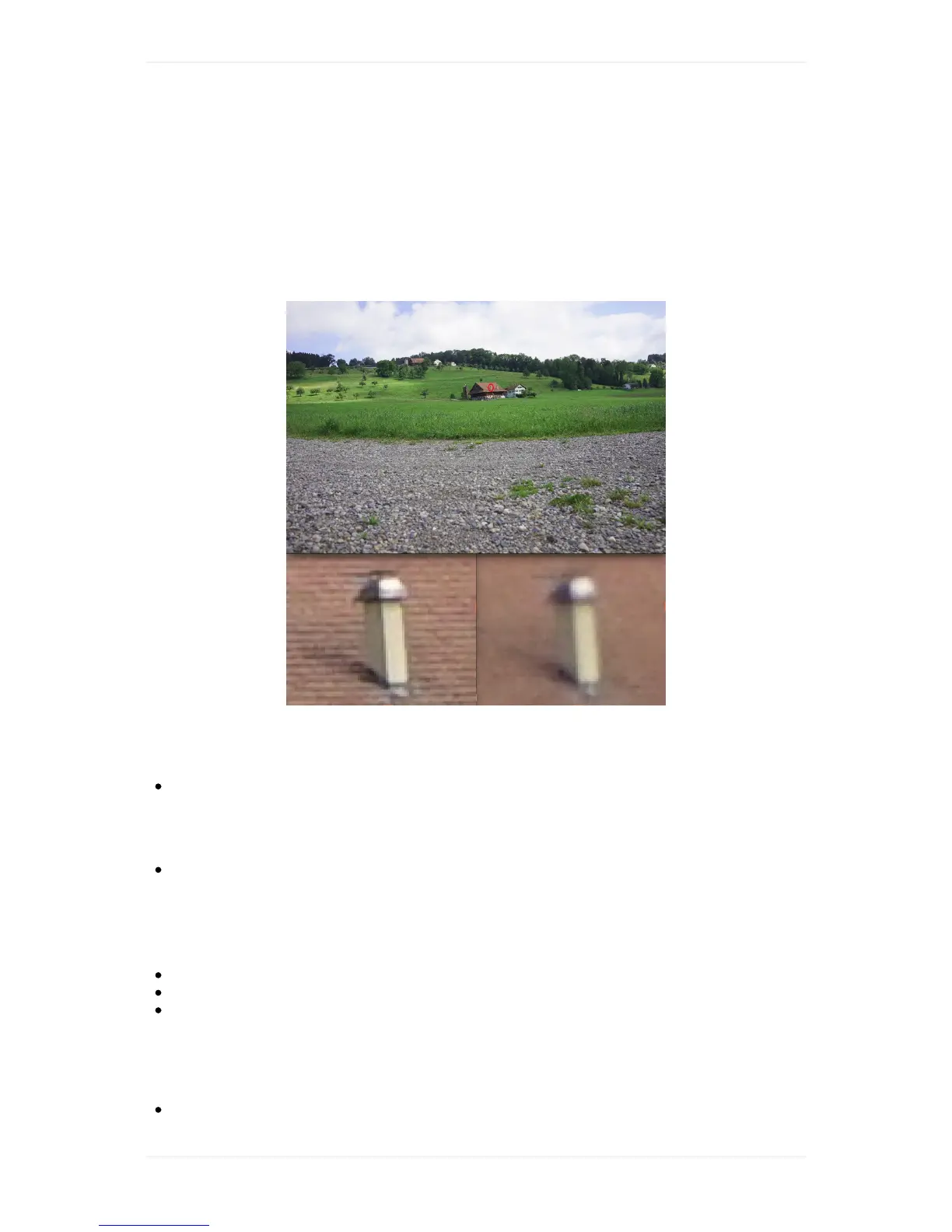
Openthefirstimage,zoomintoanobjectthatis>70mawayandgothroughthe7images(see
sampleimagebelow).
6. Identifythesharpestimage.Notedownthefocusvalueofthisimage(youwillfinditintheimage
name).
7. Deletethe.tarfromtheSDcard,insertitbackintoWingtraOneandpowerthedrone.Connect
againwithWingtraPilot,navigatetosettings-->camerafocus,andaddthefocusvaluemanually.
8. Verification(optional):Pointthecameraagaintoobjects>70maway,powerWingtraOneand
manuallytriggersomepictures(seepictureontopforthemanualtriggerbuttonlocation).
UnpowerWingtraOne,gettheSDcardandchecktheimages(youwillfindthemintheDCIM
folder).
Q:Camera:Myimagesaretoodark
Increaseshuttertime.SeealsotheQX1chapter.
Q:Camera:Myimagesaretoobright
Decreaseshuttertime.SeealsotheQX1chapter.
Q:Camera:TheiconofthecameraisgreyandIcannotseethe
parameters
FirstcheckthatyourWingtraOneisconnectedtoWingtraPilot.
ThentrytoopenanewFlightPlanwiththeQX1cameraandthecorrespondinglensselected.
Trytopressthecameraicon.Iftheiconisstillgrey,checkthewiringasshownintheimage
above.RepowerWingtraOneandcheckagainbeforesubmittingasupportrequest.
Q:Camera:Someoftheparametersarered
TheredcolouronaparametermeansthateitherWingtraPilotcouldnotretrievethisparameter



 To Next Page