UpdateWingtraPilot&WingtraOne
YouwillprofitfromsoftwareupdatesWingtraprovidesforbothWingtraPilotandtheWingtraOne
firmware.WhenconnectedtotheinternetWingtraPilotwillinformyouwhenanewupdateisavailable.
Toenablethelatestsoftwareimprovementspleasefollowtheinstructionsbelowtoupdateyour
WingtraPilotandWingtraOne.
Caution:Beforeupdatingtheoperatingsystemofyourtablet,pleasehavealookatUpdateAndroid
OS.
Theupdatingprocessconsistsofthreemainsteps
Downloadlatestrelease
UpdatingWingtraPilot
UpdatingWingtraOne
Step1:DownloadLatestWingtraRelease
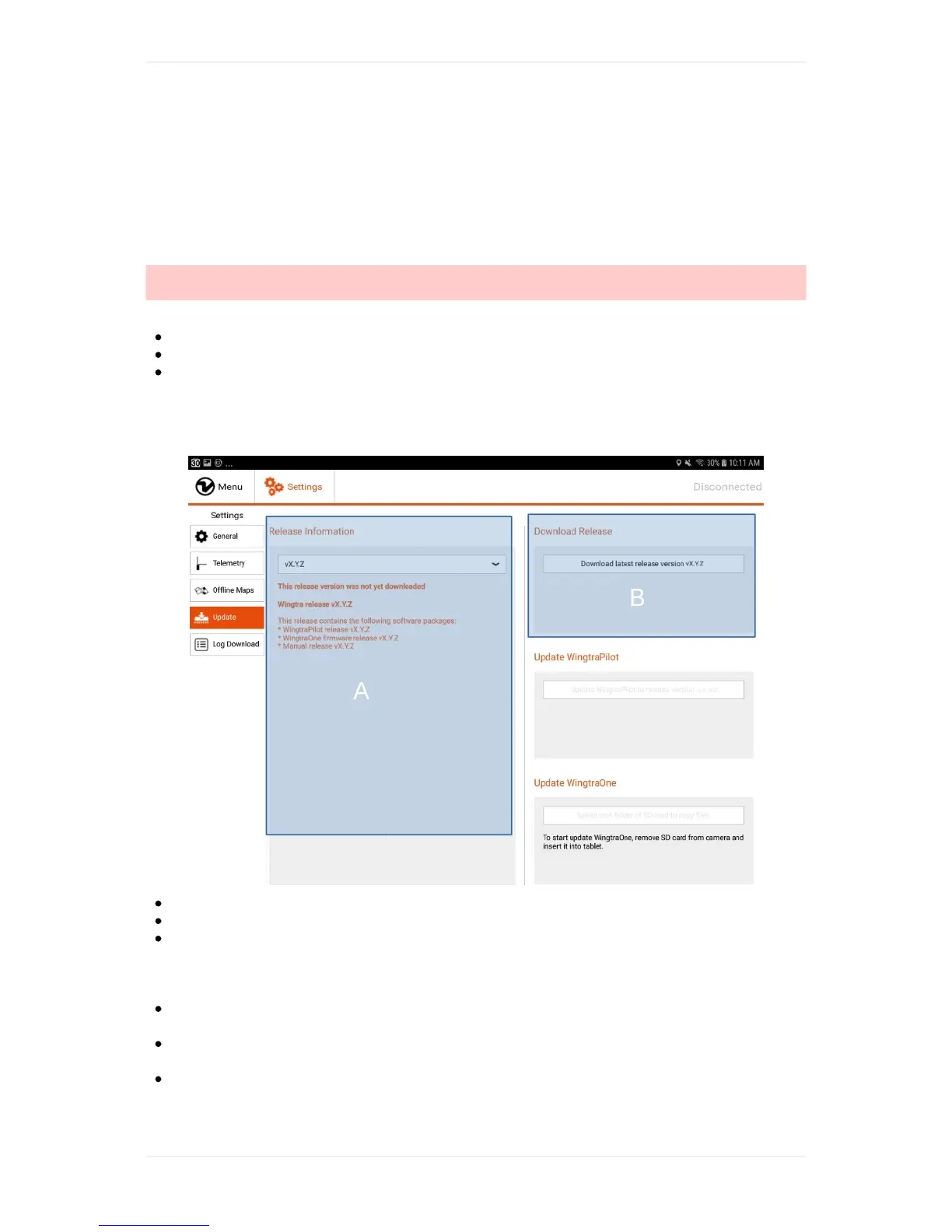
StartWingtraPilot.
OpentheUpdatemenuundertheWingtraPilotSettingstab
Ontheleftside(A)youwillseethereleaseinformationofthelatestWingtrareleaseandthe
informationthatthisreleasehasn'tbeendownloadedyet.TheWingtrareleasecontainsbotha
WingraPilotandaWingtraOneFirmwarerelease.Usingthedropdownmenuyoucanalsotakea
lookatthereleaseinformationofearlierWingtrareleases.
Ontherightside(B),clickon"DownloadlatestWingtrareleasevX.Y.Z"tostartthedownloadof
thelatestWingtrarelease.Makesureyouareconnectedtotheinternet.
Waituntilthetopprogressbarisfullandyousee"Downloadcomplete"in(B).Ifthedownload
doesnotcompletewithin5minutes,closeWingtraPilotandtryagain.
YoucannowcontinuewiththeWingtraPilotupdate.



 To Next Page