UpdateWingtraHub
YouwillprofitfromsoftwareupdatesWingtraprovidesforWingtraHub.Whenconnectedtothe
InternetWingtraHubwillinformyouwhenanewupdateisavailable.Toenablethelatestsoftware
improvementspleasefollowtheinstructionsbelowtoupdateyourWingtraHub.
Theupdatingprocessconsistsoftwomainsteps
Downloadlatestrelease
UpdatingWingtraHub
Downloadlatestrelease
StartWingtraHub.
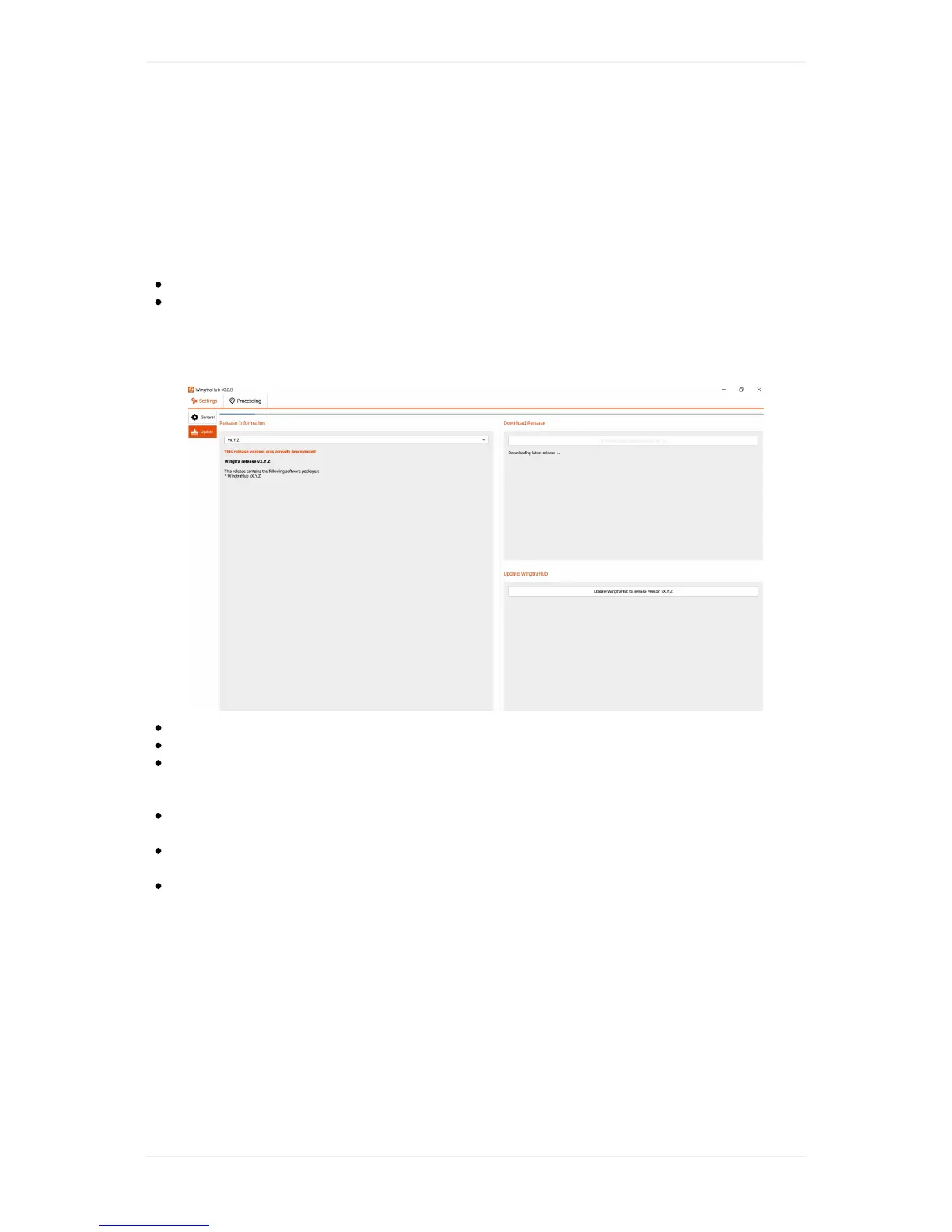
ClickonSettingsandthenselecttheUpdatetab.
Ontheleftsideyouwillseethereleaseinformationofthelatestreleaseandtheinformationthat
thisreleasehasn'tbeendownloadedyet.Usingthedropdownmenuyoucanalsotakealookat
thereleaseinformationofearlierreleases.
Ontherightside,clickon"DownloadlatestreleasevX.Y.Z"tostartthedownloadofthelatest
release.MakesureyouareconnectedtotheInternet.
Waituntilthetopprogressbarisfullandyousee"Downloadcomplete".Ifthedownloaddoesnot
completewithin5minutes,closeWingtraHubandtryagain.
YoucannowcontinuewiththeWingtraHubupdate.
Step2:UpdateWingtraHub



 To Next Page