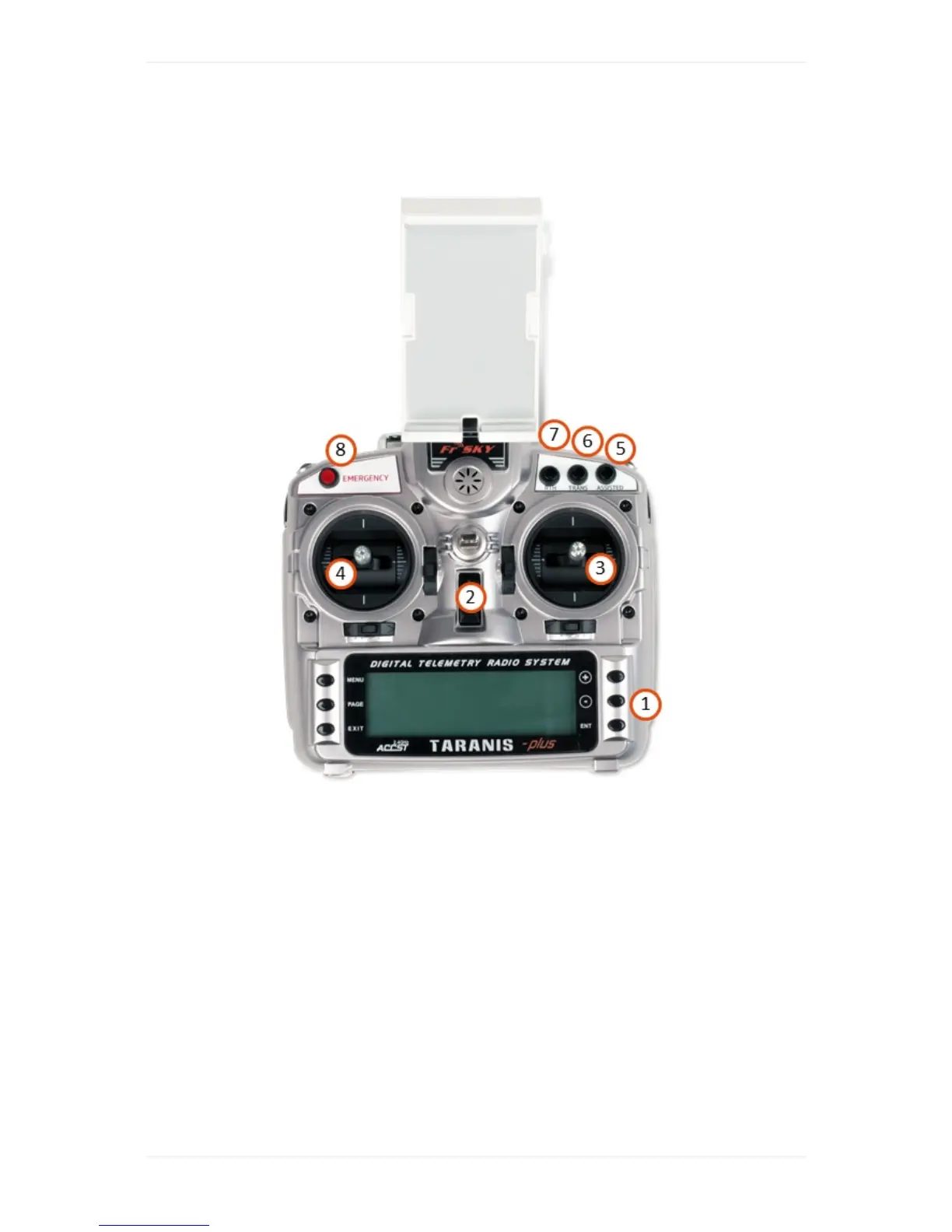
1. Menunavigationbuttons,tonavigatetheRC'ssettings-don'tchangethem.
2. On/offswitch,turnsRCon/off
3. Navigationstickright
4. Navigationstickleft
5. EngageAssistedMode:allowsyoutotakemanualcontrolofWingtraOne
6. Transition:performsthe"transition"maneuver—switchingfromcruisetohoverregimeandvice
versa(onlyworkswhenflyinginAssistedMode)
7. Return-to-Home:initiatesWingtraOnetoautonomouslyflyhomeandland
8. Emergencybutton-whenpushedthreetimeswithintwosecondsthiswillterminatetheflightby
cuttingthepowertotheengines
ControlSticks



 To Next Page