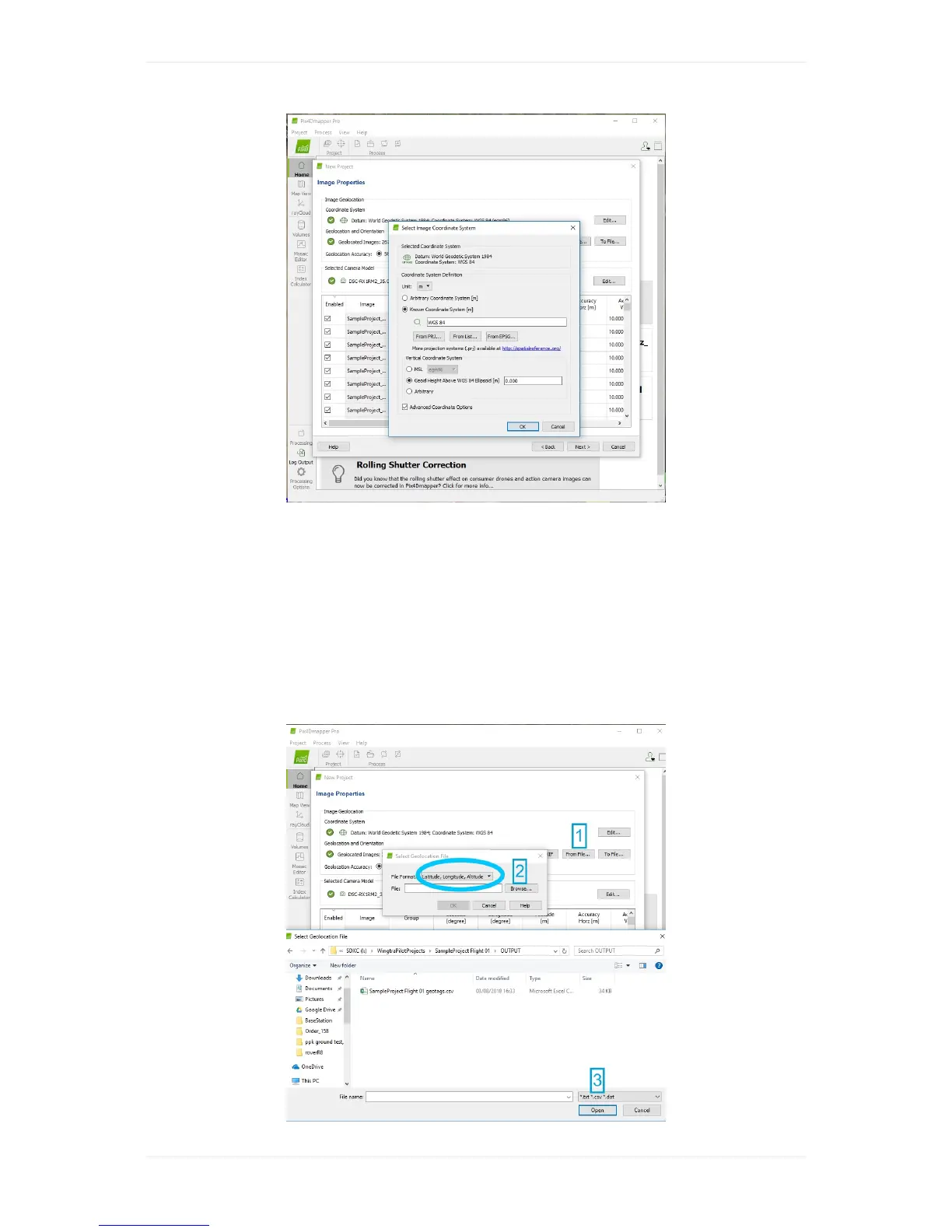
Step4(onlyforWingtraOnePPKimages)-Importaccuraciesfor
imagepositions
Toensuresuccessfullprocessingwithhighestprecision,importpositionaccuracyinformationfromthe
*.csvfileintheOUTPUTfolderofyourproject.Clickselect"FromFile"(1)definetheFileFormat
"Latitude,Longitude,Altitude"andbrowse(2)tothe*.csvfileofyourprojectandopentherespective
file(3).Ifyouimportedmultipleprojectsyoucanselectmultipletherespective*.csvfilessequentially.
Note:tohavethecorrect*.csvfilestructurepleasemakesuretohaveselectedpix4dcsvfiletypein
WingtraHuborWingtraPilotsettings.



 To Next Page