Geotagging
ThefollowingexplainationisvalidforWingtraOneIDs>1135.Thecorrespondingguidefor
WingtraOnesystems<=1135youwillfindonpage61ffinWingtraOneManualPDF
Foreveryflightmission,afolderwiththeproject'snameiscreatedontheSDcardinthe
"WingtraPilotProjects"folder.BoththecollectedimagesandGNSSdataofthecorrespondingflight
aresavedinthisprojectfolder.Youcangeotagthecollectedimagesonthefieldaftercompleting
eachflightorintheofficeaftercompletingmultipleflightsthroughouttheday.Toassignthegeotags
totheimages,pleasegothroughthefollowingdescriptionaboutthenon-PPKandPPKgeotagging
process.
Non-PPKGeotagging
Fornon-PPKgeotagging,youcandoitonthetabletbyusingWingtraPilotoraWindows10computer
usingWingtraHub.CheckoutthePPKChapterforinformationabouthowtoinstallandsetup
WingtraHub.
AllyouhavetodoistakeouttheSDcardfromthecameraaftertheflight(s),putitintothetabletor
computer,andstartthegeotaggingprocedureasfollows.
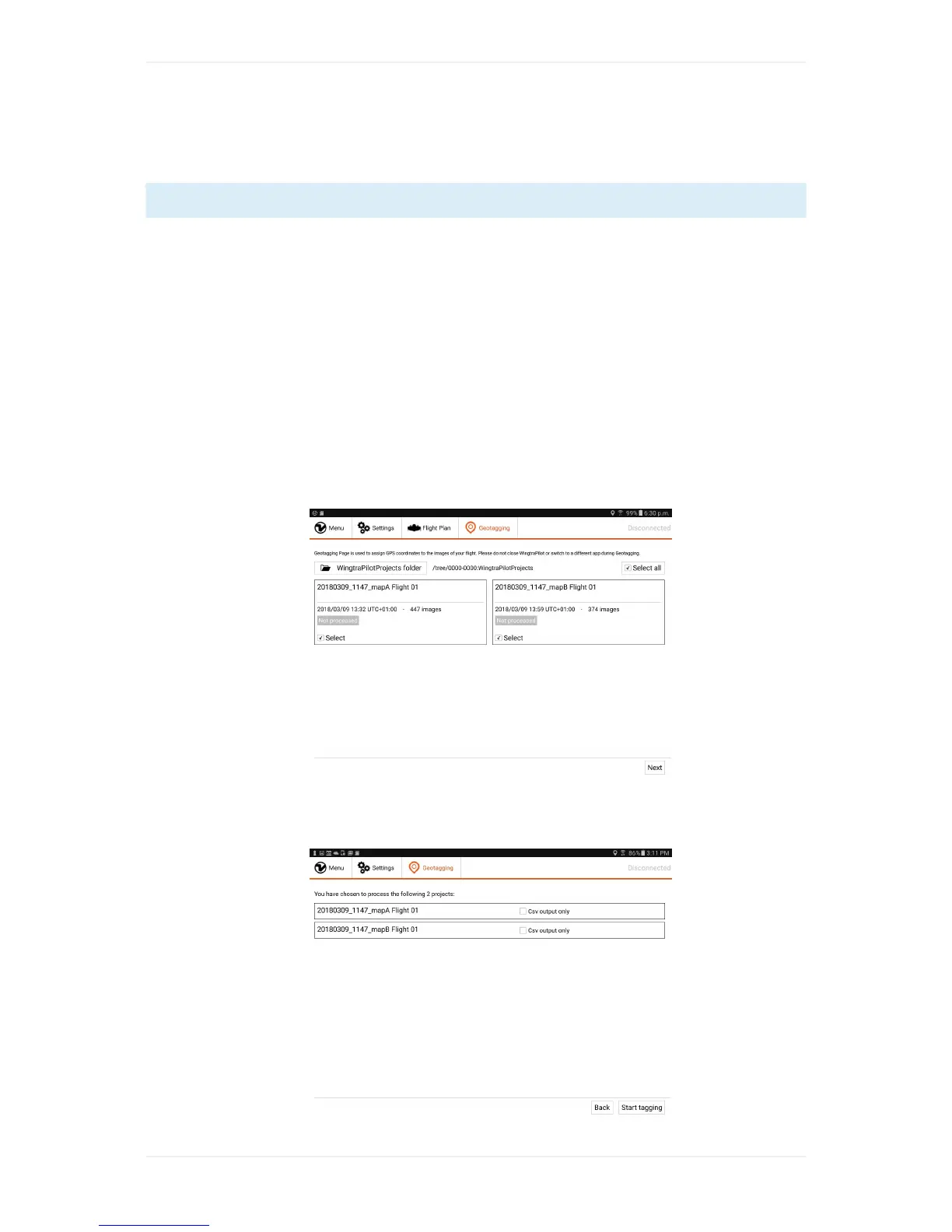
1. Gotothe"Geotagging"tabinWingtraPilot/WingtraHubandselectthe"WingtraPilotProjects"
folderonyourSDcard.
2. Selecttheproject(s)whichyouwouldliketogeotag,thenclick"Next".



 To Next Page