DownloadMapsforOfflineUse
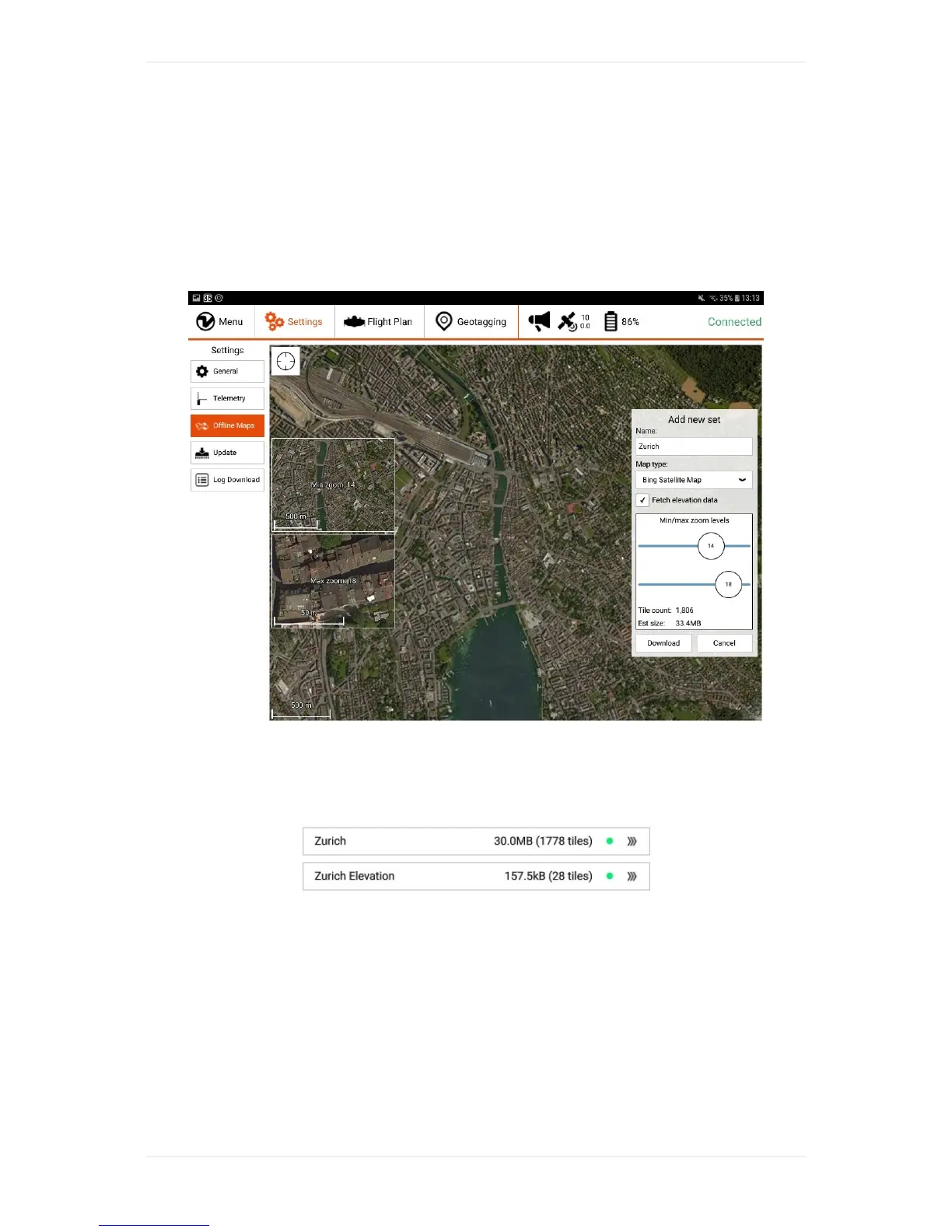
Onthesettingstab,select“OfflineMaps”and“Addnewset”.Navigatetothedesiredlocation,choose
therightmaptype,zoomoptions(defaultsof14-18shouldnormallybefine),givethesetadescriptive
name.Ifyouwanttodownloadelevationdatafortheselectedarea,youcancheckthebox"Fetch
elevationdata"locatedbelowtheselectedMaptype.Byclickingondownload,youstartthedownload
ofthemaptilesand,ifselected,theelevationdata.
Bepatientifthetilesarenotloadingimmediately.Ifitdoesnotprogressforseveralminutes,restart
WingtraPilot,navigatetothesettingstab,select"OfflineMaps"again,andclickontoyournewset.On
therightsideclickonto"resumedownload"andbepatientagain.Agreendotinthebarwillappear
oncethedownloadofthemaptiles(andelevationdataifselected)hascompletedasshownbelow.



 To Next Page