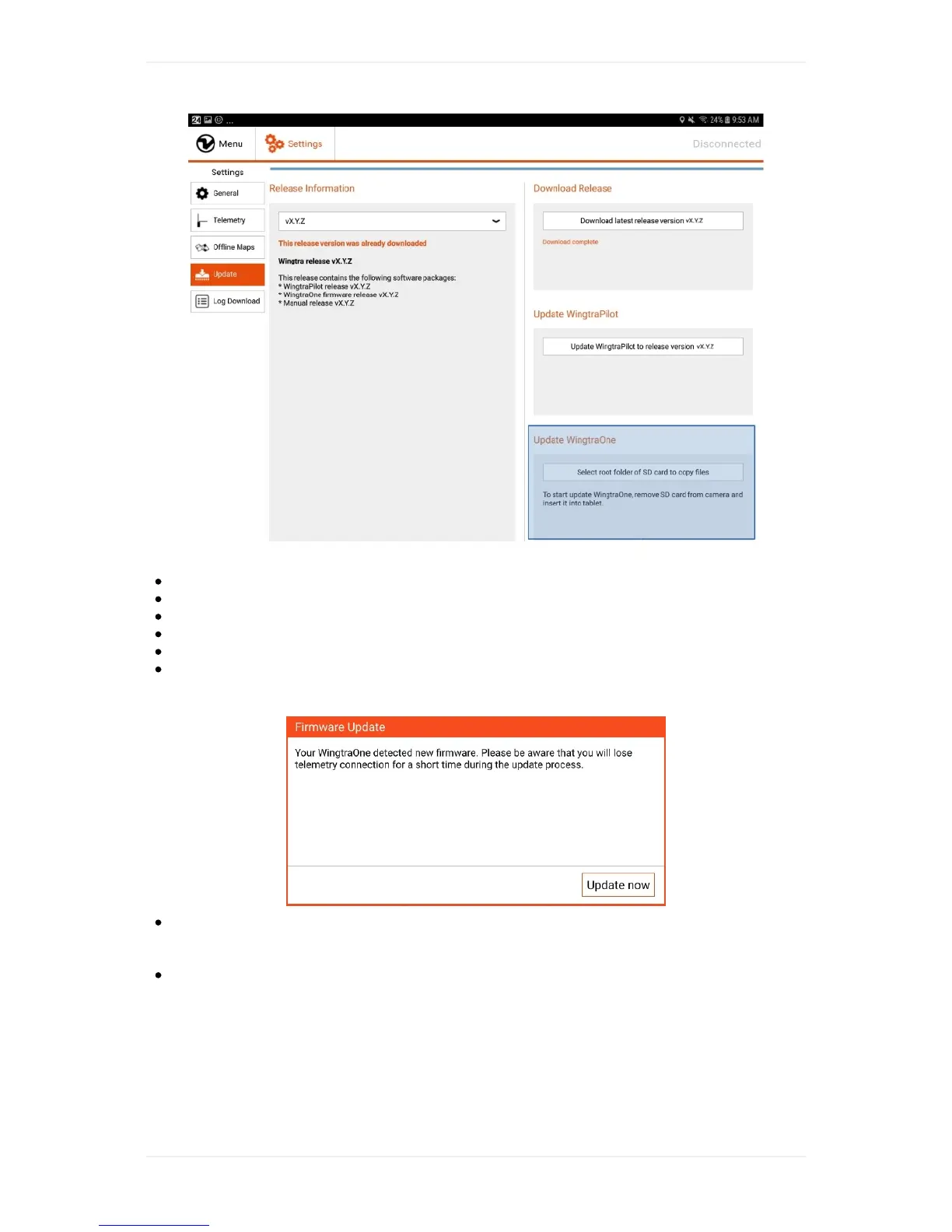
EnsurethatyourWingtraOneispoweredoff.
RemoveSDcardofcameraofWingtraOneandinsertitintotablet.
Clickon"SelectrootfolderofSDcardtocopyfiles"andselectSDcardrootfolder.
Aftercopyinghasfinished,removeSDcardfromtabletandreinsertitintocameraofWingtraOne
PowerWingtraOneandconnecttelemetrytotablet
OnceconnectedanupdatedialogboxshouldappearaskingfortheupdateofWingtraOnetostart
asshownbelow
Clickon"Updatenow"tostartupdateprocess.WingtraPilotwilllosetelemetryconnectionfor
about1minuteduringtheupdateprocess.ItisimportantnottounpowertheWingtraOneduring
theupdateprocess.
Ifupdatewassuccessful,WingtraPilotshowsthefollowingdialog.Byclickingonok,youfinalize
theupdateprocess.



 To Next Page