ELECTRICAL SYSTEM
L3301, L3901, L4701, WSM
9-S14
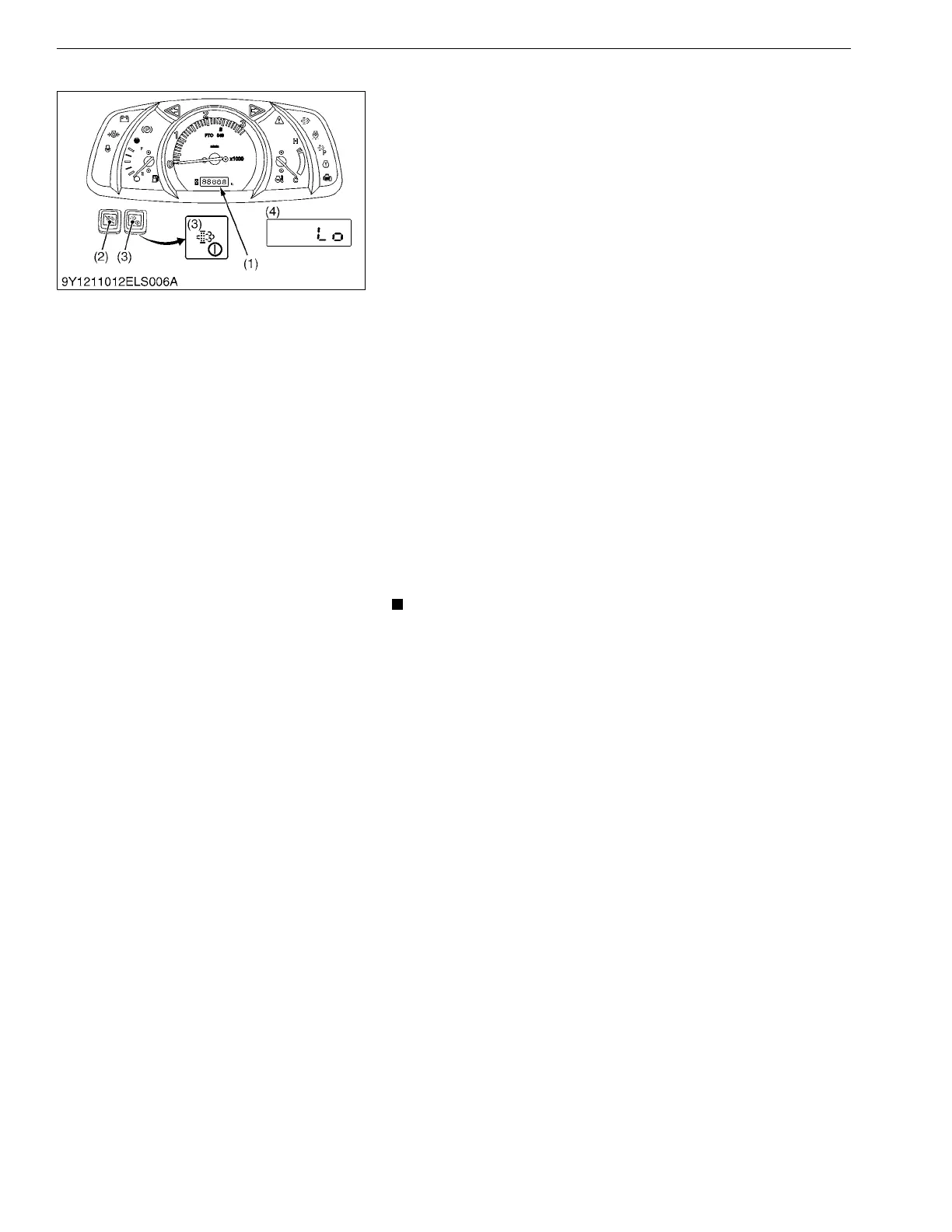
(4) Mode "c" (Acceleration Sensor fine-adjustment Mode)
1. While holding down both DPF INHIBIT switch (2) and parked
regeneration switch (3), turn key switch to "ON" or "START"
position.
2. Mode selection display is indicated on the LCD (4).
3. Press the parked regeneration switch (3) and the mode
indicated on LCD is changed.
4. If "c" is indicated on LCD, press the parked regeneration switch
(3) for more than 2 seconds.
5. Acceleration sensor fine-adjustment mode is selected and the
expression "Lo" is displayed.
6. Set the hand throttle lever to "IDLING" position. If voltage from
acceleration sensor is within proper range, the expression "Lo"
and "PUSH" is displayed alternately.
7. Press the parked regeneration switch (3) for more than 2
seconds.
8. If buzzer sounds shortly, the memorization for idling position is
successfully completed.
9. The expression "HI" is displayed.
10. Set the hand throttle lever to "MAX" position. If voltage from
acceleration sensor is within proper range, the expression "HI"
and "PUSH" is displayed alternately.
11. Press the parked regeneration switch (3) for more than 2
seconds.
12. If buzzer sounds shortly, the memorization for max position is
successfully completed.
13. The expression "OFF" is displayed.
14. Turn off the key switch.
• If the error code E-75 is displayed, the voltage from
acceleration sensor is not within proper range. Be sure to
set hand throttle lever to "IDLING" or "MAX" position.
• In case although the hand throttle lever is in "NEUTRAL" or
"MAX" position, the error code E-75 is displayed, readjust
acceleration sensor attachment. (See page 1-S17.)
9Y1211012ELS0012US0
(1) LCD (Liquid Crystal Display)
(2) DPF INHIBIT Switch
(3) Parked Regeneration Switch
(4) Display Example



 To Next Page