15 Problem Solving
526
Problem Solving
15
4
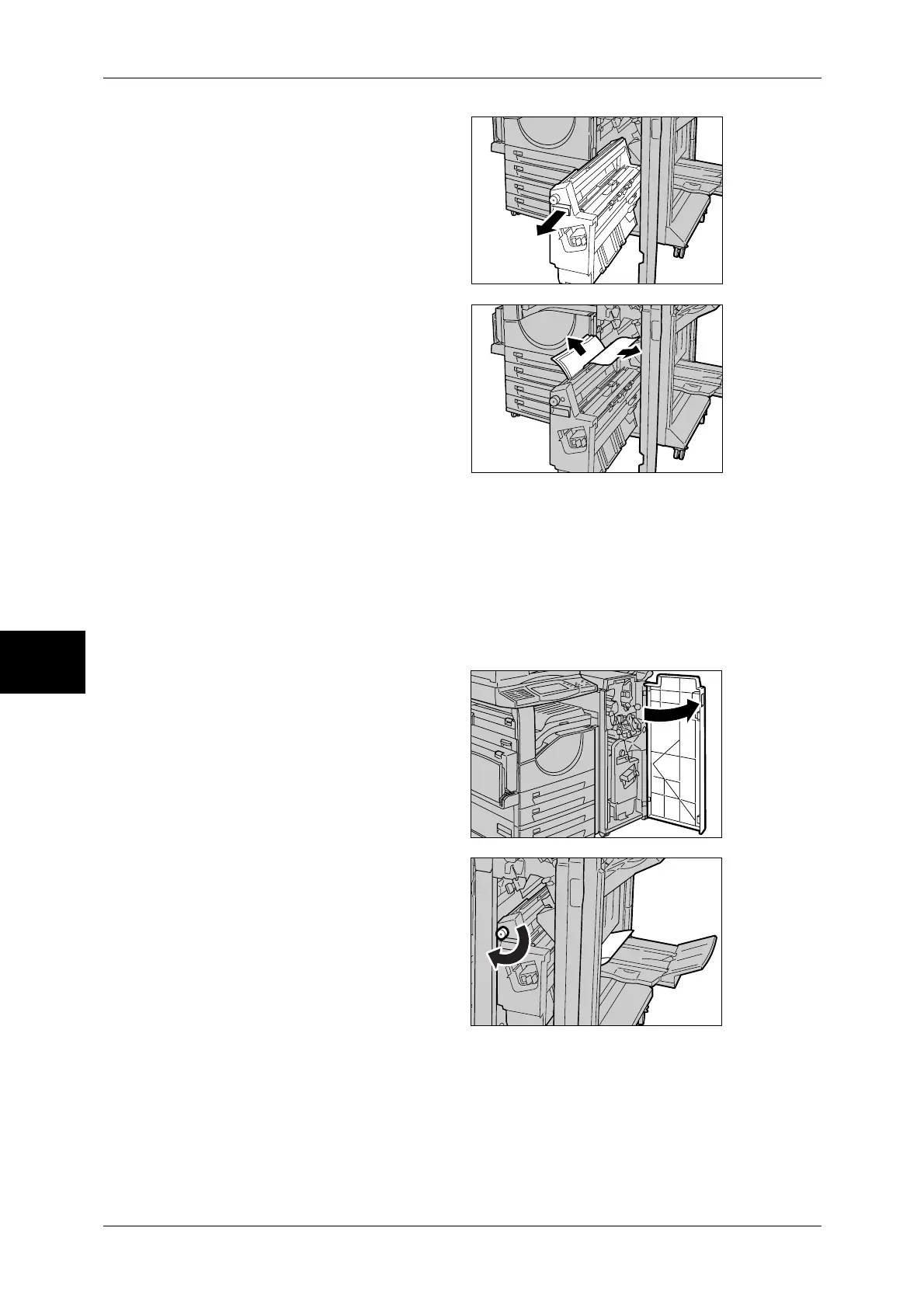
Pull out Unit 4.
5
Remove all the jammed paper from
the upper left side and inside of the
unit.
6
Return Unit 4 to its original position.
7
Return Lever 4b to its original position.
8
Close the front cover of the finisher.
Note • If you do not completely close the front cover, the machine will display a message and not
resume operation.
Paper Jams in the Booklet Tray (For C-Finisher with Booklet Maker)
1
Open the front cover of the finisher.
2
Turn Wheel 4a to the right to eject
the paper to the booklet tray.



 To Next Page
 Loading...





