EasyManua.ls Logo

YASKAWA iQpump1000 - User Manual

YASKAWA iQpump1000
508 pages
Print Icon
To Next Page IconTo Next Page
Loading...
iQpump1000 AC Drive
Intelligent Pump Controller
User Manual
To properly use the product, read this manual thoroughly and retain
for easy reference, inspection, and maintenance. Ensure the end user
receives this manual.
Type: CIMR-PW
A
Models:
200 V Class: 3/4 to 175 HP ND
400 V Class: 3/4 to 1000 HP ND
600 V Class: 2 to 250 HP ND
MANUAL NO. TOEP YAIP1W 01F
PUBLISHED MARCH 2017
REVISION <7>
DRIVE SOFTWARE PRG: 8554
Receiving
1
Mechanical Installation
2
Electrical Installation
3
Start-Up Programming &
Operation
4
Troubleshooting
5
Periodic Inspection &
Maintenance
6
Peripheral Devices &
Options
7
Specifications
A
Parameter List
B
MEMOBUS/Modbus
Communications
C
Standards Compliance
D

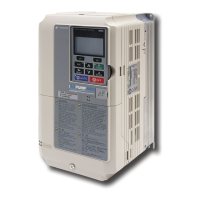
Table of Contents

Other manuals for YASKAWA iQpump1000

Questions and Answers

  • A
    anthony14Aug 20, 2025
    What does Braking Transistor Overload Fault mean on my YASKAWA iQpump1000?
    • J
      Jason PriceAug 20, 2025
      If the YASKAWA Controller displays a Braking Transistor Overload Fault, it indicates that the braking transistor has reached its overload level.
  • C
    Christina RobertsonAug 22, 2025
    What does Accumulated Level Fault mean on a YASKAWA iQpump1000?
    • J
      Joseph RodriguezAug 22, 2025
      An Accumulated Level Fault on the YASKAWA Controller means the total volume of water flow measured over time by the flow meter has exceeded the fault level setting.
  • S
    Sherry VegaAug 25, 2025
    What to do if YASKAWA DC Drives show operation errors?
    • T
      Thomas OconnorAug 25, 2025
      If your YASKAWA DC Drives display operation errors, it's likely due to conflicting parameter settings or mismatches with the hardware setup. To resolve this, correct the settings that are causing the operation error. This should clear the error.
  • R
    Rebecca RodriguezAug 26, 2025
    Why does my YASKAWA iQpump1000 Controller show a MEMOBUS/Modbus communication error?
    • M
      Michael LeeAug 27, 2025
      A MEMOBUS/Modbus communication error on your YASKAWA Controller means that control data was not received for the CE detection time set to H5-09.
  • J
    Jason BurtonAug 28, 2025
    What does Control Board Connection Error mean on my YASKAWA iQpump1000?
    • H
      hoffmanmikeAug 28, 2025
      If the YASKAWA Controller displays a Control Board Connection Error, this indicates that there is a connection error between the control board and the drive.
  • R
    Robin TerryAug 29, 2025
    What does EEPROM Memory Data Error mean on my YASKAWA iQpump1000 Controller?
    • L
      Lisa WagnerAug 29, 2025
      If the YASKAWA Controller displays an EEPROM Memory Data Error, this indicates there is an error in the data saved to EEPROM.
  • B
    brockallisonAug 31, 2025
    What causes a Drive Unit Signal Fault on a YASKAWA iQpump1000?
    • K
      Kelly GordonAug 31, 2025
      If the YASKAWA Controller displays a Drive Unit Signal Fault, it means the drive capacity cannot be detected correctly. This check happens when the drive is powered up.
  • A
    Angel ElliottSep 2, 2025
    What does SI-T3 Watchdog Timer Error mean on my YASKAWA Controller?
    • K
      Kim GomezSep 2, 2025
      If the YASKAWA Controller displays SI-T3 Watchdog Timer Error, it means that the watchdog timed out.
  • A
    Allison HallSep 4, 2025
    What does Option Card External Fault mean on my YASKAWA iQpump1000?
    • B
      Bianca DeanSep 4, 2025
      If the YASKAWA Controller displays Option Card External Fault, it indicates that an external fault condition is present.
  • J
    jodifloresSep 6, 2025
    What does Pump Fault (input terminal S1) mean on my YASKAWA Controller?
    • M
      Mandy TaylorSep 6, 2025
      If the YASKAWA Controller displays a Pump Fault (input terminal S1), it indicates there is an external fault at multi-function input terminal S1.

Summary

Receiving

Model Number and Nameplate Check

Verifies the correct model by checking the information on the nameplate.

Mechanical Installation

Mechanical Installation

Outlines specifications, procedures, and environment for proper mechanical installation.

Flange Type Enclosure (NEMA 12 Backside) Dimensions & Heat Loss

Details dimensions and heat loss for flange type enclosures.

Electrical Installation

Standard Connection Diagram

Illustrates standard connection procedures for the drive and peripheral devices.

Main Circuit Connection Diagram

Provides diagrams for wiring the main circuit of the drive.

Terminal Block Configuration

Shows the different main circuit terminal arrangements for various drive capacities.

HOA Keypad and Front Cover

Instructions for detaching and attaching the HOA keypad and front cover.

Main Circuit Wiring

Describes functions, specifications, and procedures for wiring the main circuit.

Control Circuit Wiring

Outlines procedures for wiring control circuit terminals.

Control I;O Connections

Explains connections for digital and analog inputs/outputs.

Connect to a PC

Details how to connect the drive to a PC via USB for software interaction.

Start-Up Programming & Operation

DRIVE START-UP PREPARATION

Checklist for preparing the drive for start-up to ensure reliable operation.

POWERING UP THE DRIVE

Details the procedure for powering up the drive for the first time.

APPLICATION SELECTION

Guides the user in selecting application presets for common usage scenarios.

USING THE HOA KEYPAD

Explains how to use the HOA keypad for entering commands and changing parameters.

iQpump PRESETS AND FUNCTIONS

Lists presets and functions available for the iQpump drive.

BASIC iQpump SETUP AND APPLICATION PRESET PARAMETERS

Covers essential settings for initial drive operation and application presets.

TEST RUN WITH NO LOAD

Explains how to operate the drive with the motor decoupled from the load.

TEST RUN WITH LOAD CONNECTED

Details the procedure for running the motor and load together after initial setup.

Troubleshooting

DRIVE ALARMS, FAULTS, ERRORS, AND MESSAGES

Provides descriptions of drive faults, alarms, errors, and messages.

FAULT DETECTION

Details fault displays, causes, and possible solutions for drive protection.

ALARM DETECTION

Lists alarm codes, their causes, and possible solutions for troubleshooting.

OPERATOR PROGRAMMING ERRORS

Explains operator programming error codes, their causes, and solutions.

AUTO-TUNING FAULT DETECTION

Lists auto-tuning fault codes, causes, and possible solutions.

COPY FUNCTION RELATED DISPLAYS

Lists messages and errors that may appear when using the Copy function.

HOA KEYPAD DISPLAY MESSAGES

Lists messages and errors that may appear during normal pump operation.

AUTO-TUNING

Describes the types and operation of auto-tuning for induction motors.

Periodic Inspection & Maintenance

INSPECTION

Outlines procedures for inspecting the drive for proper function and condition.

PERIODIC MAINTENANCE

Describes maintenance tasks to ensure maximum performance life.

DRIVE REPLACEMENT

Provides instructions for replacing the drive.

Peripheral Devices & Options

OPTION CARD INSTALLATION

Provides instructions on installing option cards for the drive.

Appendix A Specifications

POWER RATINGS

Lists power ratings for various drive models.

DRIVE SPECIFICATIONS

Details electrical and mechanical specifications of the drive.

DRIVE WATT LOSS DATA

Provides watt loss data for different drive models.

DRIVE DERATING DATA

Explains drive derating considerations for ambient temperature and altitude.

Appendix B Parameter List

UNDERSTANDING PARAMETER DESCRIPTIONS

Explains how to interpret parameter descriptions, symbols, and groups.

A: INITIALIZATION PARAMETERS

Covers parameters for setting the drive's operating environment and initial configuration.

b: APPLICATION

Details parameters for configuring application-specific settings like run commands and PID control.

c: TUNING

Parameters for adjusting acceleration/deceleration times, S-curves, and carrier frequency.

d: REFERENCES

Parameters for setting frequency references and limits.

E: MOTOR PARAMETERS

Parameters related to motor configuration and auto-tuning.

F: OPTIONS

Parameters related to optional communication cards and I/O modules.

H PARAMETERS: MULTI-FUNCTION TERMINALS

Details the functions assignable to multi-function input and output terminals.

L: PROTECTION FUNCTION

Covers parameters for drive and motor protection features.

N: SPECIAL ADJUSTMENT

Parameters for advanced performance adjustments like hunting prevention.

O: OPERATOR-RELATED SETTINGS

Settings related to the HOA keypad display and functions.

P: PUMP PARAMETERS

Lists all pump-specific parameters for configuration and operation.

Q: PID CONTROLLER PARAMETERS

Parameters for configuring PID control loops for pressure, water level, and suction.

S: SPECIAL APPLICATION

Parameters for special application functions like dynamic noise control.

T: MOTOR TUNING

Parameters for performing motor tuning for optimal performance.

U: MONITORS

Parameters for viewing drive status, fault information, and operational data.

Appendix C MEMOBUS;Modbus Communications

MEMOBUS;MODBUS CONFIGURATION

Explains how to configure MEMOBUS/Modbus communication settings.

COMMUNICATION SPECIFICATIONS

Details the communication parameters for MEMOBUS/Modbus.

CONNECTING TO A NETWORK

Provides instructions on connecting the drive to a MEMOBUS/Modbus network.

MEMOBUS;MODBUS SETUP PARAMETERS

Lists parameters for setting up MEMOBUS/Modbus communication.

DRIVE OPERATIONS BY MEMOBUS;MODBUS

Describes how to observe and control the drive using MEMOBUS/Modbus.

COMMUNICATIONS TIMING

Explains the timing for command and response messages in MEMOBUS/Modbus.

MESSAGE FORMAT

Details the format of MEMOBUS/Modbus messages, including command data and error checks.

MESSAGE EXAMPLES

Provides examples of MEMOBUS/Modbus command and response messages.

MEMOBUS;MODBUS DATA TABLE

Lists all MEMOBUS/Modbus data, including register numbers and contents.

ENTER COMMAND

Explains the types and functions of Enter commands for parameter changes.

COMMUNICATION ERRORS

Lists MEMOBUS/Modbus error codes and their possible solutions.

SELF-DIAGNOSTICS

Describes the self-diagnosis function for serial communication interface circuits.

Appendix D Standards Compliance

EUROPEAN STANDARDS

Explains CE mark compliance, Low Voltage Directive, and EMC guidelines.

UL AND CSA STANDARDS

Details UL/cUL standards compliance, motor overload protection, and branch circuit protection.

YASKAWA iQpump1000 Specifications

General IconGeneral
BrandYASKAWA
ModeliQpump1000
CategoryController
LanguageEnglish

Related product manuals