7 Troubleshooting | 7.2 Column ZEISS
4. Close the gun.
5. Reinstall the top cover.
à The microscope is completely reassembled.
6. Energize the microscope, start the microscope and SmartSEM, refer to Switching On the Mi-
croscope System [
}
56].
7.2.2.5 Startup of a LaB₆ Filament
7.2.2.5.1 Starting up the LaB₆ Filament for the First Time
Before you can use the filament for SEM imaging, you need to evacuate the microscope and start
up the filament.
Prerequisite
ü
You have energized and started the microscope.
Procedure
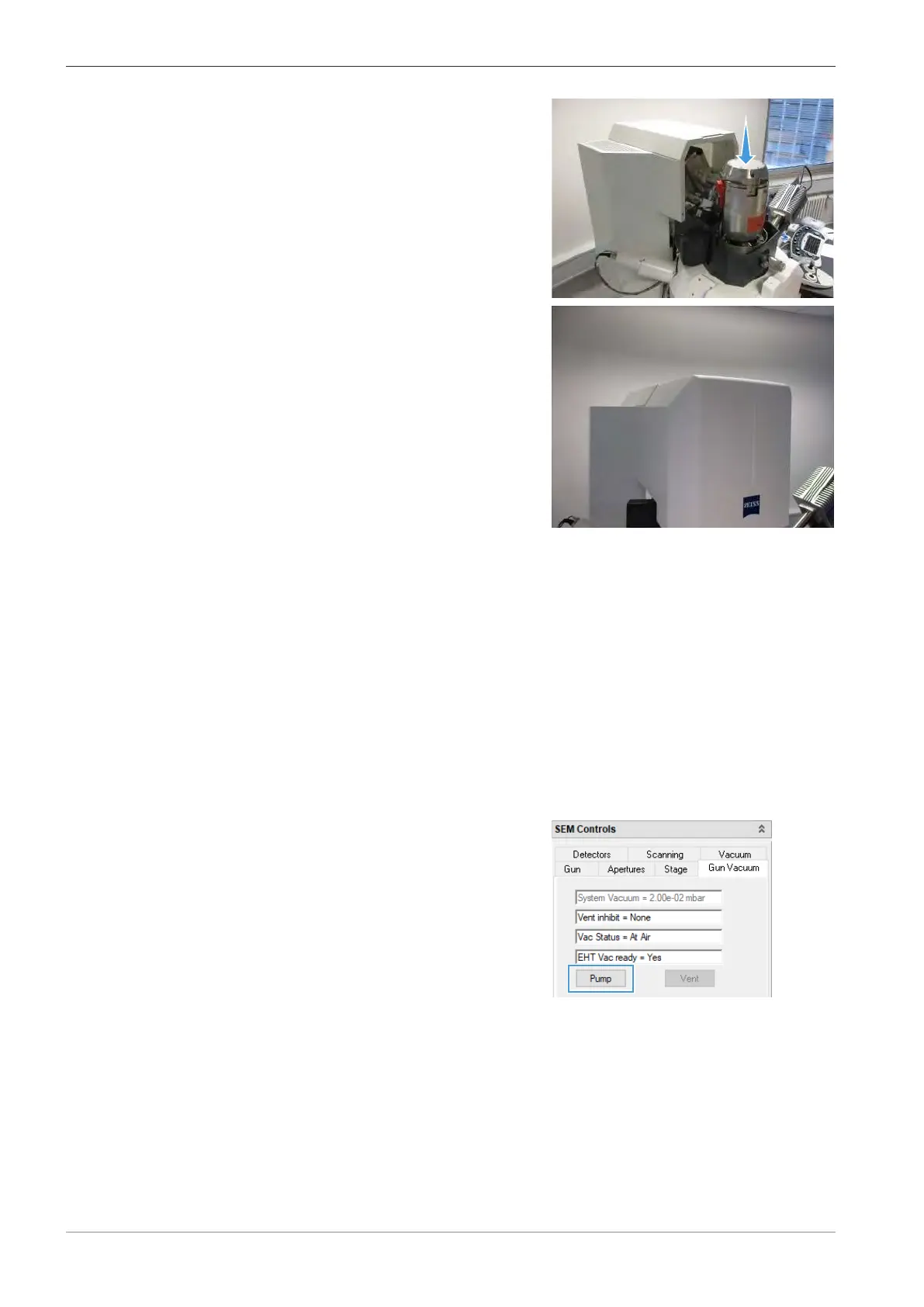
1. In the SEM Controls panel, select the Gun Vacuum tab.
2. Evacuate the microscope via Pump.
3. Wait until the messages Vac Status = Ready and EHT Vac ready = Yes are displayed.
INFO: It may take some time until the vacuum is established and the messages are dis-
played.
4. In the Gun tab of the SEM Controls panel, deactivate Long Fil. Life.
5. Switch on the electron beam.
6. Set the following values:
EHT = 10.00kV
Spot Size = 500
Fil I Target = 1950mA
144 Instruction Manual ZEISS EVO | en-US | Rev. 10 | 354706-0780-006



 To Next Page