ZEISS 5 First Operating Steps | 5.7 Working with Specific Specimen Types
5. If another pressure-limiting aperture is fitted,
remove the aperture with the aperture removal
tool.
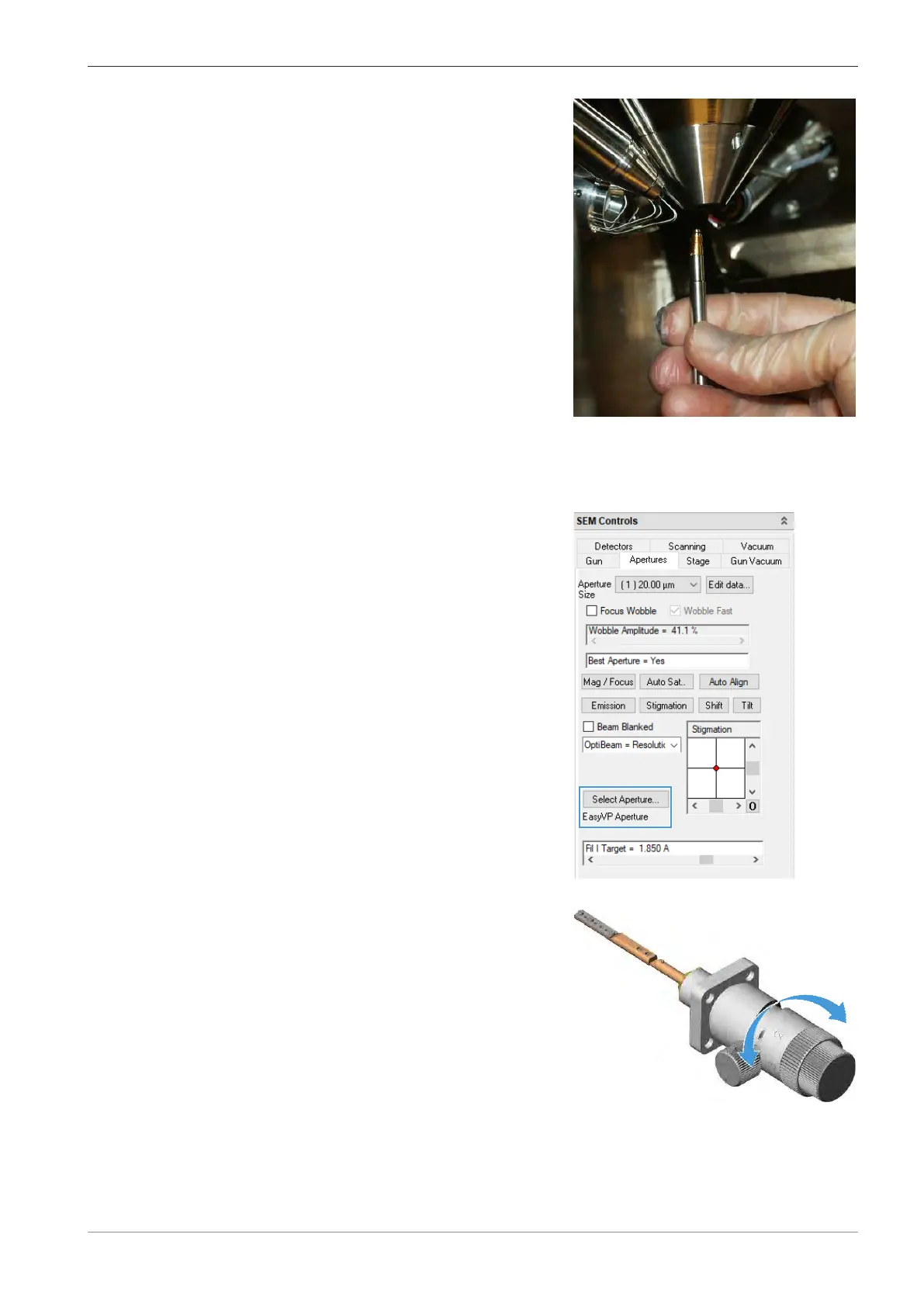
6. Use the VP aperture tool to either install the VP aperture or the EasyVP aperture.
INFO: This should be finger-tight only.
7. Refit the lens-installed BSD detector.
8. In the SEM Controls panel, select the Apertures tab.
9. Click Select Aperture and select the appropri-
ate aperture.
10. To evacuate the specimen chamber, click Pump in the Vacuum tab.
11. Turn the knob of the mid-column aperture
changer, to select the appropriate aperture:
Select the 20μm aperture (position 1) for
EasyVP mode.
Select the 750μm aperture (position 3) for VP
mode.
12. In the Apertures tab, match the aperture size from the Aperture Size drop-down list to
the selected aperture.
13. In the Vacuum tab, click Go To VP.
14. To adjust the working pressure, use the VP Target scroll bar.
Instruction Manual ZEISS EVO | en-US | Rev. 10 | 354706-0780-006 95



 To Next Page