-EN Rev. E Operating instruction SCK Gas Sampling System 119
Proceed as follows to switch on the gas sampling system:
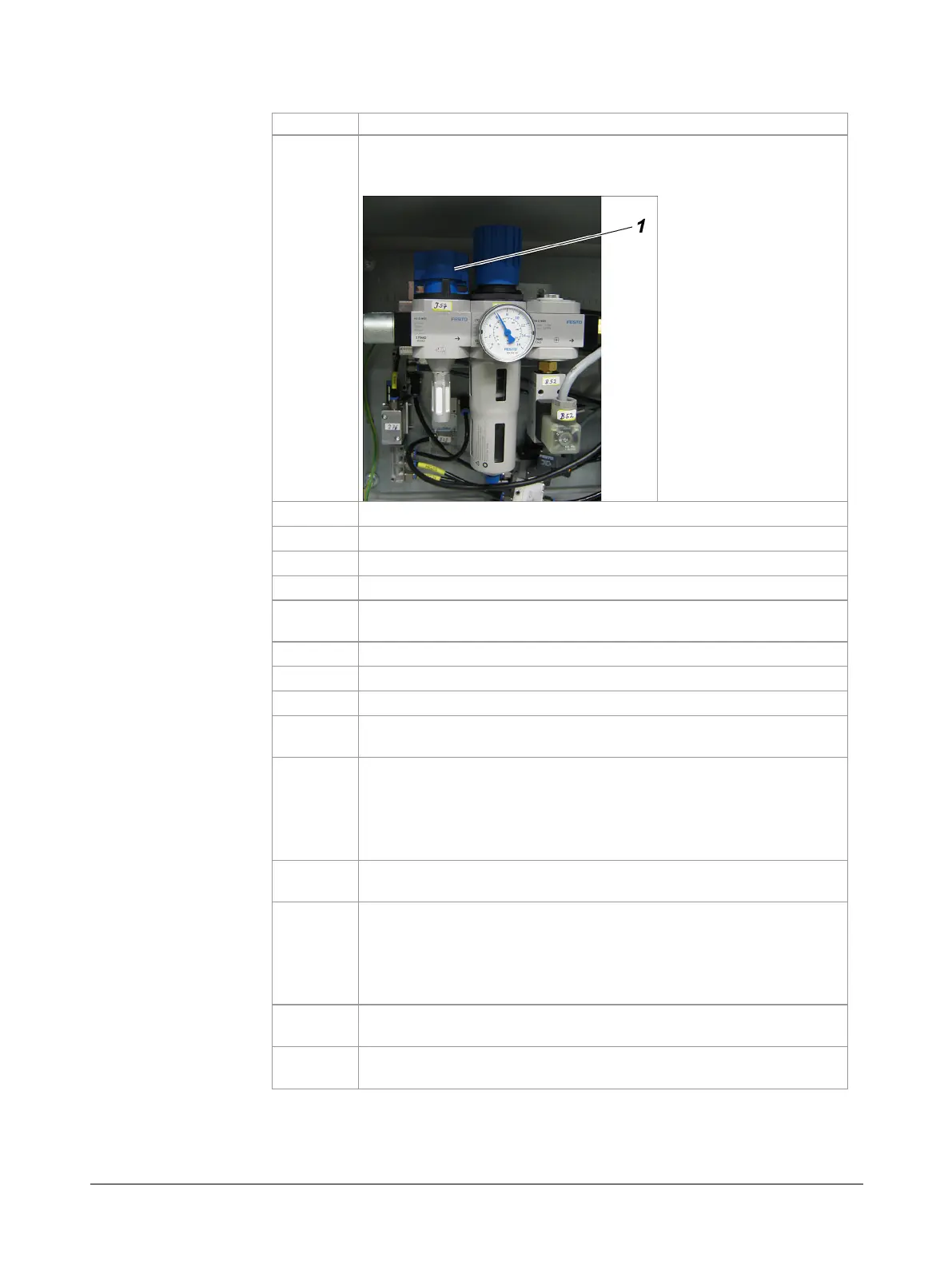
Shut off the compressed-air using the gate valve
(1)
in the
pneumatic box of the probe retractor so as to prevent any
undesirable probe movements.
Completely vent the compressed-air tank (if present).
Open the control cabinet.
Turn on the main switch of the gas sampling system.
Switch on uninterruptible power supply (if present).
Switch on residual current circuit-breaker in the control cabinet
(if present).
Flip the fuse switches one by one in the control cabinet.
Wait for controller to boot.
Start frequency converter.
Adjust local time (password for "Advance Service" required).
Path: Setup ► System ► Time setting
Open the compressed-air gate valve
(1)
again.
WARNING! Depending on the current position, the probe be-
gins to move towards to the rear end position (probe com-
pletely retracted). Do not stand in the area of travel of the
Switch on the cooling-water pump on the touchscreen.
Path: Operation ► Cooling Water Pump ► ON
Wait for the heated modules to heat up until the following error
messages disappear:
"Probe heating temperature MIN"
"Cable Drag Chain Sample Gas Line Temp. Error"
Path: Diagnosis ► Message
Turn service switch to
ON
position.
Note: This step resets various safety functions.
Turn service switch to
OFF
position.
Result: The gas sampling system is in manual mode.
sampling system.



 To Next Page