140 SensyMaster FMT430, FMT450 THERMAL MASS FLOWMETER | OI/FMT430/450-EN REV. B
… 12 Repair
Replacing the LCD indicator
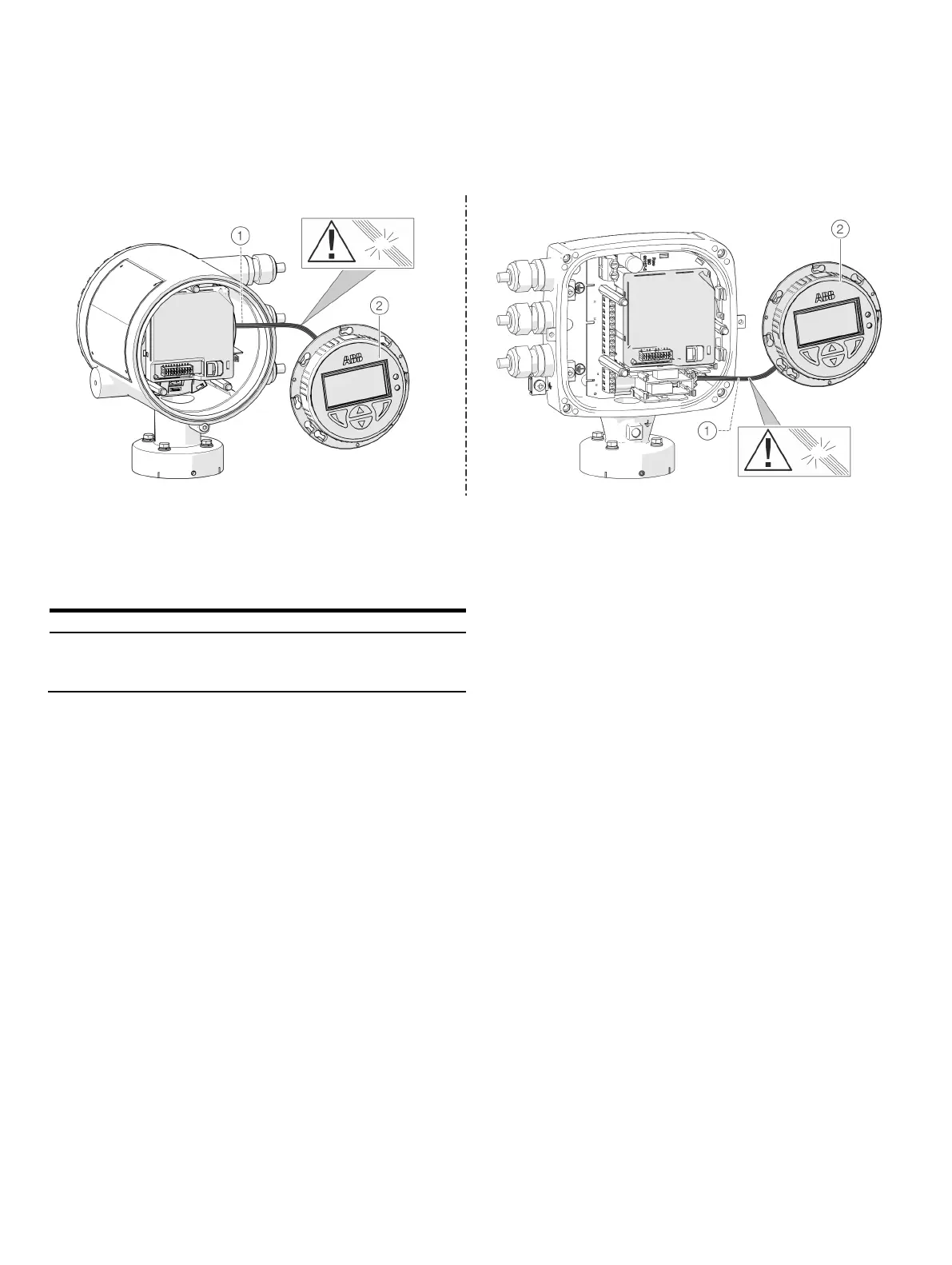
Dual-compartment housing Single-compartment housing
LCD indicator cable harness
LCD indicator
Figure 77: Replacing the LCD Indicator (example)
The LCD indicator can be replaced in the event of a malfunction.
For integral mount and remote mount
design
Replace the LCD indicator by following the steps below:
1. Switch off the power supply.
2. Unscrew / remove the cover.
3. Loosen fixing screws for LCD indicator (only in integral
mount design).
4. Remove the LCD indicator.
5. Pull the connector out of the motherboard.
6. Attach the connector on the new LCD indicator. Ensure
that the cable harness is not damaged.
7. Insert the LCD indicator and tighten if necessary.
8. Unscrew / set down the cover once again
9. Switch on the power supply.













 To Next Page