142 SensyMaster FMT430, FMT450 THERMAL MASS FLOWMETER | OI/FMT430/450-EN REV. B
… 12 Repair
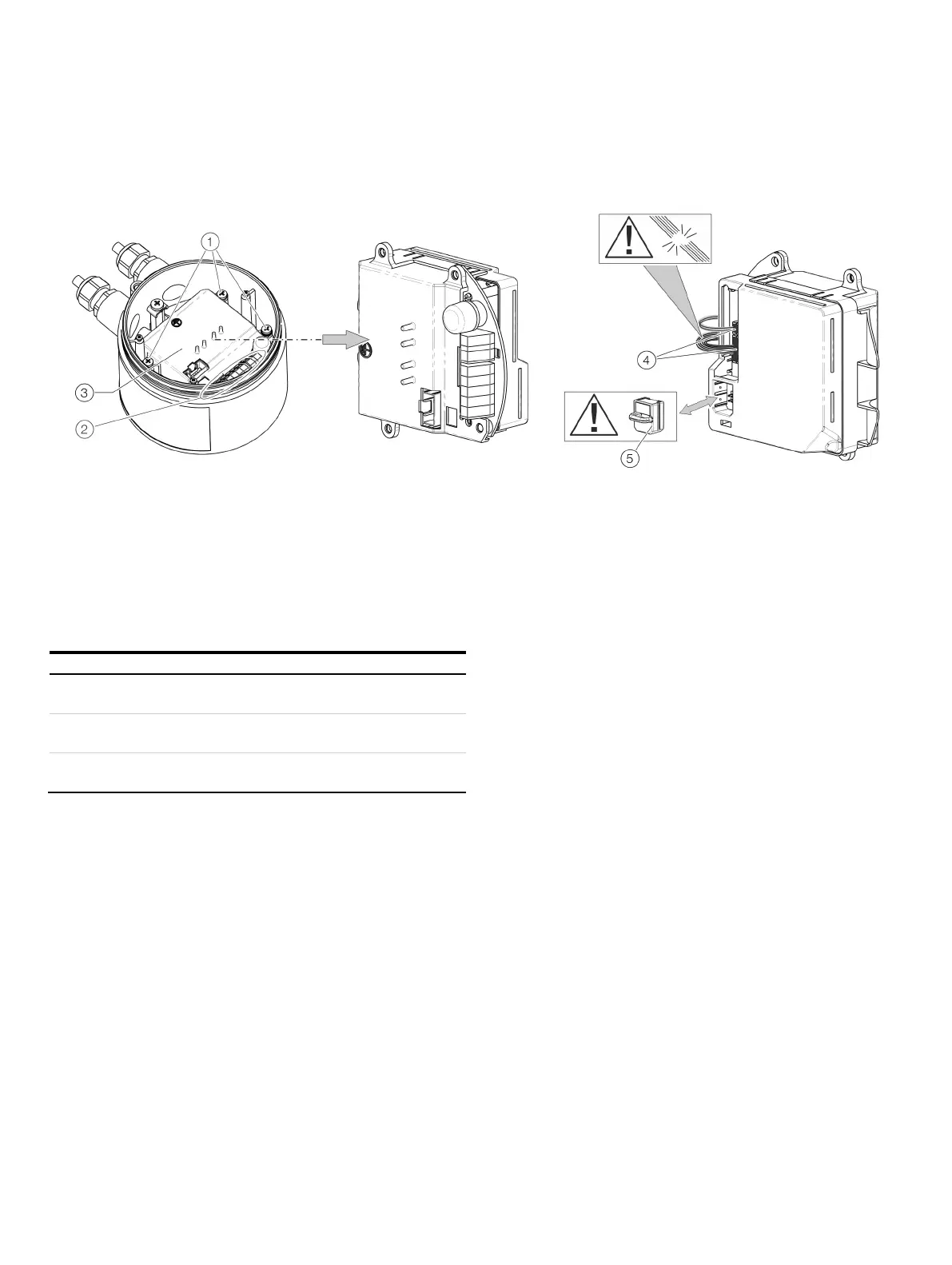
… Replacing the slide-in
Remote mount design
Frontend board fixing screw
Terminals
Frontend board
Connections for flowmeter sensor
SensorMemory
Figure 79: Replacing the frontend board (flowmeter sensor)
The sensor electronic unit (slide-in module) can be replaced in
the event of a malfunction.
Sensor electronic unit (slide
-in module)
-Ex, Ex Zone 2, Division 2)
Sensor electronic unit (slide
-in module)
(slide-in module)
Perform the following steps to replace the sensor electronic unit:
1. Switch off the power supply.
2. Unscrew / remove the cover.
3. Loosen the fixing screws (3×) on the sensor electronic unit.
4. Disassemble the defective sensor electronic unit.
5. Pull the connector out of the sensor cable harness. Ensure
that the cable harness is not damaged.
6. Pull out the SensorMemory.
Note
The SensorMemory is assigned to the sensor. Ensure that the
SensorMemory remains with the sensor and cannot be lost!
7. Insert the SensorMemory into the new sensor electronic unit.
8. Connect the plug of the sensor cable harness.
9. Insert the new sensor electronic unit and secure it with the
fixing screws (3×).
10. After powering up the power supply, the transmitter
automatically replicates the system data from the
SensorMemory.













 To Next Page