SensyMaster FMT430, FMT450 THERMAL MASS FLOWMETER | OI/FMT430/450-EN REV. B 81
9 Operation
Safety instructions
Risk of burns due to hot measuring media
The device surface temperature may exceed 70 °C (158 °F),
depending on the measuring medium temperature!
• Before starting work on the device, make sure that it has
Aggressive or corrosive media may lead to the damage of
wetted parts of the sensor. As a result, measuring medium under
pressure can leak out.
Wear to the flange gasket or process connection gaskets
(e.g. flange fitting or pipe fitting) may cause a pressurized
measuring medium to escape.
If pressure surges above the permissible nominal pressure of the
device occur permanently during operation, this may affect the
service life of the device.
If there is a chance that safe operation is no longer possible,
take the device out of operation and secure it against
unintended startup.
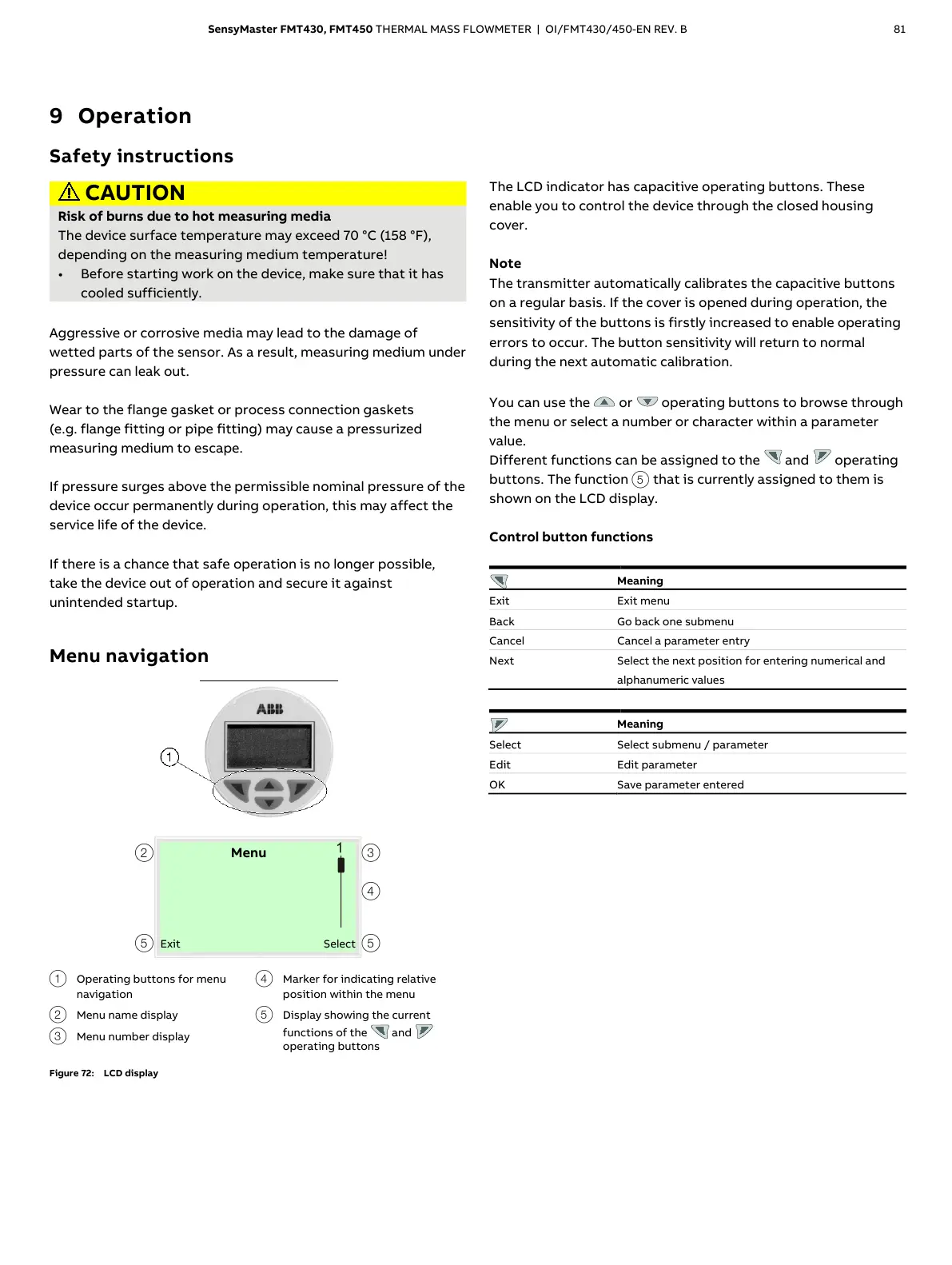
Menu navigation
Operating buttons for menu
navigation
Menu name display
Menu number display
Marker for indicating relative
position within the menu
Display showing the current
functions of the and
operating buttons
Figure 72: LCD display
The LCD indicator has capacitive operating buttons. These
enable you to control the device through the closed housing
cover.
Note
The transmitter automatically calibrates the capacitive buttons
on a regular basis. If the cover is opened during operation, the
sensitivity of the buttons is firstly increased to enable operating
errors to occur. The button sensitivity will return to normal
during the next automatic calibration.
You can use the or operating buttons to browse through
the menu or select a number or character within a parameter
value.
Different functions can be assigned to the and operating
buttons. The function
5 that is currently assigned to them is
shown on the LCD display.
Control button functions
Select the next position for entering numerical and
alphanumeric values
Select submenu / parameter













 To Next Page