56
Installation and Commissioning Guide 500-700 Tri-Capacity Split Ducted
Doc. No.0525-098 Ver. 2 210330
Installation and Commissioning Guide
Split Tri-Capacity
Option 2: TIME SCHEDULER
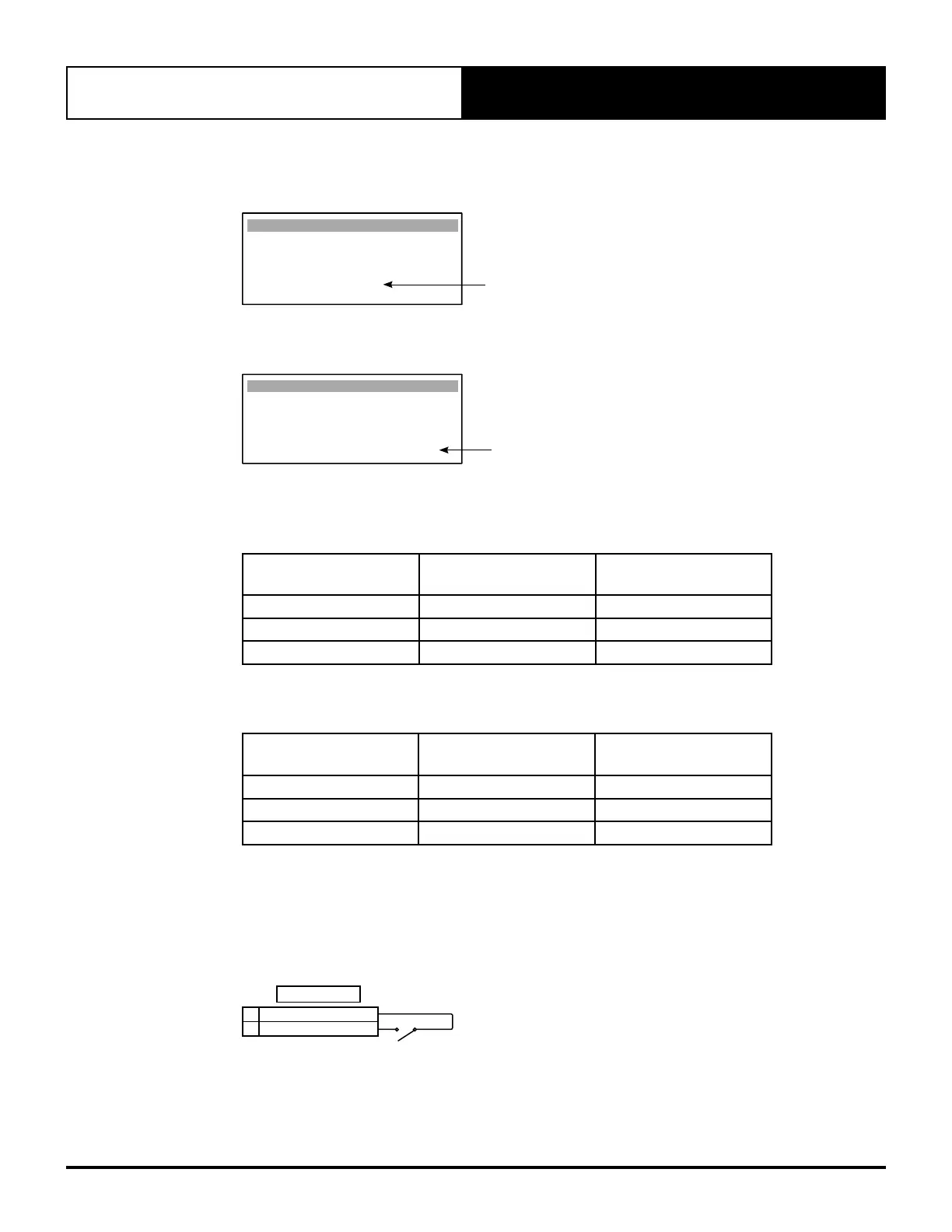
Ensure that Enable DIN 4 to turn the unit On / Off (on screen Ge3) is set to NO.
NO
Bms Cong. Ge3
Enable DIN 4 to turn
the unit On / O : NO
Ensure Enable Scheduler (on screen D1) must be Yes.
Clock D1
YES
Day : Tuesday
Date : 17/05/16
Hour : 12:38
Enable Scheduler : YES
Then set the weekly, After Hours and special days time scheduler via screens (D3 – D19) to your requirements.
The Unit ON/OFF is now configured.
Unit ON/OFF CP05
(CP10, CL01 optional)
SCHEDULE UNIT STATUS
ON ON Unit On
ON OFF OFF by SCH
OFF ON or OFF OFF by KEY
Option 3: External Unit ON/OFF
The Unit ON/OFF can be controlled via external relay
Unit ON/OFF CP05
(CP10, CL01 optional)
REMOTE ON/OFF UNIT STATUS
ON ON Unit On
ON OFF OFF by DIN
OFF ON or OFF OFF by KEY
19.01.01. Wiring ON/OFF Input
Unit ON/OFF can be wired using either Method 1: External Unit ON/OFF or Method 2: IN-FAN (24VAC IN).
Method 1: External Unit ON/OFF
External Unit ON/OFF is operated by switching REMOTE ON/OFF to COMMON.
COMMON (GND)
11
REMOTE ON/OFF
10
TERMINALS



 To Next Page