64
Installation and Commissioning Guide 500-700 Tri-Capacity Split Ducted
Doc. No.0525-098 Ver. 2 210330
Installation and Commissioning Guide
Split Tri-Capacity
24. AFTER HOURS LOGIC WITH TIMECLOCK SCHEDULER
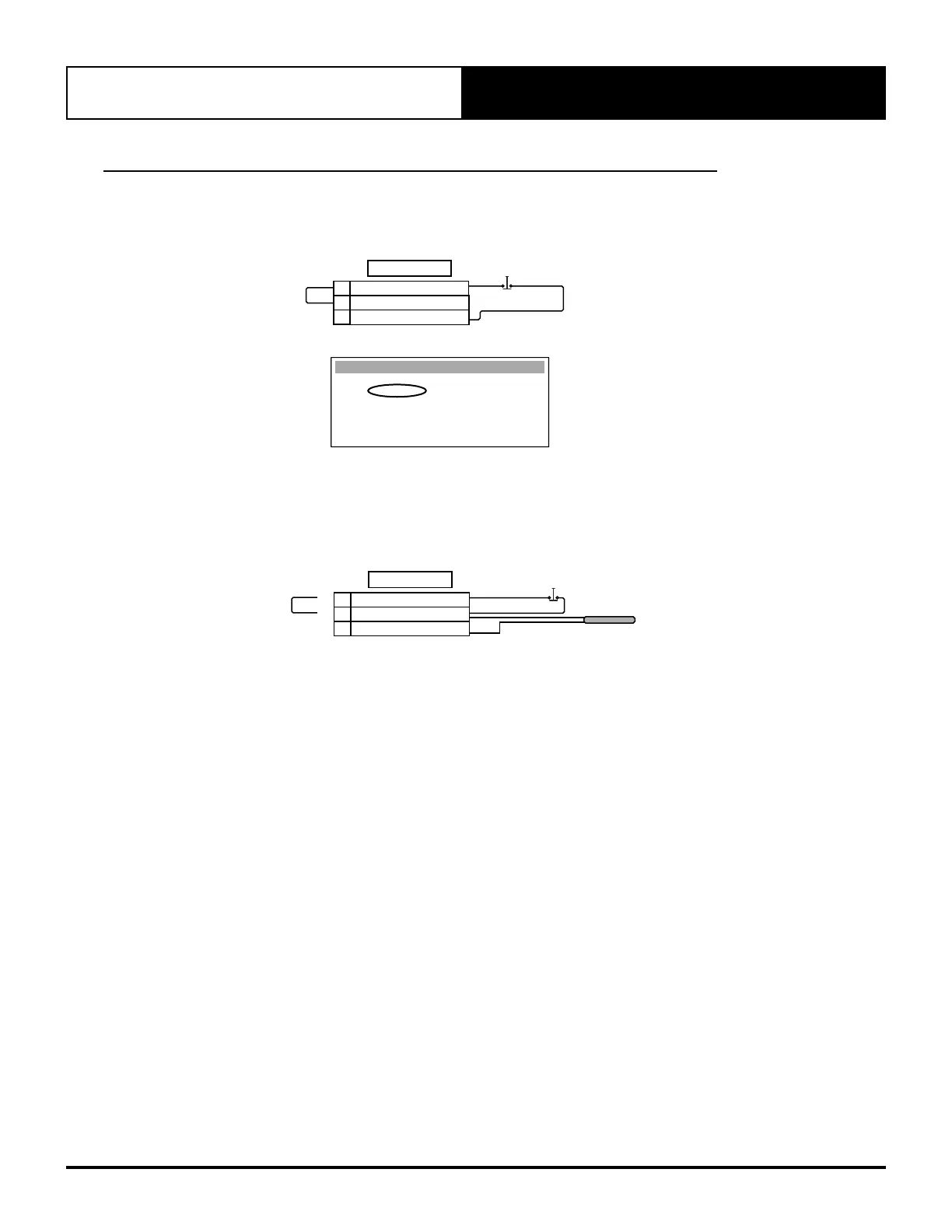
24.01. After Hours wiring to outdoor unit
Option 1 : After Hours button wired to Outdoor Unit.
Jumper (Factory Installed)
A/H button (normally closed contact)
AFTER HOURS
18
RTN AIR SENSOR (GND)
16
RTN AIR SENSOR
17
TERMINALS
Room Temperature
After Hours SW & Temp
Wall Cont Temp : 25.4
O
C
Room Temp : 13.8
O
C
Probe weight Value 0
Control Value : 13.8
O
C
Thermoregulat. Gfc2
use OUTDOOR sensor
Use this option if using Indoor/CL01 sensor
Option 2 : After Hours button with Room Air Temperature Sensor wired to Outdoor Unit.
Remove Jumper (Factory installed) wire from terminal 17 and 18.
Remove Jumper Wire
A/H button (normally closed contact)
Room Air Temperature Sensor
AFTER HOURS
18
RTN AIR SENSOR (GND)
16
RTN AIR SENSOR
17
TERMINALS
24.02. Operational Logic
If the scheduler is enabled, the After Hours function will start when the After Hours button is pressed and held for 5
seconds.



 To Next Page