System functions and displays 19
fabian Therapy evolution | SW 5.1.x
Ref: 121003.EN / Date 2020-01-22
The key pad features two rows of buttons with various functions.
Alarm limits
Switches to the alarm limits configuration.
ON ∕ OFF – Start ∕ Stop
For switching the device ON and OFF, stopping and resuming ventilation.
Alarm Silence
For acknowledging and muting alarms for a maximum duration of 120
seconds. Subsequent alarms with higher priority are only displayed
optically during muting.
The Rotary push knob combines a push button with a rotary knob for
executing various settings, selections and confirmation options.
4.2 Display concept structure
4.2.1 Display areas
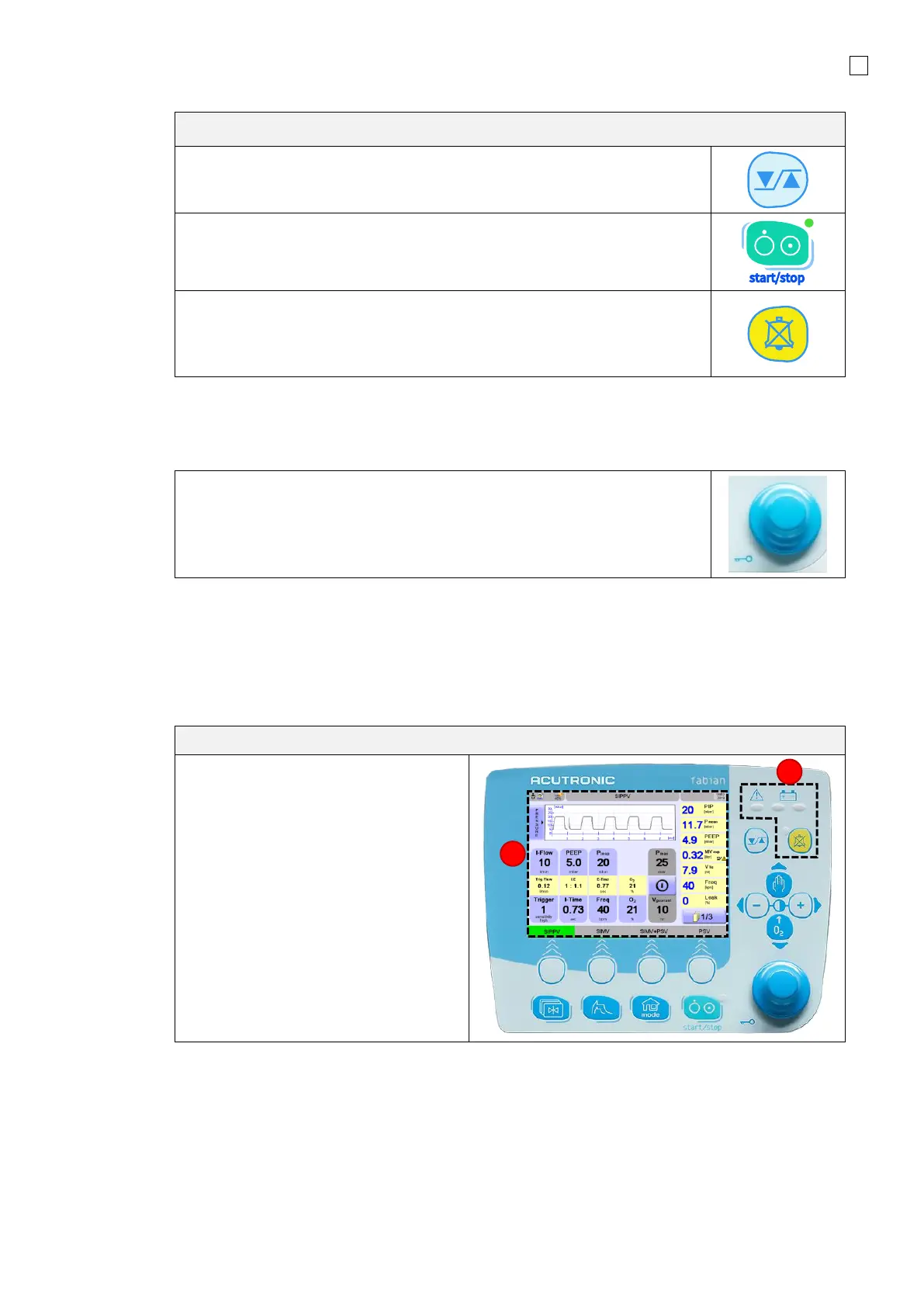
The information system features two key display areas:
1. The Touch screen
2. LED indicators



 To Next Page