40 Configurations menu
fabian Therapy evolution | SW 5.1.x
Ref: 121003.EN / Date 2020-01-22
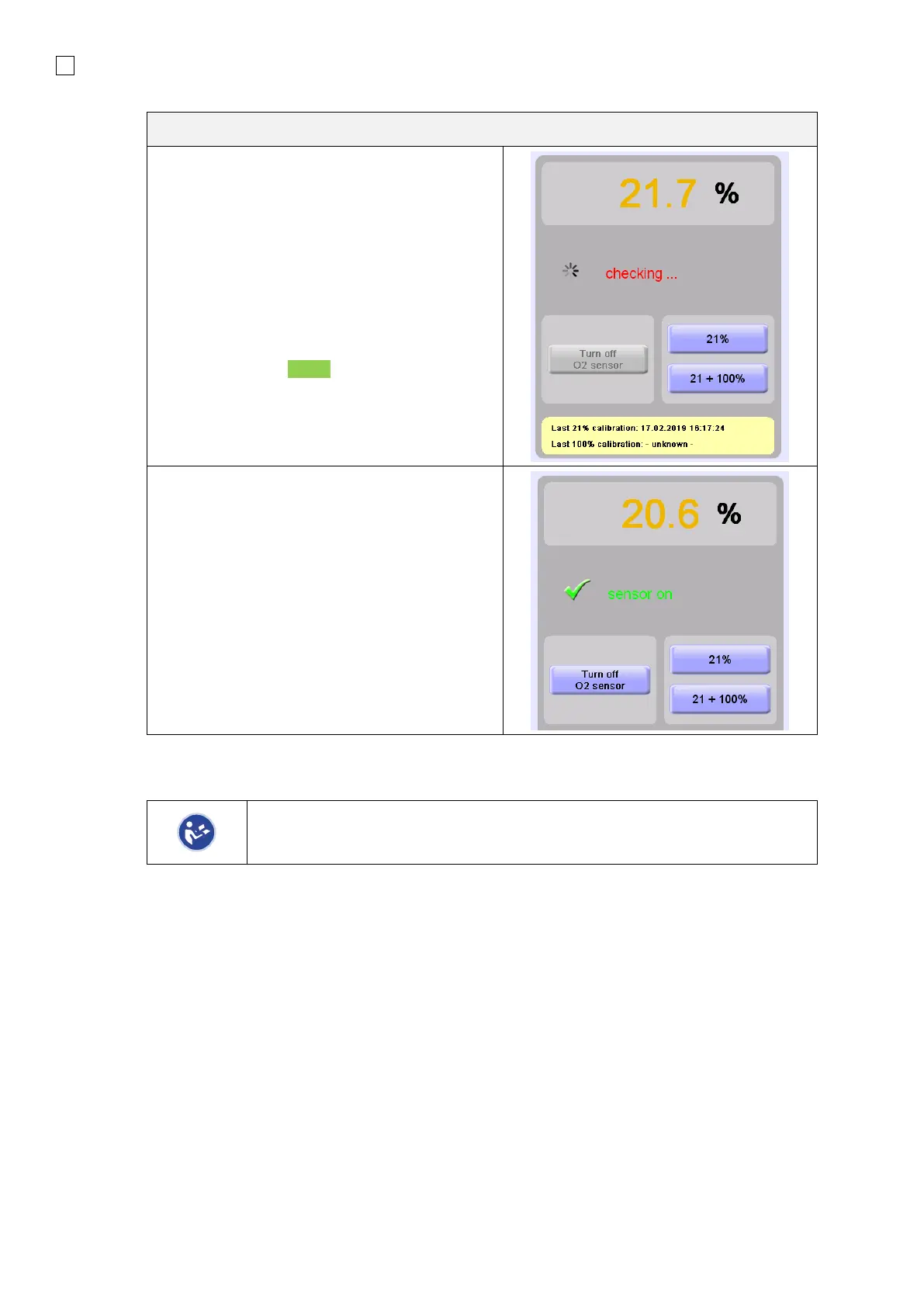
• Press the 21% button to perform One
Point Calibration at 21% O
2
.
• Press the 21 + 100% button to perform
a Two Point Calibration at 21% and
100% O
2
.
After one of these buttons has been pressed, the
Calibration procedure starts. If the procedure has
been successful, a Green check mark will
appear.
The O
2
sensor can be turned OFF in the event
that the O
2
sensor reaches end of life during use.
You must then use a secondary respiratory gas
monitor until the ventilator can safely be taken
out of service to replace the O
2
sensor.
After a successful calibration, the Date of the last calibration is displayed in the corresponding area.
Automatic Sensor Calibration runs every time the equipment restarts and every
24 hours. The gas concentration to patient is not altered during the calibration
procedure.
6.1.3 SpO
2
module
2



 To Next Page