24 System functions and displays
fabian Therapy evolution | SW 5.1.x
Ref: 121003.EN / Date 2020-01-22
4.3 Ventilation menu
4.3.1 Operation General
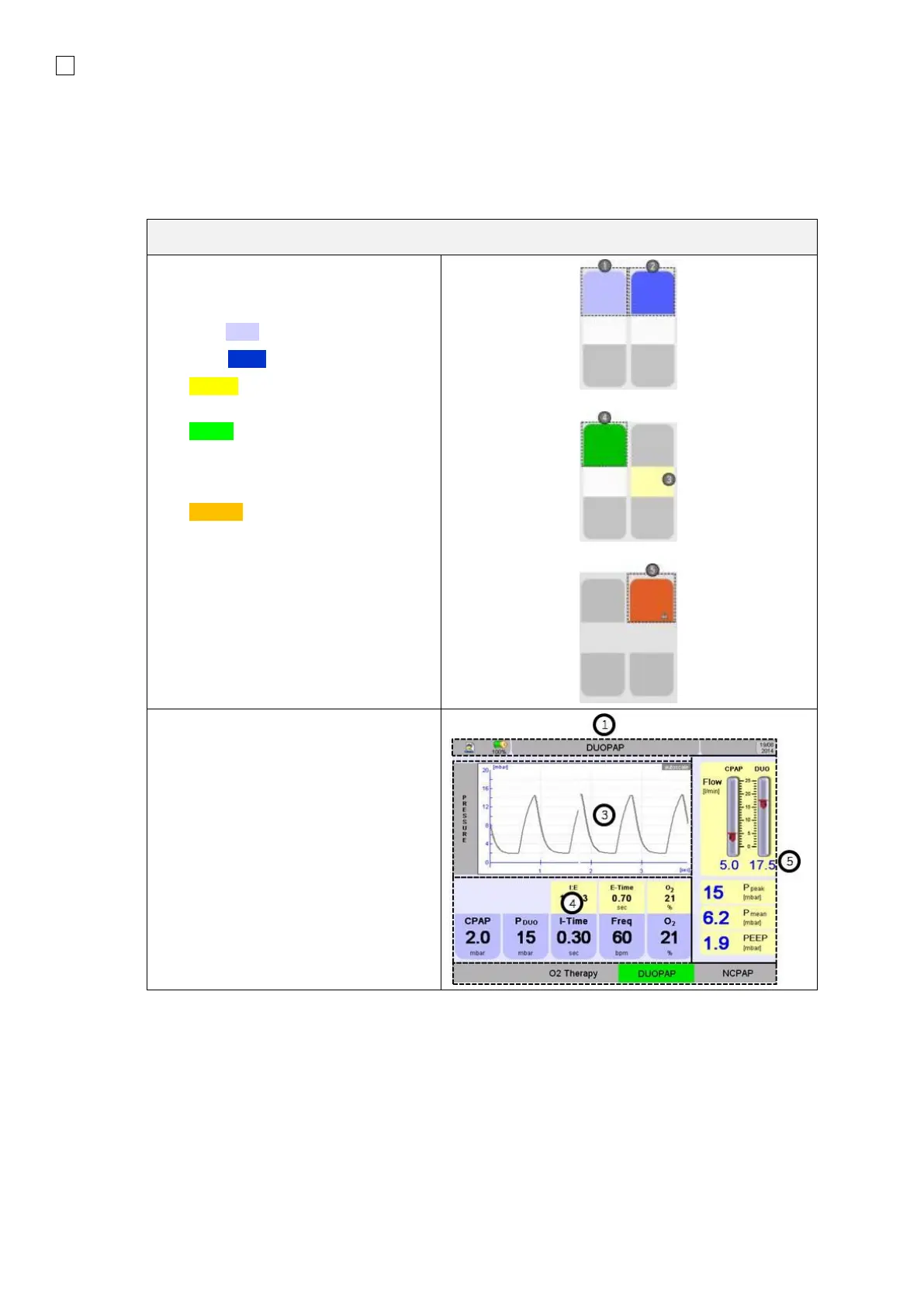
Push buttons and their statuses are
indicated by various colors:
1. Light Blue: Push button
2. Dark Blue: focused push button
3. Yellow (in Functionsfield):
parameters value set automatically
4. Green: selected push button, if the
push button features a parameter
for setting a value it can now be
changed.
5. Orange: parameter is
automatically adjusted by the
device.
The value set by the user indicates the
maximum value and will NOT be
exceeded.
Depending on the Ventilation mode, the
Ventilation menu indicates the
configuration parameters (4) and
measurements (5) relevant in the mode.
The Information bar (1) indicates
current information.
The Ventilation parameters can be
changed in the menu.



 To Next Page