System functions and displays 27
fabian Therapy evolution | SW 5.1.x
Ref: 121003.EN / Date 2020-01-22
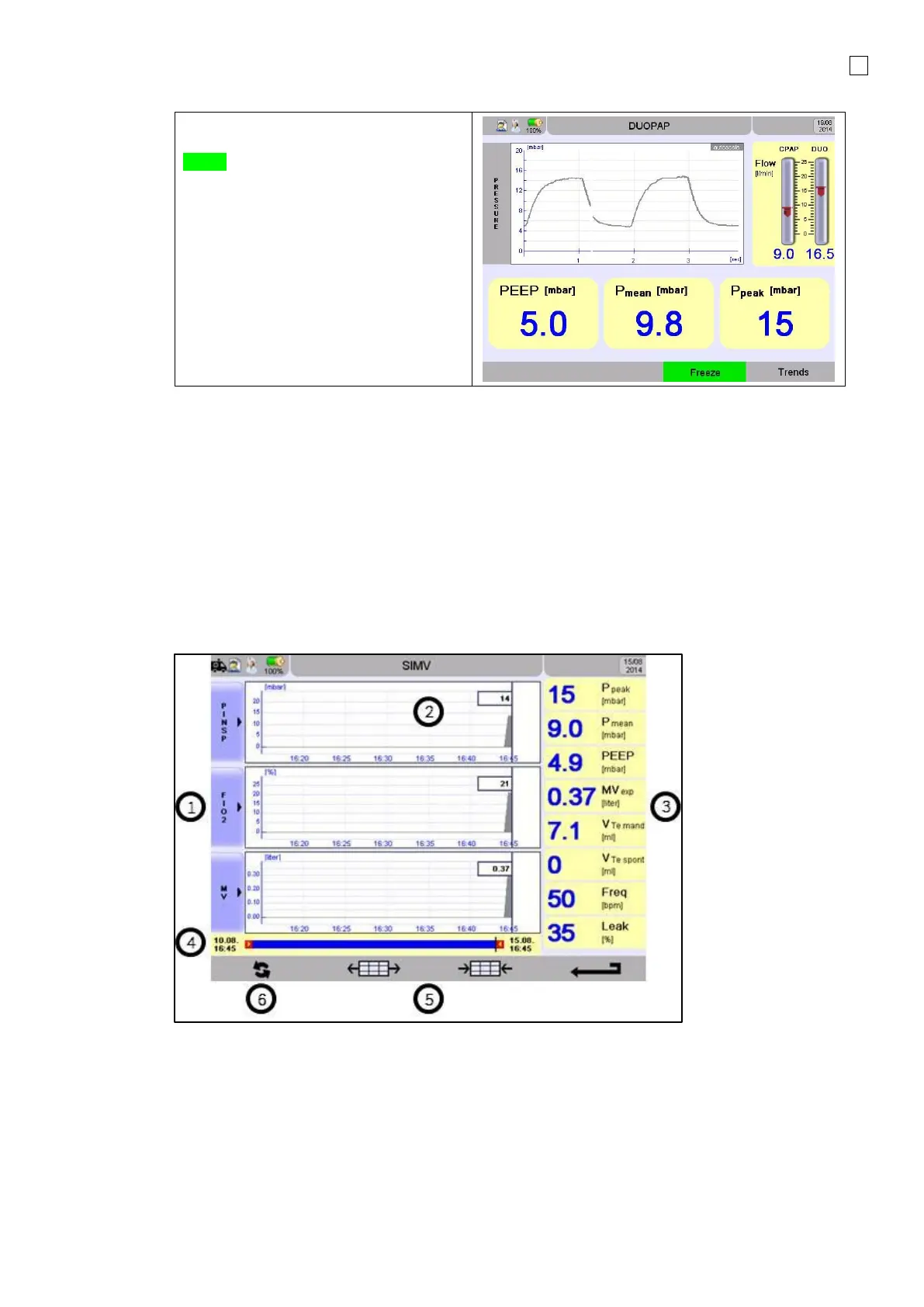
The button below Freeze stops the
waves being updated. The key will turn
Green.
The measured parameters in the
Display field continue being updated.
Press the Freeze key again to continue
updating the Waves data.
4.4.1 Trend Menu
The device trending function automatically saves an average of measurements every 30 seconds.
Measurements of up to 5 days can be recorded.
Trend data is automatically deleted in the following cases:
• Date and / or time is modified
• New patient data is entered
• Software update
A confirmation message will always be displayed before trend data is deleted.
1. Parameter selection for graphic waves
2. Graphics
3. Parameter values
4. Timeline
5. Adjust timeline (max. 5 days min. 30 minutes)
6. Update data (refresh)



 To Next Page