30 System operation
fabian Therapy evolution | SW 5.1.x
Ref: 121003.EN / Date 2020-01-22
5.2 System start-up
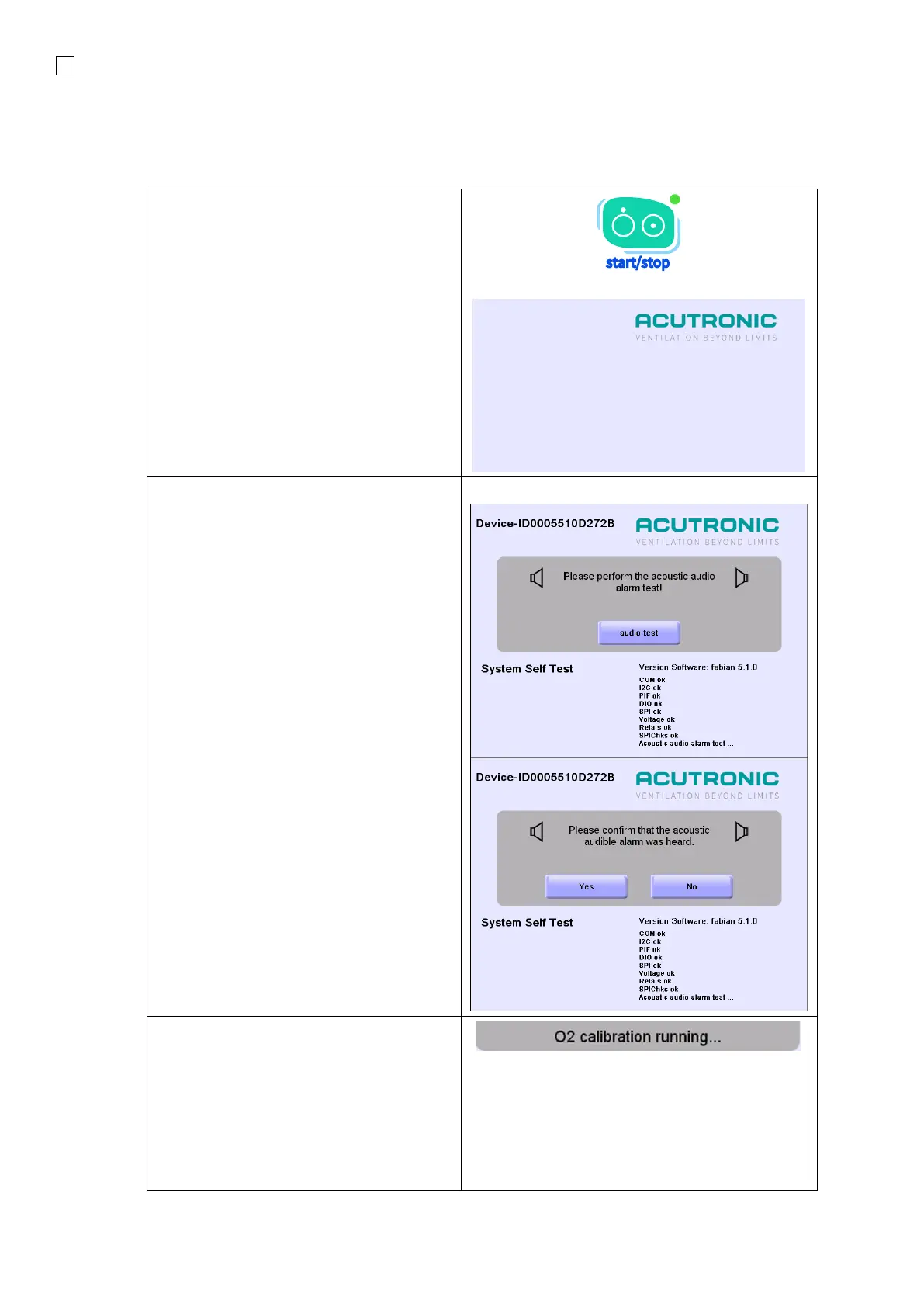
Switching ON the ventilator
1. Use the start ∕stop button on fabian
Therapy evolution to power ON the
device.
2. When the device is powered ON, the
Start-up screen will appear and the
device will perform a self-test.
3. The SOFTWARE REVISION, the
CHECK SUMS and the status of the
interfaces will be checked.
(ok = no error)
Loudspeaker (audio) check
4. After a successful power ON, the
device will prompt the user to perform
the acoustic audio alarm test
5. In order to proceed, you must
acknowledge that the alarm is audible,
continue using the ventilator without
audio alarm or shut down the
ventilator.
The O
2
will automatically be calibrated
after leaving the Calibration menu once
every 24 hours.



 To Next Page