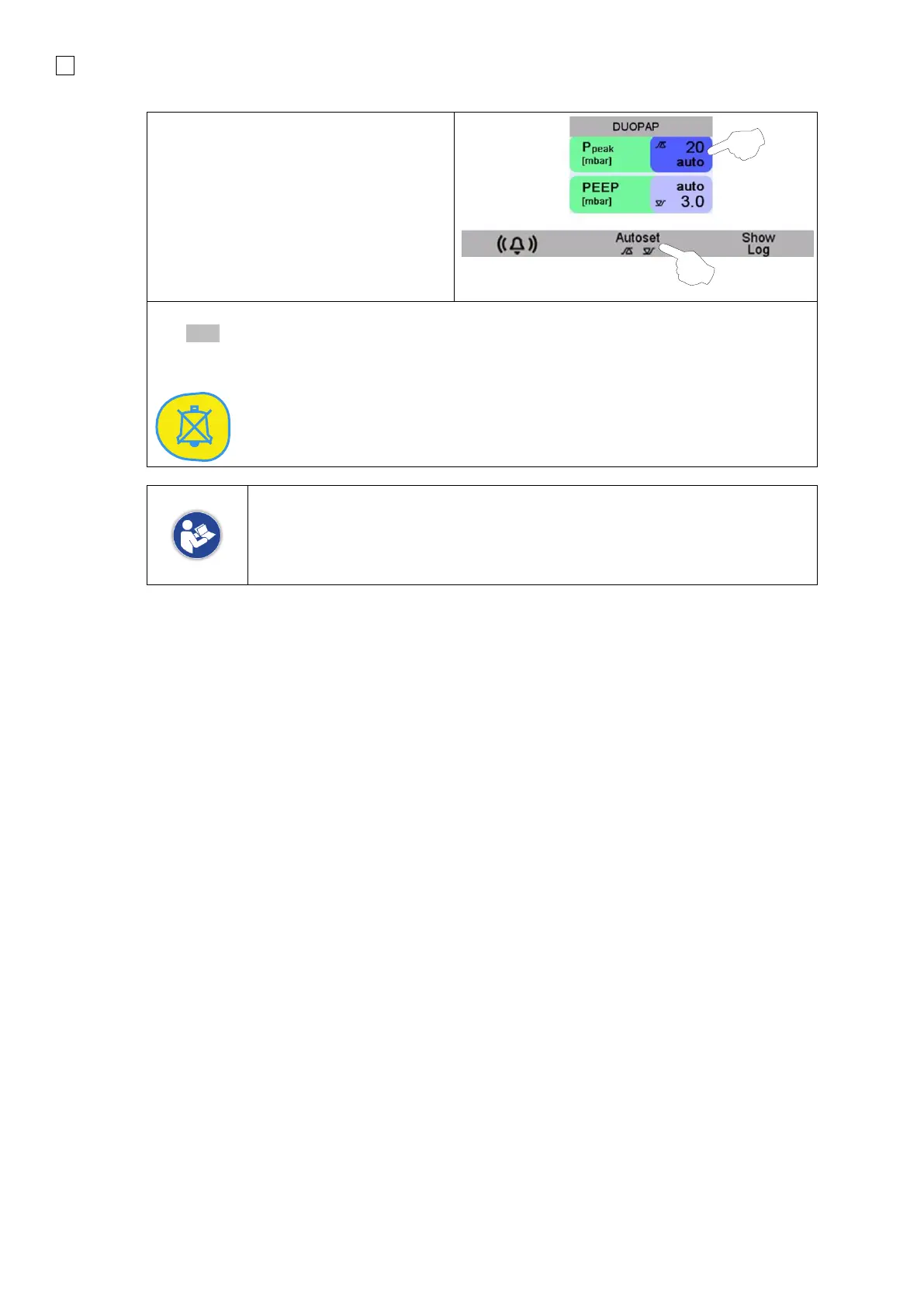
The Alarm Limit can be manually adjusted
(1).
The Alarm Limits menu automatically
focuses on the corresponding parameter.
The limit may also automatically be
adjusted by pressing button underneath
Autoset (2).
Once the alarm limit has been adjusted or there are no more active alarms, the
bell symbol will turn grey.
7.1.1 Automatic alarm limits
7.1.1.1 Alarm conditions
Each numerical parameter value is checked for violations of the current alarm limits. Additionally, the
measured pressure will be checked against the limit every 20 milliseconds with the following
conditions:
Upper Alarm Limit of Pressure:
• nCPAP: with a delay of 3 seconds in case of a manual or mechanic breath -> pressure will be
checked against upper limit, if the pressure is still above the limit after 5 seconds the alarm will
be signaled, otherwise it is cleared.
• All other ventilation modes: pressure will be checked against the upper limit, if the limit is
exceeded the alarm will be signaled.
• A breath with peak pressure below the upper limit will reset the delay of 5 seconds.
Lower Alarm Limit of Pressure:
• A breath with peak pressure above the lower limit will reset the delay set in the ventilation menu.
• nCPAP: with a delay of 3 seconds in case of a manual or mechanic breath -> pressure will be
checked against lower limit, if the pressure is still below the limit after the alarm delay set by the
operator in the Ventilation menu, the alarm will be signaled, otherwise it is cleared.
• DUOPAP: pressure will be checked against lower limit, if the pressure is still below the limit after
the Alarm delay set by the operator in the Ventilation menu, the alarm will be signaled, otherwise
it is cleared.
• If an Alarm Condition has been detected, a dedicated Alarm Array is written, otherwise it is
cleared.



 To Next Page