38 Configurations menu
fabian Therapy evolution | SW 5.1.x
Ref: 121003.EN / Date 2020-01-22
6.1.1 Flow sensor
Flow sensors can be calibrated in the upper half of the Calibration menu.
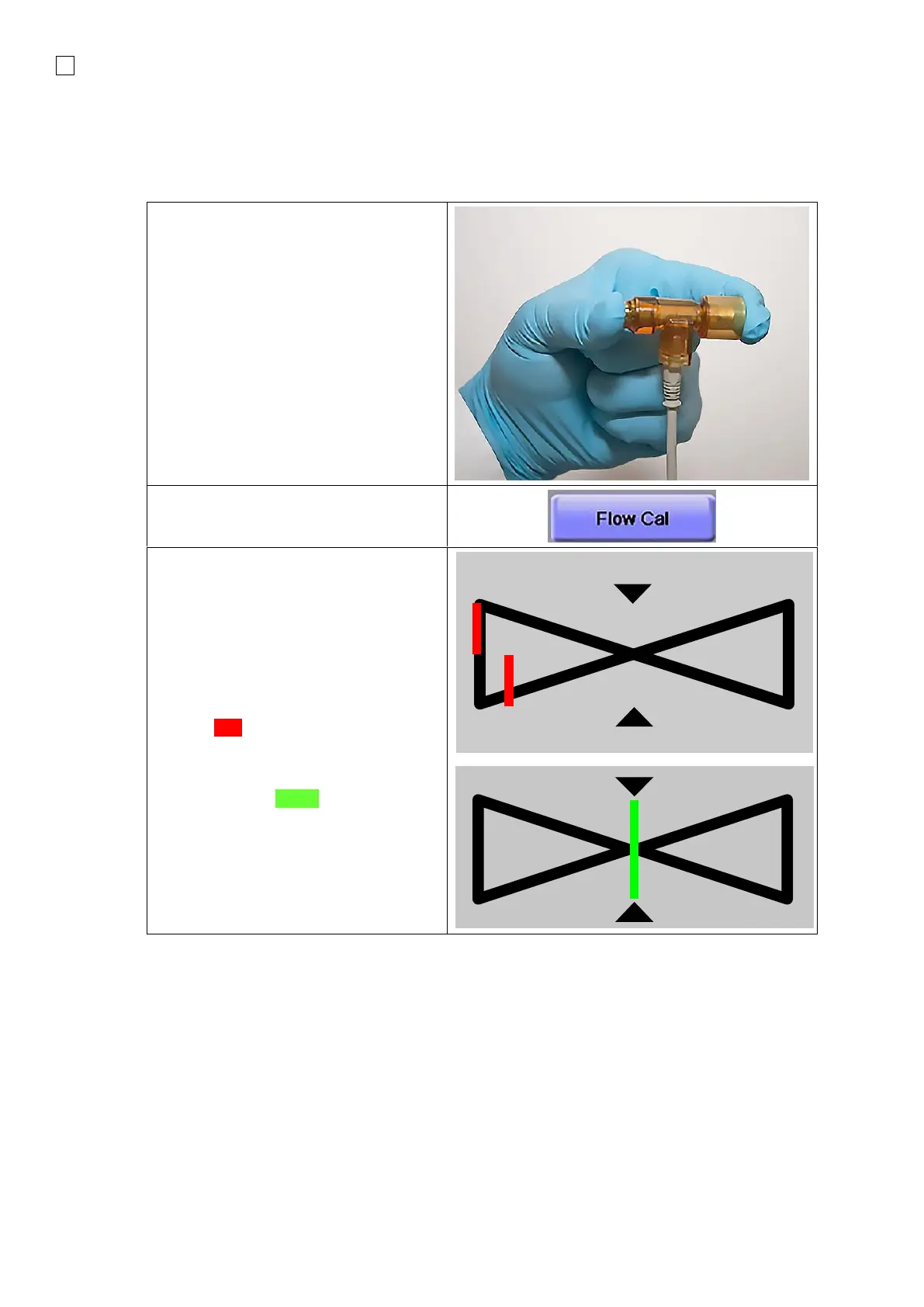
Ensure that gas will NOT flow through
the Flow sensor during Calibration.
The sensor can be held occluding either
one or both ends with a sterile glove to
ensure no gas flow.
If the ventilator is in a Trigger Function
mode, the function is deactivated during
calibration and respiration will continue in
IPPV mode.
2.
3. The Red lines in the diagram (see
illustration on the right) move from
left to right, until they are centered in
this diagram. When centered, these
lines will turn Green.
4. Following successful Calibration, the
Date of the last calibration will be
displayed in the corresponding area.



 To Next Page