System functions and displays 25
fabian Therapy evolution | SW 5.1.x
Ref: 121003.EN / Date 2020-01-22
4.3.2 Operation Settings
The Ventilation parameters can be set before
starting activating Ventilation mode:
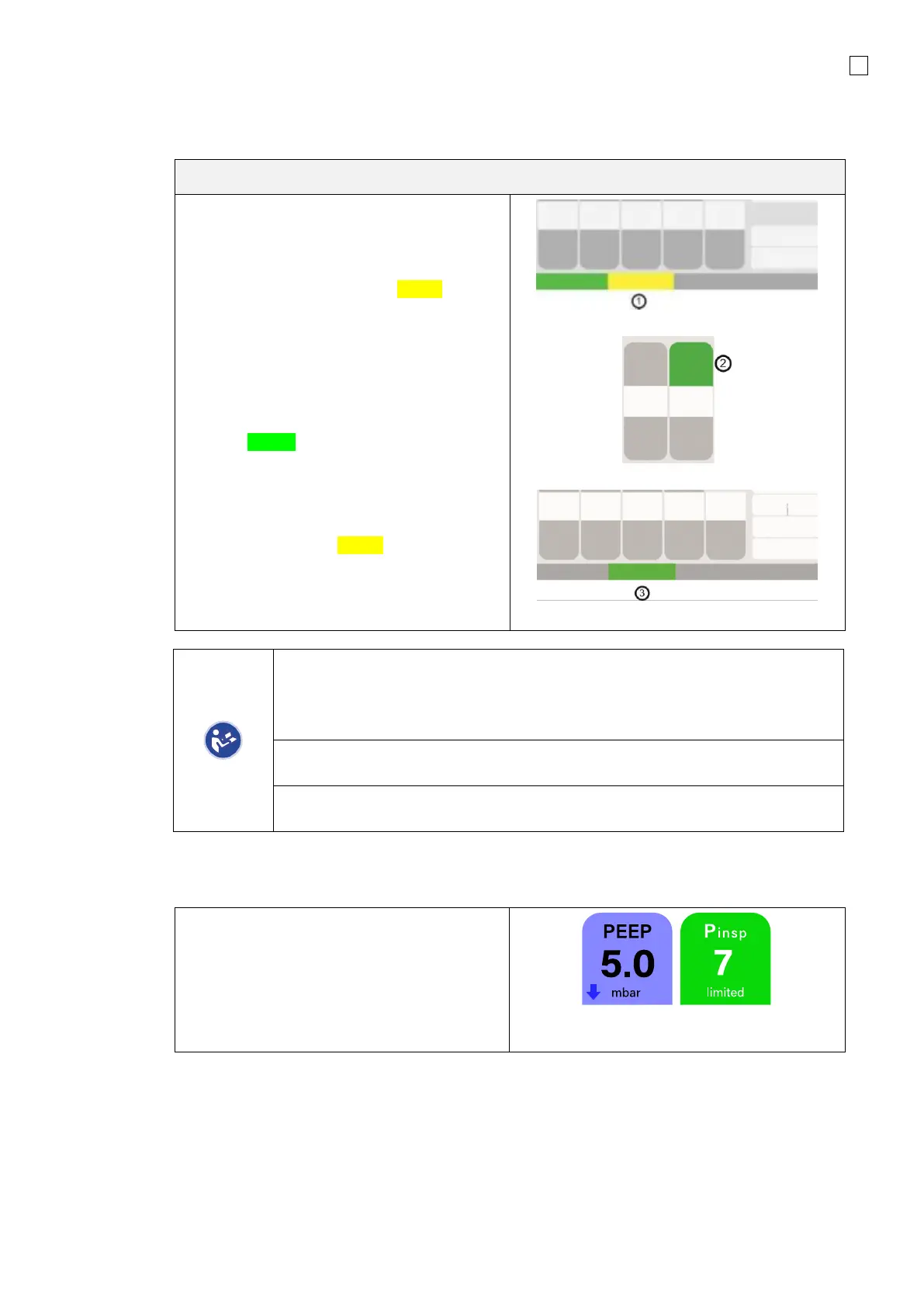
1. For the desired Ventilation mode, tap the
key once: the key will turn Yellow.
2. The Configuration parameters for the
preselected Ventilation mode can now be
adjusted
3. Tap Ventilation mode again: key will
turn Green, ventilation will start with the
parameter settings. The selected
parameter can also be confirmed by
pressing the Rotary push knob.
If the setting is active (Yellow button) and no
action is taken for 15 seconds, or the
preselected mode is not confirmed by tapping
again, the device will continue in the previous
mode, any settings are deleted.
After confirming a parameter the audible alarm is automatically suppressed for
15 seconds.
The audible alarm may be immediately activated by pressing the Silence Alarm
button.
If parameters are mutually regulating, an
arrow will appear on the parameter requiring
modification indicating the required direction.
In this example, P
insp
is being reduced but is
NOT able to be reduced further as it is limited
by the PEEP setting. The limiting value is
indicated by the arrow.



 To Next Page