Configurations menu 45
fabian Therapy evolution | SW 5.1.x
Ref: 121003.EN / Date 2020-01-22
Resets the device to the hospital defaults.
optional: The factory defaultsit is enabled in
service mode.
Resets the device to the factory defaults.
WARNING:
Only Reset to hospital and factory settings when the device is NOT connected to patients.
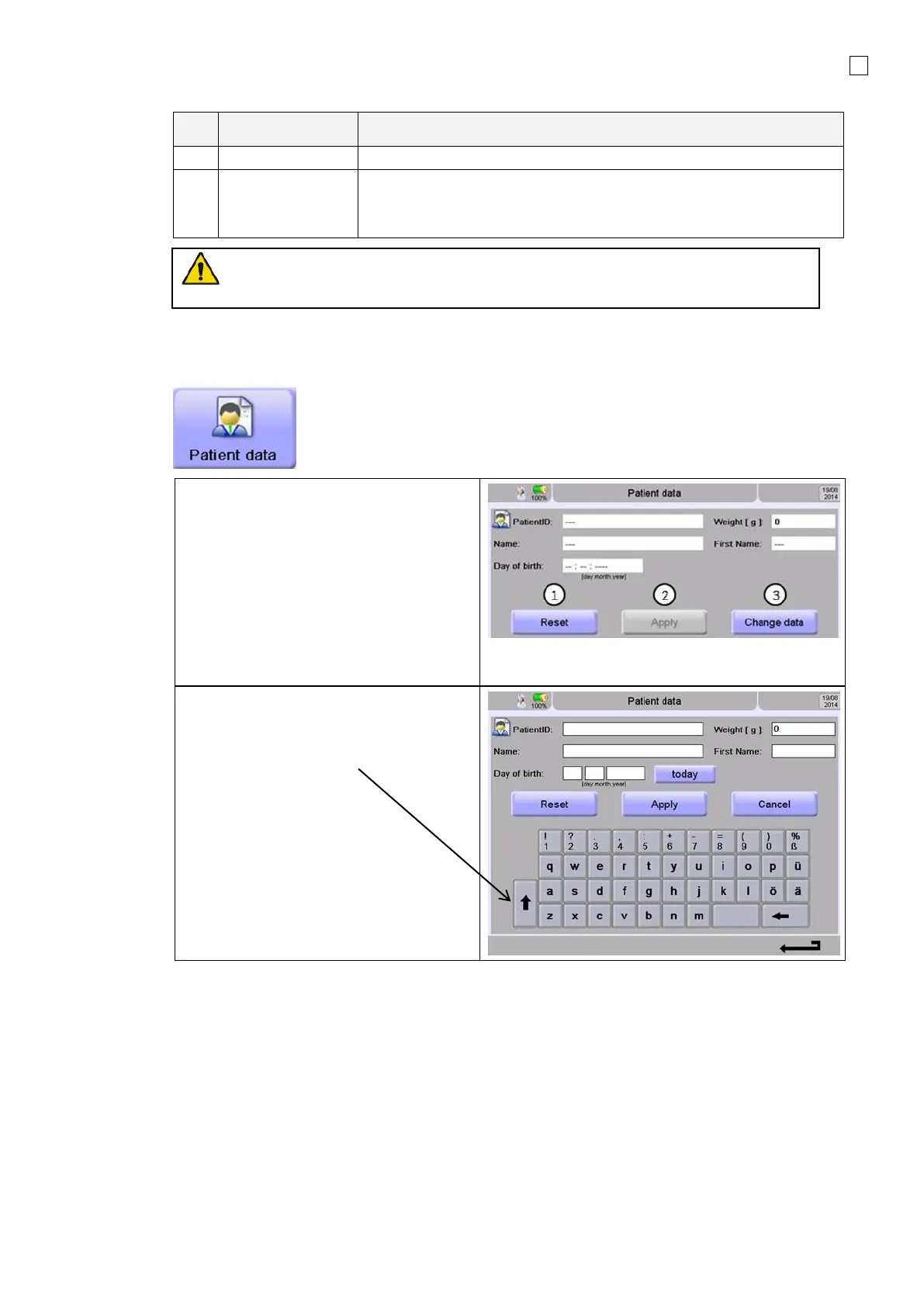
6.4 Patient data
Note:
Entering new patient data will delete all
data from the previous patient.
1. Reset, clearing the actual patient
data
2. Apply, will store patient data from
now
3. Change data is used to add new
patient data. Deleting all stored data
from the previous patient
For data input just touch the Change data
and choose the field for input
For capital letters touch
Accepting data with “Apply”



 To Next Page