103 Ag Leader PN 4003964-ENG Rev. P
G
UIDANCE
•
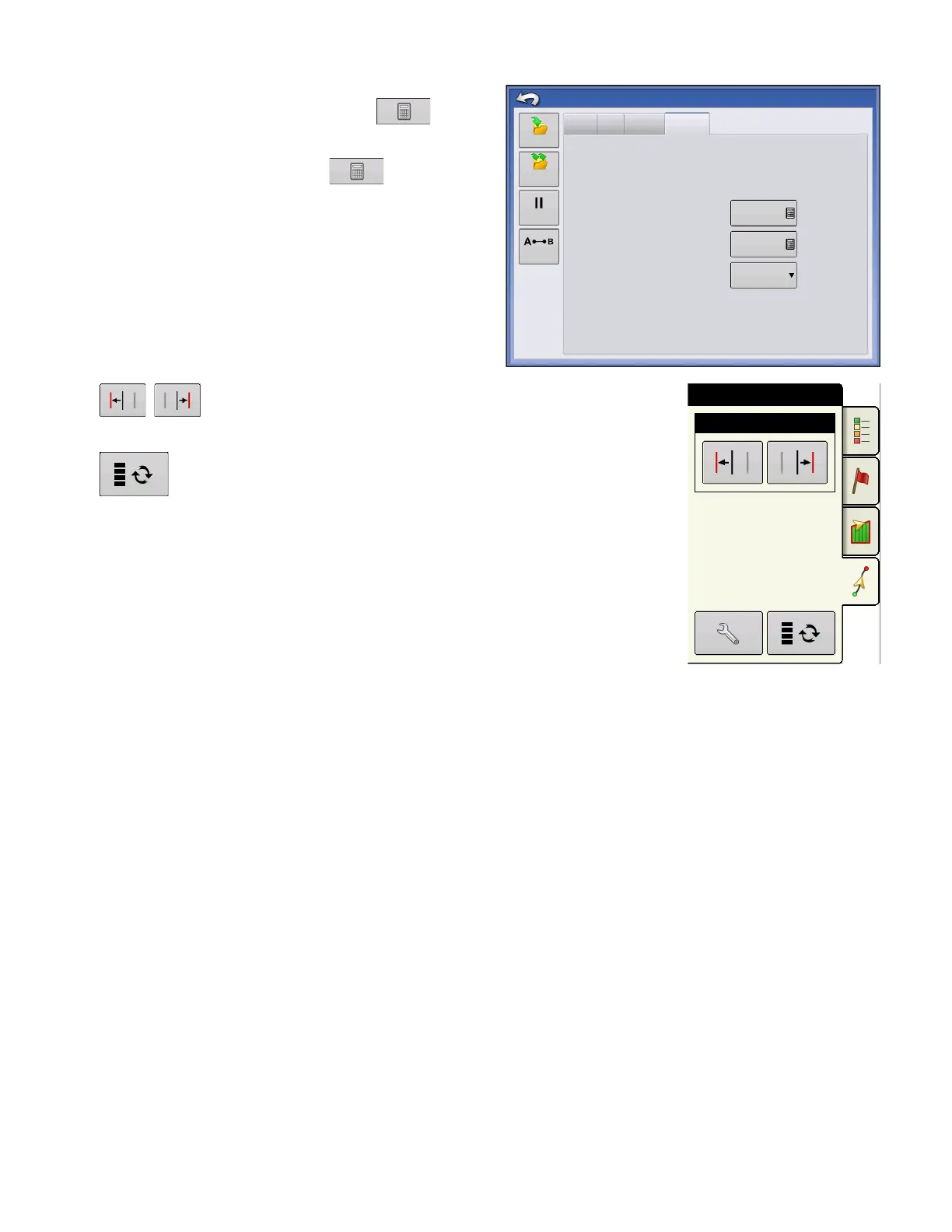
Paths Between Tramlines
- use to enter
the number of passes between tramlines.
•
Paths to Start Field
- use to enter the
number of passes at the begining of the field
before the first tramline.
•
Guide To:
- use drop-down menu to choose
between Paths and Tramlines.
Adjust Tramline - move the placement of the tramline by one
pass left or right.
Use the toggle button to switch menu between Tramline and
Nudge on the Mapping Toolbox.
An audible warning is sounded to alert the operator a Tramline is reached
when the vehicle is ½ a swath width away.
Tramlines are also numbered under the Pass Number. This number will flash
multiple times when the Tramline is reached for a visual warning.
Nudge
Tramlines
Shift
Lightbar
Guidance Options
Paths Between Tramlines
1
Paths to Start Field:
Guide To:
1
Paths
Save
Pause
Save
Group
Remark A



 To Next Page