35 Ag Leader PN 4003964-ENG Rev. P
S
ETUP
F
IELD
O
PERATIONS
SETUP
FIELD OPERATIONS
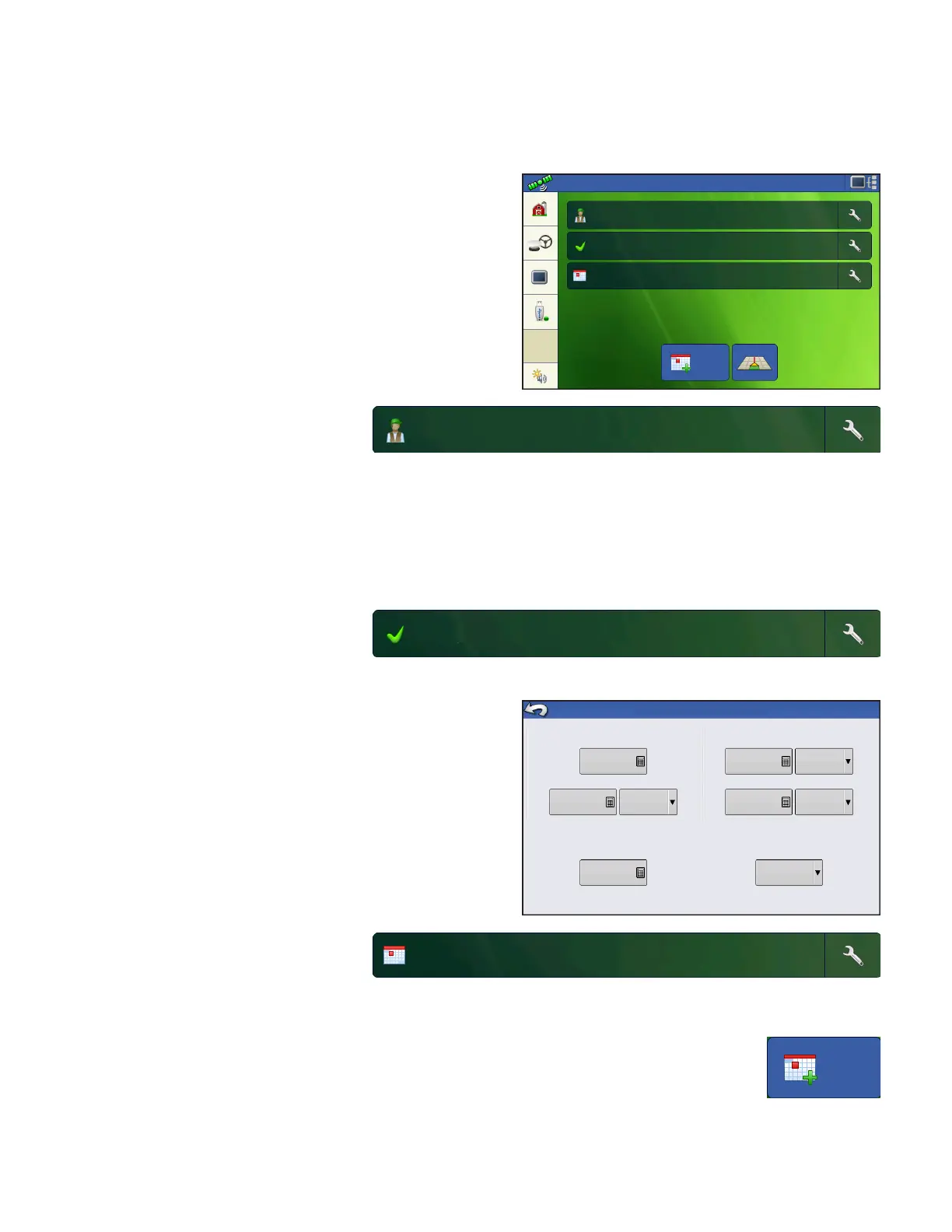
After you have created an Event, the Home screen will
appear.
Operator button - Allows user to
select a machine operator from the
drop-down list. Machine operator
information is logged with all field operations. Operator information may be entered in Management
Setup at
“Management button” on page 15.
User also has the option of setting the display to show the operator selection on startup. If the active
operator has a password, the operator selection will always be displayed on startup.
Pressing the wrench on the end of the operator button allows user to edit operator information.
Configuration button - Selecting
the wrench at the end of the button
allows user to set or adjust
configuration settings.
GPS offsets describe the position of the GPS receiver
relative to the vehicle and the implement.
Implement width – Allows the user to adjust the
working width of the on-screen implement for accurate
coverage mapping
Implement Switch – Allows the user to configure an
implement switch for triggering area on/off based on
the status of an implement switch.
Event button - Allows user to
select an event from a list.
Selecting the wrench at the end of
the button allows user to rename event or to clear bounds.
New Event button - creates new event
Configuration: Guidance
Event: 2014-01-12_12:00:00
Operator: Operator1
Configuration Settings
Antenna Location on Vehicle
Height from Ground
Offset from Centerline
0
Left
Implement Width
Distance from Antenna
10
Behind
Offset from Centerline
0
Left
Implement Switch
0
30
None
Implement Location
Event: 2014-01-14_12:00:00



 To Next Page