8 Firmware Version 7.2
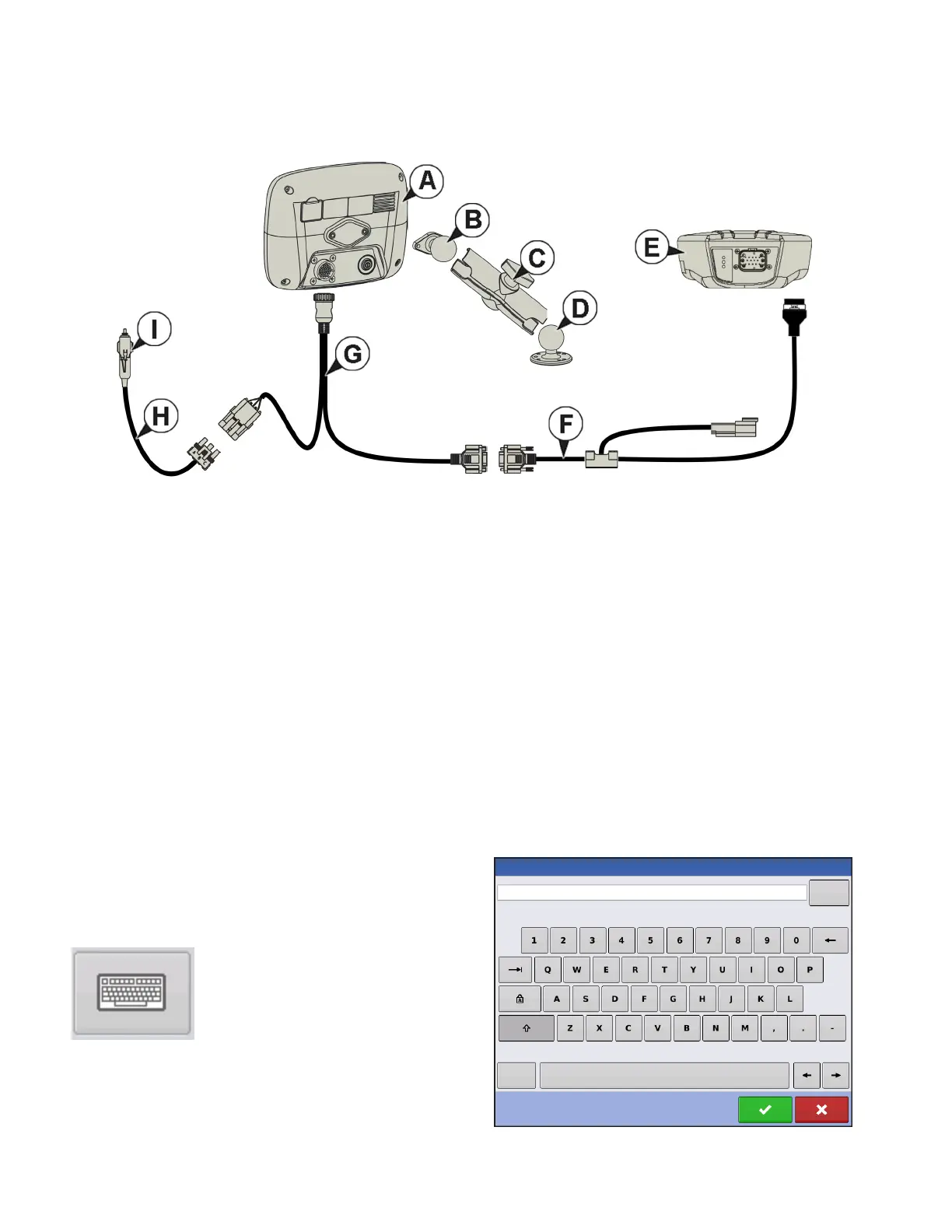
CONNECTING THE SYSTEM
•
• (A) Display
• (B) RAM Base
• (C) RAM Arm
• (D) Base
• (E) Receiver
• (F) Receiver Cable
• (G) Display Cable
• (H) Power Cable
• (I) Fuse, Glass AGC, 3 amp rating
SCREEN ICON CONVENTIONS
The following control buttons are made available for entering names and calibration values into the
system.
An on-screen Keyboard is made available when
appropriate for use during all setup processes. Press
the keyboard button to access the on-screen text entry
screen.



 To Next Page