26 Firmware Version 7.2
• Clear Bounds button
Press to center the map on the current GPS position.
Note: The Clear Bounds feature is particularly useful if you have flyer points or have logged a point outside
the mappable range of your current location.
Importing and Exporting Field Boundaries
Boundaries can be created with the display or imported from desktop GIS software. Any boundary files
present in the display can also be exported for use in desktop mapping software.
Note: For more information on creating boundaries, see “Create Boundary” on page 43.
• USB Import button
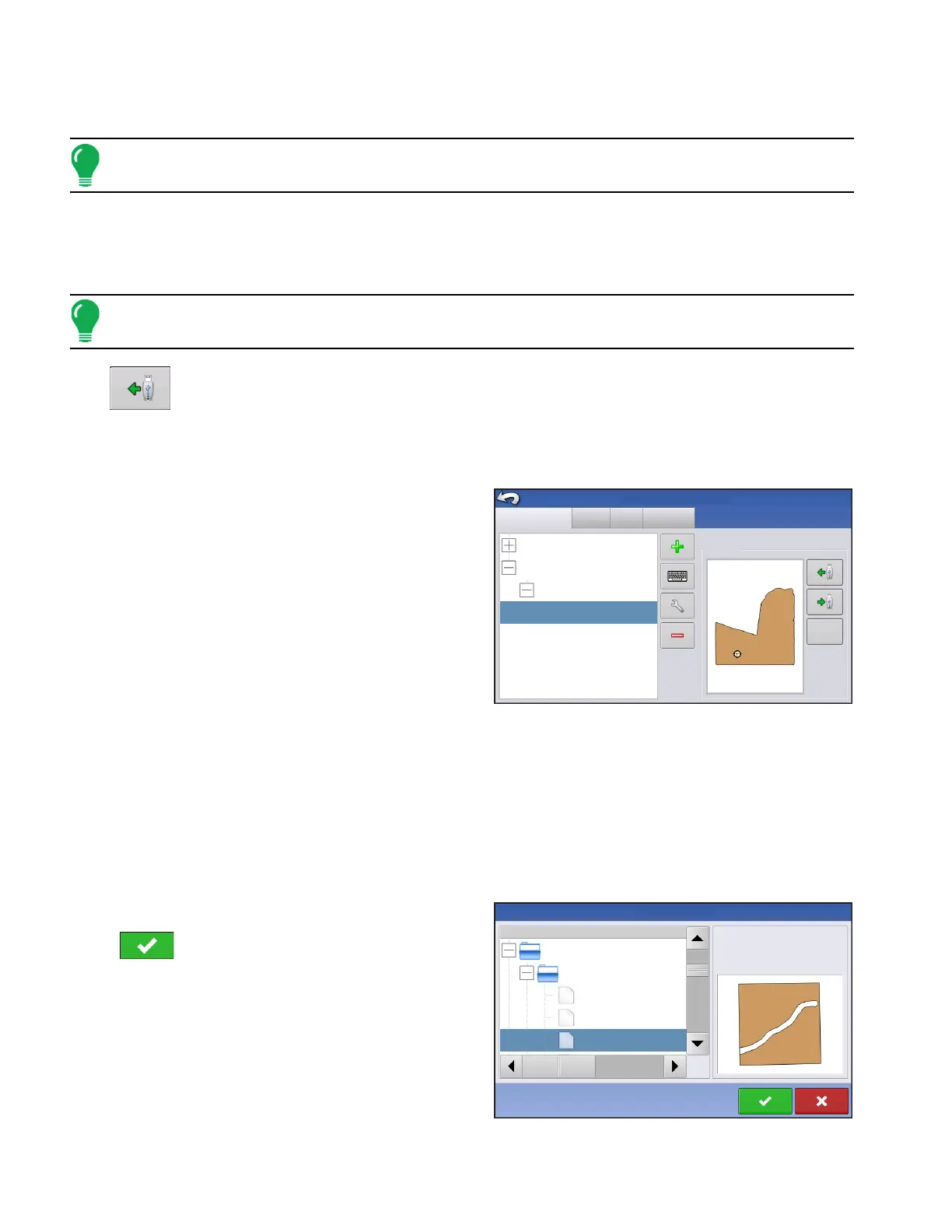
To import a boundary from the USB drive, first go to the Setup Field tab, highlight the correct field in the
Farm/Field list and press the USB Import button.
The File Selection screen appears. Highlight the desired file to import.
Operator can import/export all fields and boundaries at once with an .AGSETUP file. For more
information on .AGSETUP files see
See “.AGSETUP” on page 119.
Press to complete the import process.
Grower/Farm/Field
Season
Users
Grower: Gene Eilers
Farm: Sheldon
Grower: Seth
Field: Low 80
True Area:
Boundary
Management Setup
40 ac
Businesses
39.92 ac
Clear
Name
File Selection
39.92 ac
Demo Field
Boundaries
Demo 3 waterway.iby
Demo larger than original.iby
Demo original.iby
Field:
Farm:
Grower:
Demo
Allegan County
Michigan Test Fields



 To Next Page