72 Firmware Version 7.2
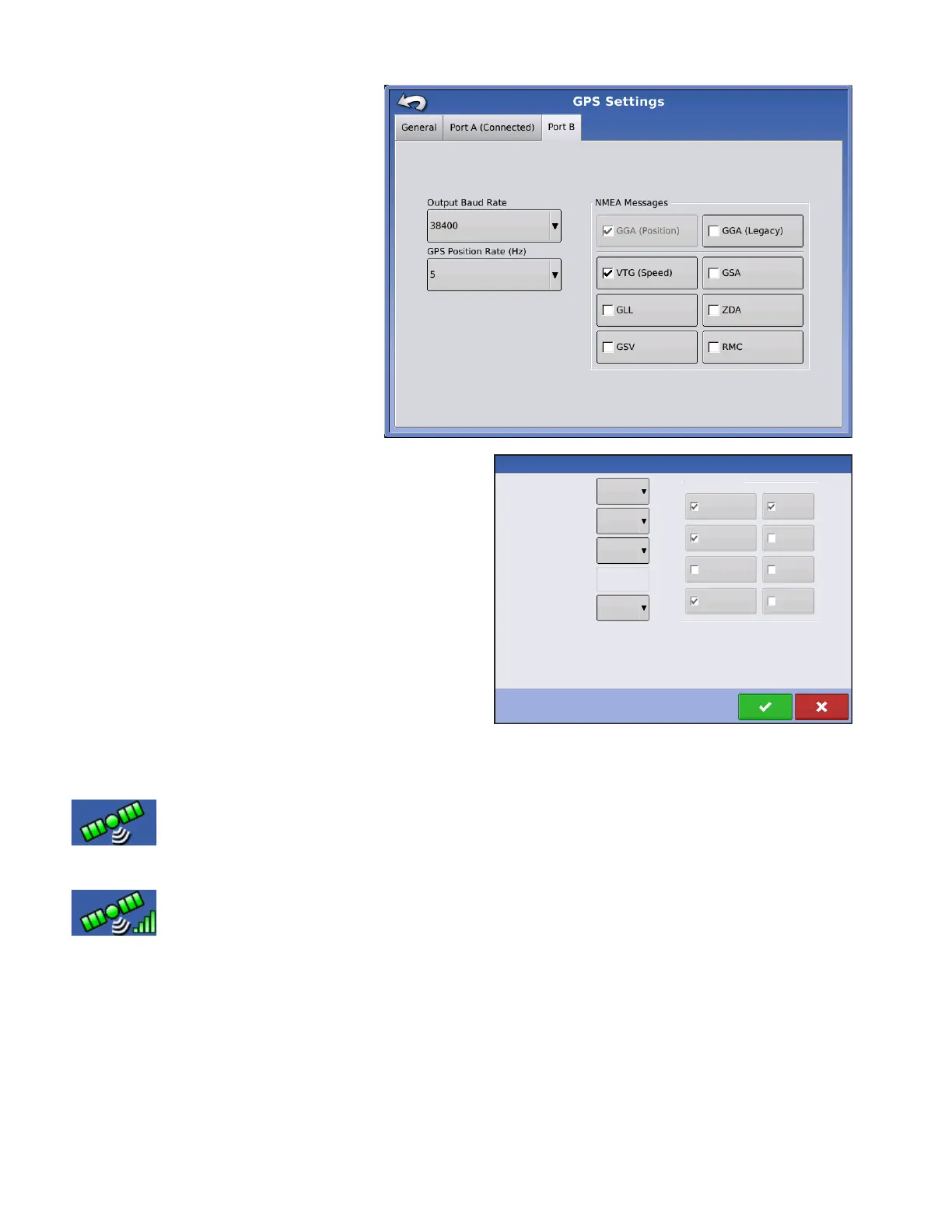
The appearance of the Port B tab is
similar to Ports A.
GGA(Legacy) - shortens the decimal
precision of the GGA message for
connection to legacy equipment.
The appearance of this TSIP receiver GPS Port Setup
screen is the same for both Ports A and B.
GPS INFORMATION
To access diagnostic information about the GPS signal, press the GPS (satellite) button
that appears in the in the upper left-hand side of the Status Bar. GPS Information then
appears on General, Receiver, and OmniSTAR tabs. Information on these GPS Information
screens is described on the following pages.
GPS button with bars - bars indicate cellular signal strength
GPS Port Setup - PORT A
Output Type
Output Baud Rate
Output Parity
GPS Pos. Rate (Hz)
Output Rate (Hz)
ASAP
1
None
4800
TSIP
NMEA Messages
GGA (Position)
VTG (Speed)
GLL
GSV
MSS
RMC
ZDA
GSA



 To Next Page