71 Ag Leader PN 4003964-ENG Rev. P
GPS
SERIAL PORT SETTINGS
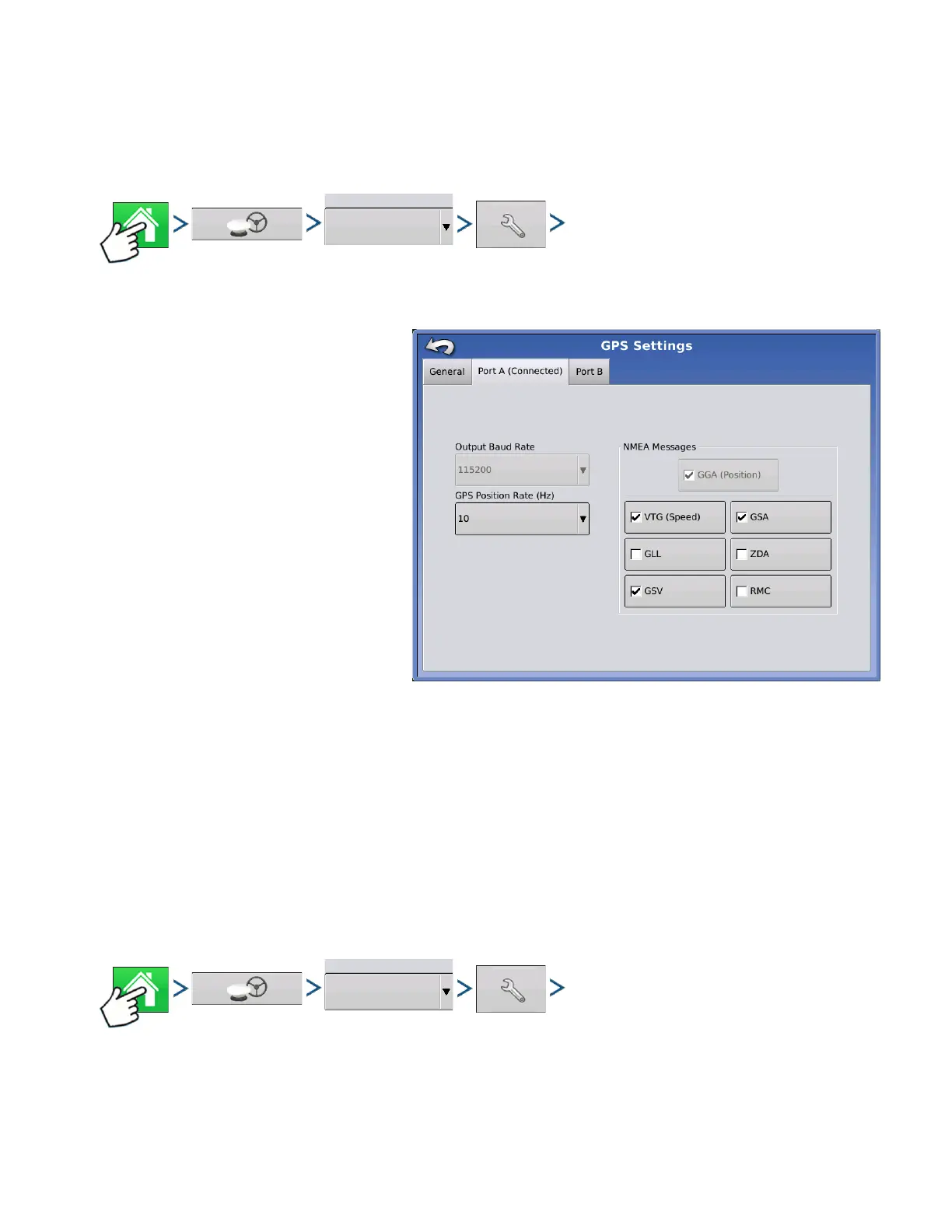
PORT A TAB
Press: Home button > GPS button > Serial (from Receiver drop-down box) > Receiver Setup (wrench)
button > Port A tab
The Serial Port Settings screen is the
place where you can adjust GPS output.
The appearance of the Serial Port
Settings screen varies depending upon
your model of GPS receiver.
• Output Baud Rate
Displays the speed at which the
receiver communicates with the
display. For optimal performance, the
GPS baud rate is set at 115200 and
can not be changed.
• GPS Position Rate (Hz)
Represents the cycles per second
(shown in Hz) that the display receives
position information from viewable
satellites.
• NMEA Messages
These checkboxes represent various communication protocols or formats that have been set by the
National Marine Electronics Association (NMEA), and used in information “strings” or sentences output by
the GPS Receiver. At present, the display only requires two NMEA Message formats: GGA and VTG.
- GGA: position in longitude and latitude.
- VTG: ground speed
- GSV, GSA: required to view the Satellite Plot, but are not required for GPS information.
- GLL, ZDA, RMC, MSS: Leave these other NMEA message formats unchecked, unless you are
connected to a third-party monitor and have been directed to do so.
PORT B TAB
Press: Home button > GPS button > Serial (from Receiver drop-down box) > Receiver Setup (wrench)
button > Port B tab



 To Next Page