41 Ag Leader PN 4003964-ENG Rev. P
S
ETUP
F
IELD
O
PERATIONS
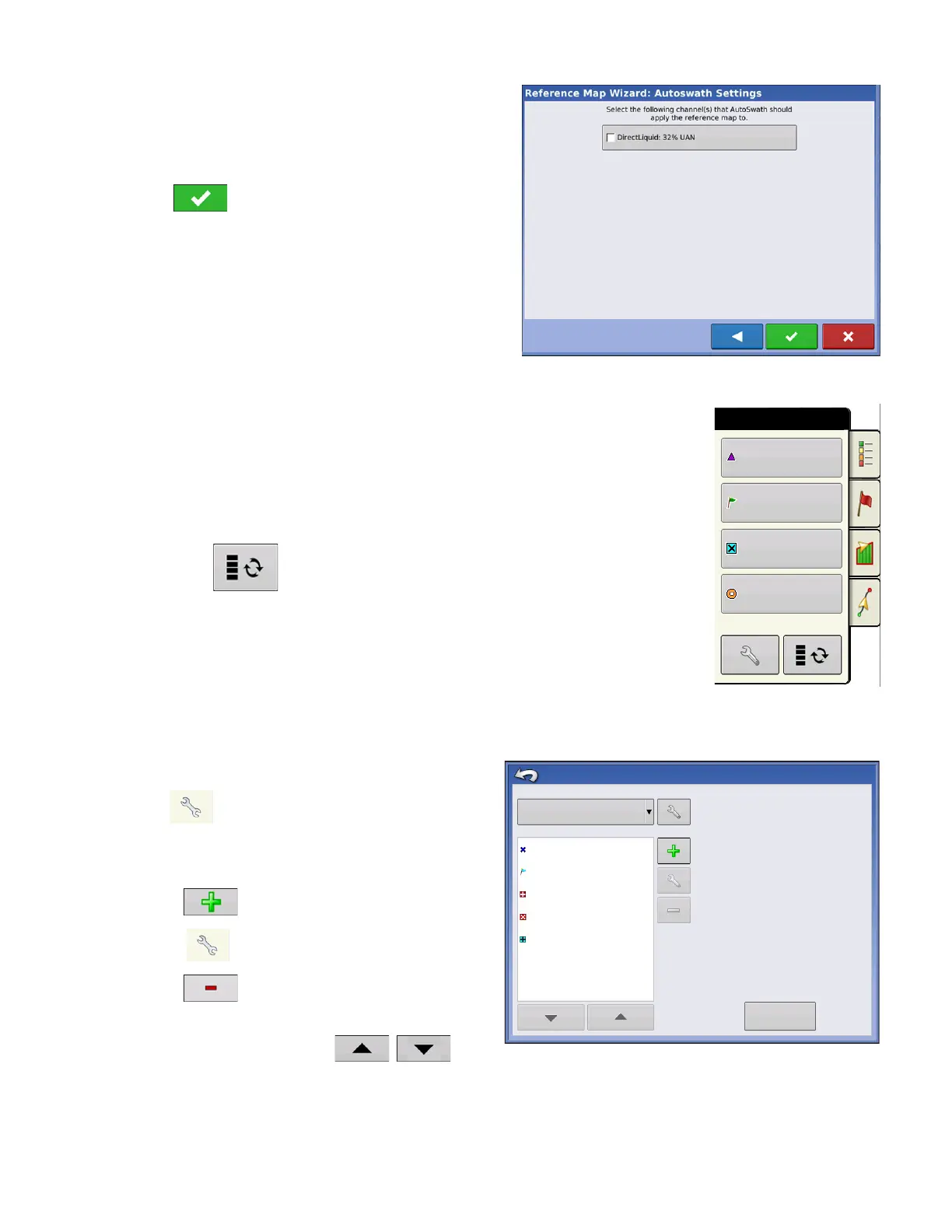
Select the Autoswath channel to apply the reference
map to
Not selecting a channel will load the reference map as
a visual only
Press to complete Reference Map Wizard.
Note: Using Reference maps for AutoSwath
functionality is applicable to planting and application
configurations only.
Markers tab
Markers are a collection of point objects that are available on the Map Markers
tab of the Mapping Toolbox. Map markers allow you to map points on the go in
order to identify specific features within a field. Press an individual marker to
indicate a Map Marker on the Map screen.
If all of the Markers that you created are not immediately visible in this screen,
use the Cycle Markers button to view more that you created.
Cycle Markers
Edit Markers
Marker Sets
Pressing allows operator to create, name, and
delete marker sets.
Markers
• Press to add a marker.
•
Press
to edit a marker.
• Press to remove a marker
• If you have numerous map icons, you can cycle
through them by pressing
/
.
• When creating or editing a marker, check the
Georeferenced Note
button if you wish to add a Field Note
that is referenced to the current GPS position when that marker is used.
Rock
Weeds
Washout
Hole
Markers
Rock
Weeds
Marker Sets
Marker Management
All Markers
Markers
Washout
Post
Outlet
Load
Reference Marks



 To Next Page