28 Firmware Version 7.2
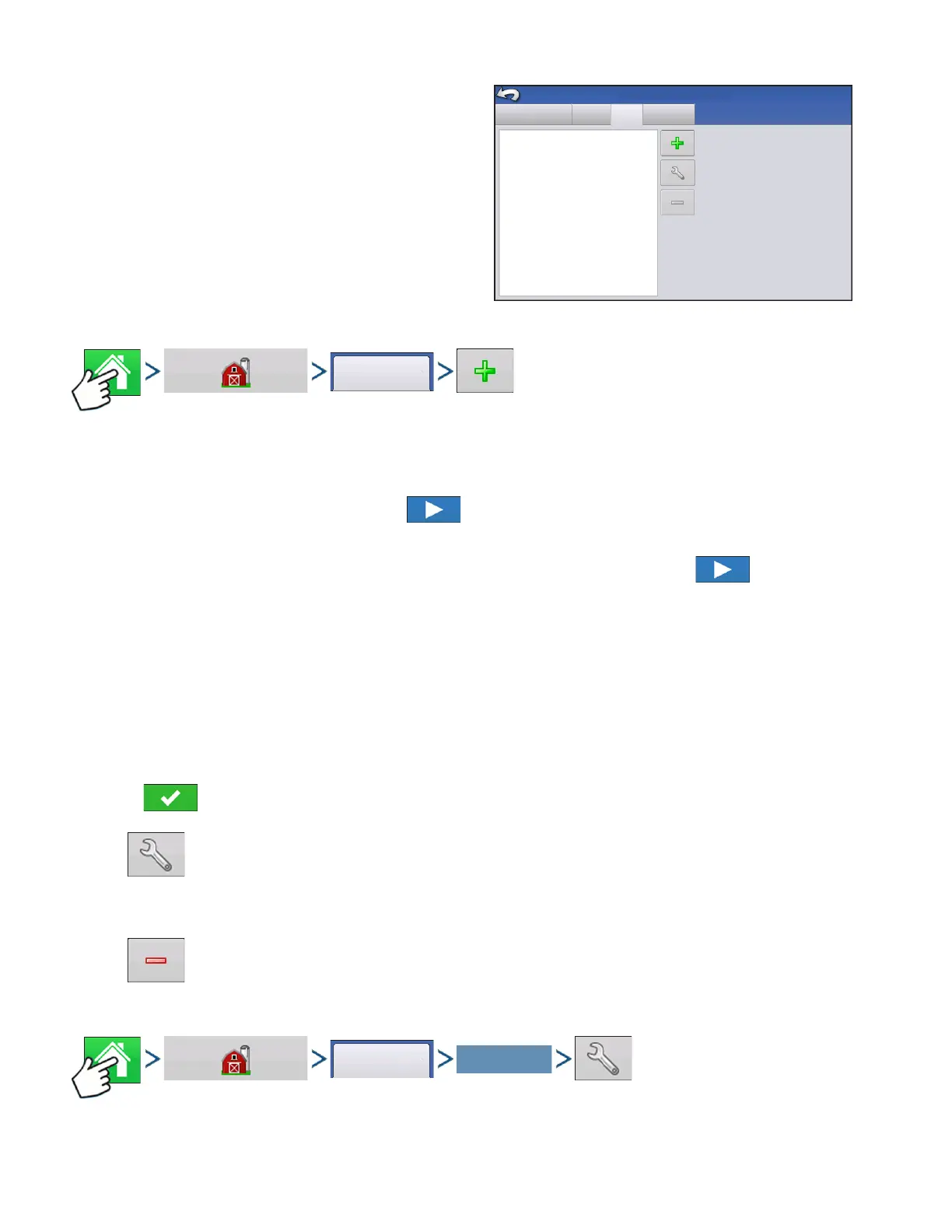
Management Setup screen - User tab allows user to
add, modify, or delete users from the display.
Add a User
Press: Home button > Management (Barn) button > User tab > Plus (+) button
1. Enter first name and/or last name (have to enter a first or last name, recommend entering both)
2. Enter applicator license (optional). Press to continue.
3. Select Operator or Manager (can select either, none, or both). For more information on selecting
Operator/Manager and setting up permissions, see
“Permissions” on page 29. Press to continue.
4. Enter and verify password (optional)
• Locks the displays ability to load/change operating configurations, access setup and USB, if Manager has
a password set
• Leaves display unsecure unless each manger sets a password
• Warning message appears if passwords do not match
• No restriction for password format (can be any combination of letters, numbers, and special characters)
• Case sensitive
5. Press to accept
• Setup button
Press to edit operator information by highlighting that name and pressing button. Setup button
allows user to edit information originally entered when profile was added. Edit button also
allows access to more phone, email, and address information.
• Remove button
Press to remove an operator.
User Setup button
Grower/Farm/Field Season
Users
Eilers, George
Eilers, Joan
Schmidt, Jack
Oakes, Bill
Management Setup
Businesses
VanBurkum, Doug



 To Next Page