40 Firmware Version 7.2
Map Legend tab
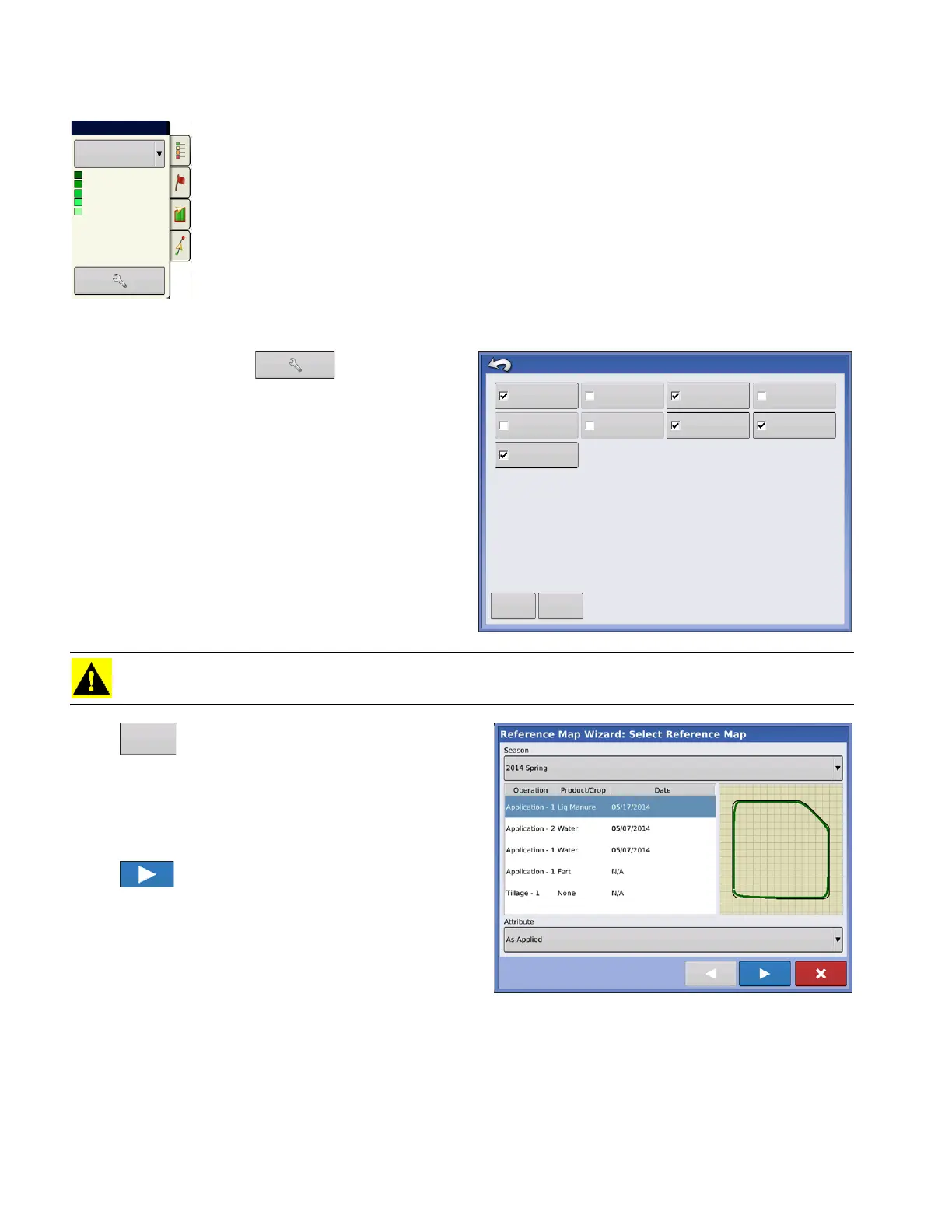
Press the Map Legend button at the top of the Mapping Toolbox, and the Legend
appears using the drop-down menu.
Map Options
Press the Legend Setup (wrench) button,
and the Map Options screen appears. Here the user
can select map options, clear the map, and load a
reference map
• Clear Map
Permanently removes on-screen map from the
active field operation, but the log data will still be
exported to the USB drive.
• Load Reference
Loads a list of maps of previous operations
performed in that field.
CAUTION: Once you clear the map, this information cannot be retrieved.
Press . Select the reference map you want to
use.
Reference Map Wizard displays each operation
performed in field, filtered by season. The map can be
displayed as an As-Applied or Coverage.
Press to continue.
Product
Rate
205+
185 - 205
165 - 185
145 - 165
0 - 145
Map Options
Load
Reference
Data Guidance
Boundary
Marker
Reference
Rx
Tile
Grid
Topography
Clear Map



 To Next Page