86 Firmware Version 7.2
LIGHTBAR SETTINGS
SETUP
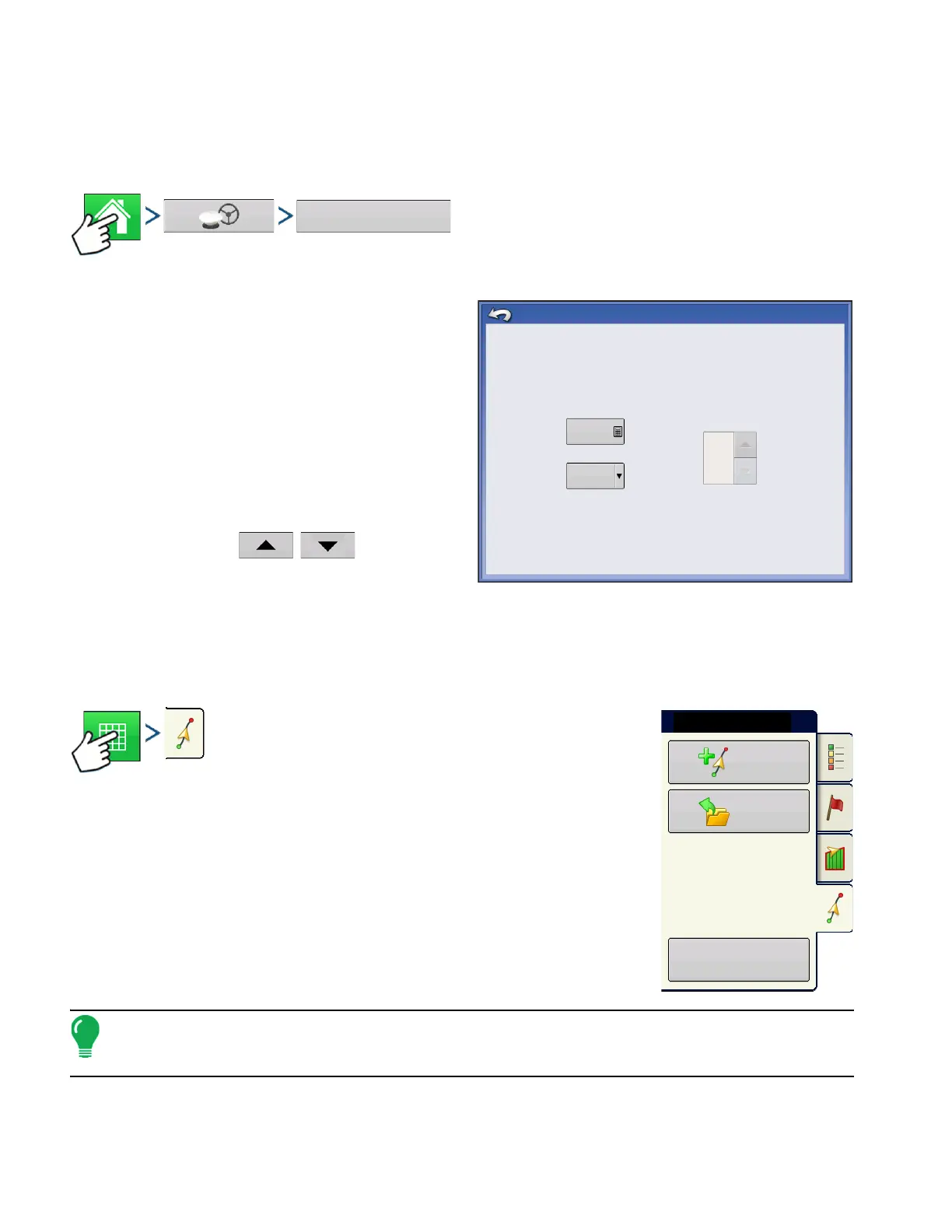
Press: Home button > GPS button > Lightbar Settings button
• LED Spacing
Enter the distance represented by each square of
the lightbar (6-72 in.).
• Mode
Chase
- center the vehicle by followig the indicator
lights.
Pull
- center the vehicle by turning in the opposite
direction of the indicator lights on the lightbar.
• External Lightbar LED Brightness
If applicable, press
/
to enter in a
number specifying the brightness of the LED lights
on the optional L160 external lightbar. The number
1 is the dimmest and 10 is the brightest. Default is 5.
GUIDANCE TAB ON MAPPING TOOLBOX
Press: Map button > Guidance tab (in Mapping Toolbox)
The Guidance Tab on the Mapping Toolbox allows you to you can create a
new pattern, load an existing pattern, or adjust Guidance Options and
Guidance Settings.This tab changes its appearance after you create or load
a pattern.
Before you create any patterns, the map screen’s Guidance Tab appears as
shown.
Note:
Guidance pattern will default to the one last used.
Guidance patterns can be set to widths up to 2000 ft (609 m).
12 in
External Lightbar
LED Brightness
LIghtbar Settings
Spacing
Mode
Chase
5
New
Pattern
Load
Pattern
Manage
Patterns
Guidance



 To Next Page