70 Firmware Version 7.2
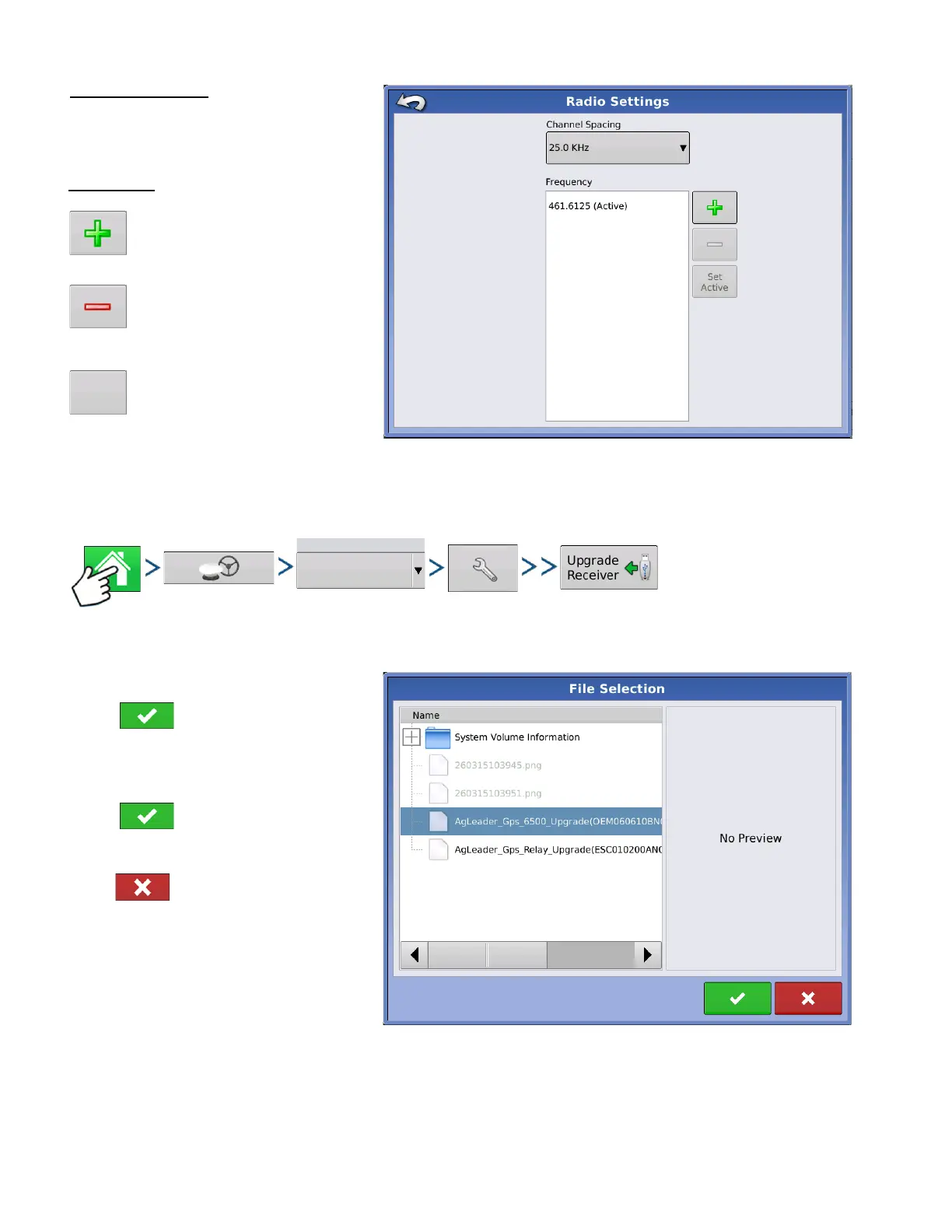
Channel Spacing
Use drop-down menu to select Channel
Spacing (Relay 400 Only)
UPGRADE RECEIVER
Press: Home button > GPS button > Serial (from Receiver drop-down box) > Receiver Setup (wrench)
button > General tab > Upgrade Receiver button
Select OEM file.
Press to accept.
Display will upgrade receiver.
Select ESC file.
Press to accept.
Display will upgrade receiver.
Press to return to previous screen
without updating receiver.
Frequency
Press button to add a
Frequency (400 Only) or
Channel (900 only)
Select frequency or channel
and press button to delete
selected frequency or channel
Select frequency or channel
and press button to make
selected frequency or channel
active



 To Next Page