57 Ag Leader PN 4003964-ENG Rev. P
S
ETUP
V
IRTUAL
T
ERMINAL
SETUP
VIRTUAL TERMINAL
The display is compatible with the ISO 11783 (ISOBUS) Virtual Terminal Standard. This enables support
of many ISOBUS compliant implements on the display. Virtual Terminal functionality enables the
compliant implement’s user interface to be viewed and controlled on the display.
COMMON TERMINOLOGY
• ISOBUS Working Set
One or more ISOBUS modules that control an implement’s functionality
• Working Set Master (WSM)
Main module responsible for coordinating all communication between the VT and the Working Set including
loading of the Object Pool to the VT screen
• Object Pool
The graphic image presented to the user on the VT display. The Object Pool is sent to the VT by the
ISOBUS module.
WARNING: Before operating an ISOBUS implement with the display, read the operator’s manual provided
by the implement’s manufacturer and follow all safety information provided in the manual. When this display
is used with an ISOBUS implement, the information and functions on the display are provided by the
implement ECU and are the responsibility of the implement manufacturer.
CAUTION: OnTrac2+ communicates on CAN A, independent of Virtual Terminal communication on CAN B.
These systems can be used at the same time. Verify which hardware has been installed.
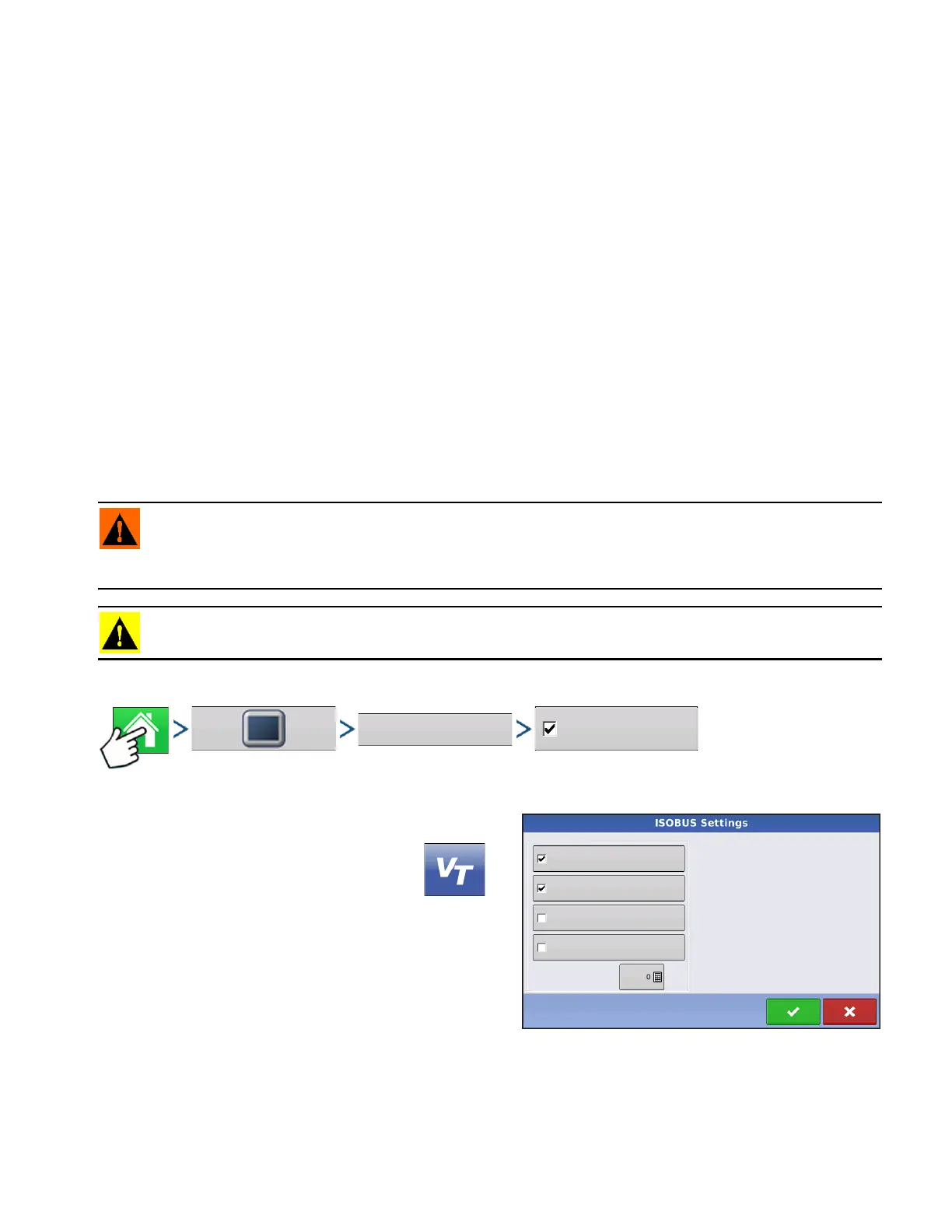
To enable the Virtual Terminal:
Press: Home button > Display button > ISOBUS Settings > Enable Virtual Terminal checkbox
Once a Virtual Terminal has been enabled
will appear in the task bar. Toggle between the Virtual
Terminal run screen and other display functions by
pressing the VT button.
• Broadcast Display Speed (ISO GBSD)
Checking this box allows speed source currently being
utilized by the display to be broadcast over the
ISOBUS to the implement ECU.
• Broadcast GPS (J1939)
Checking this box allows GPS data being supplied by the GPS receiver to be broadcast over the ISOBUS
to the implement ECU.
Enable Virtual Terminal
Auxiliary Module Support
Function Instance
Virtual Terminal
ISOBUS Settings
Broadcast Display Speed
(ISO GBSD)
Broadcast GPS (J1939)



 To Next Page