136 7713395 R2
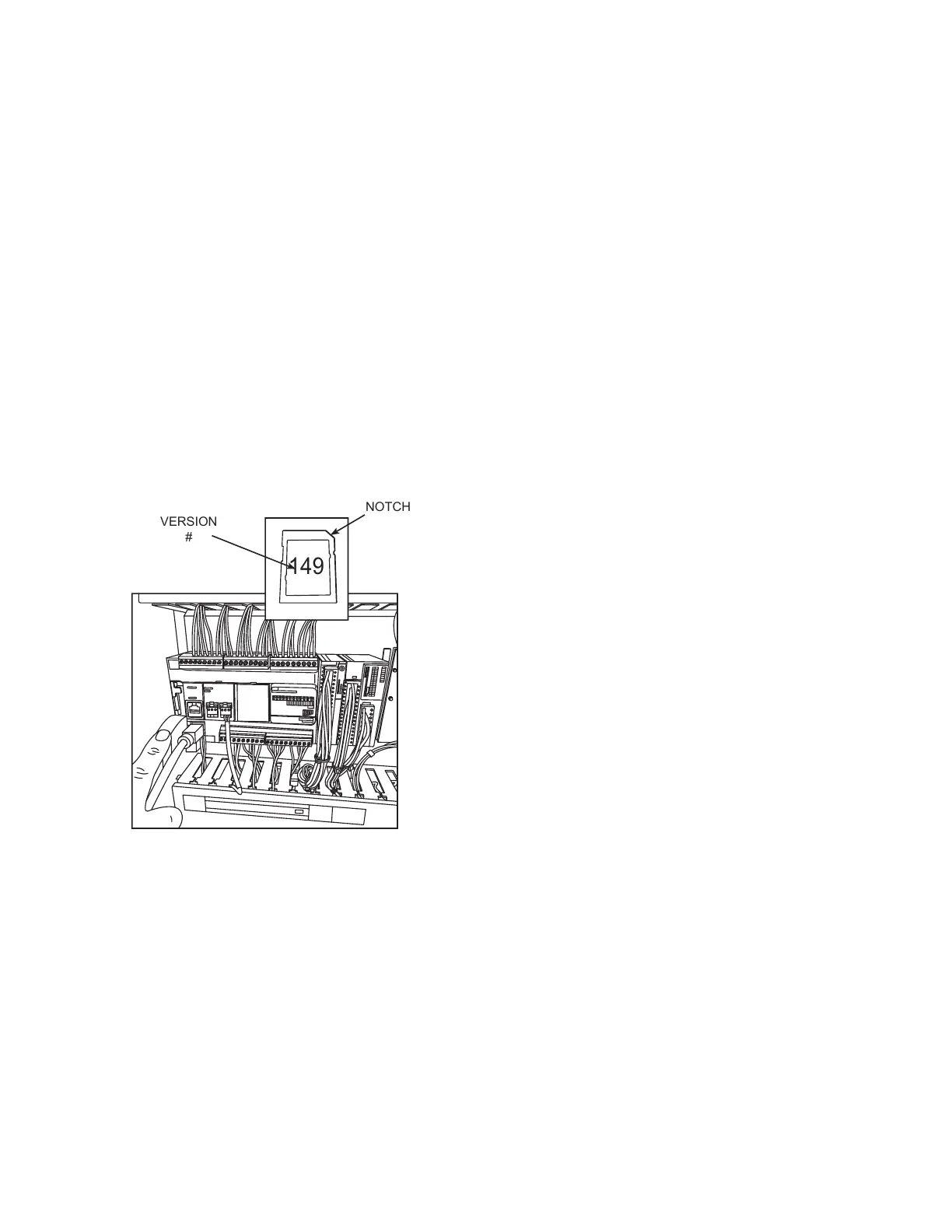
• Installing the M221 PLC software
1. Power off the PLC.
2. Install the SD card in the PLC.
3. Power on the PLC.
4. There should be a solid green PWR led and a solid red ERR led.
5. The green SD led should be on solid (not flashing) green for 10-20 seconds.
6. After the SD led goes off, power off the PLC.
7. Remove the SD card, then power on the PLC.
8. There should be a solid green PWR led and a solid red ERR.
9. The solid red ERR should go off ~4 seconds.
10. Then the green RUN led should light and stay flashing beyond 8 times.
11. Power the PLC off then back on.
12. The green PWR led will be on solid & the green RUN led should flash ~8 times then go solid on
Figure 153. M221 Series
• Installing the HMIGTO screen software
1. Power off the HMI.
2. Remove USB drive from dryer HMI.
3. Format USB drive to Fat32.
4. Replace the USB drive in the HMI.
5. Install the SD card with the new files.
6. Power on the HMI.
7. Install should begin automatically (~2 minutes).
8. When install complete, remove the SD card, then press the “Restart” icon.
8. APPENDIX CONTINUOUS MIXED-FLOW GRAIN DRYER WITH COMMANDER CONTROL SYSTEM



 To Next Page