7713395 R2 89
4.6.2 Completion of Dryer Setup
Upon completion of the preceding steps (A, B and C), and prior to starting either BATCH or AUTO drying modes:
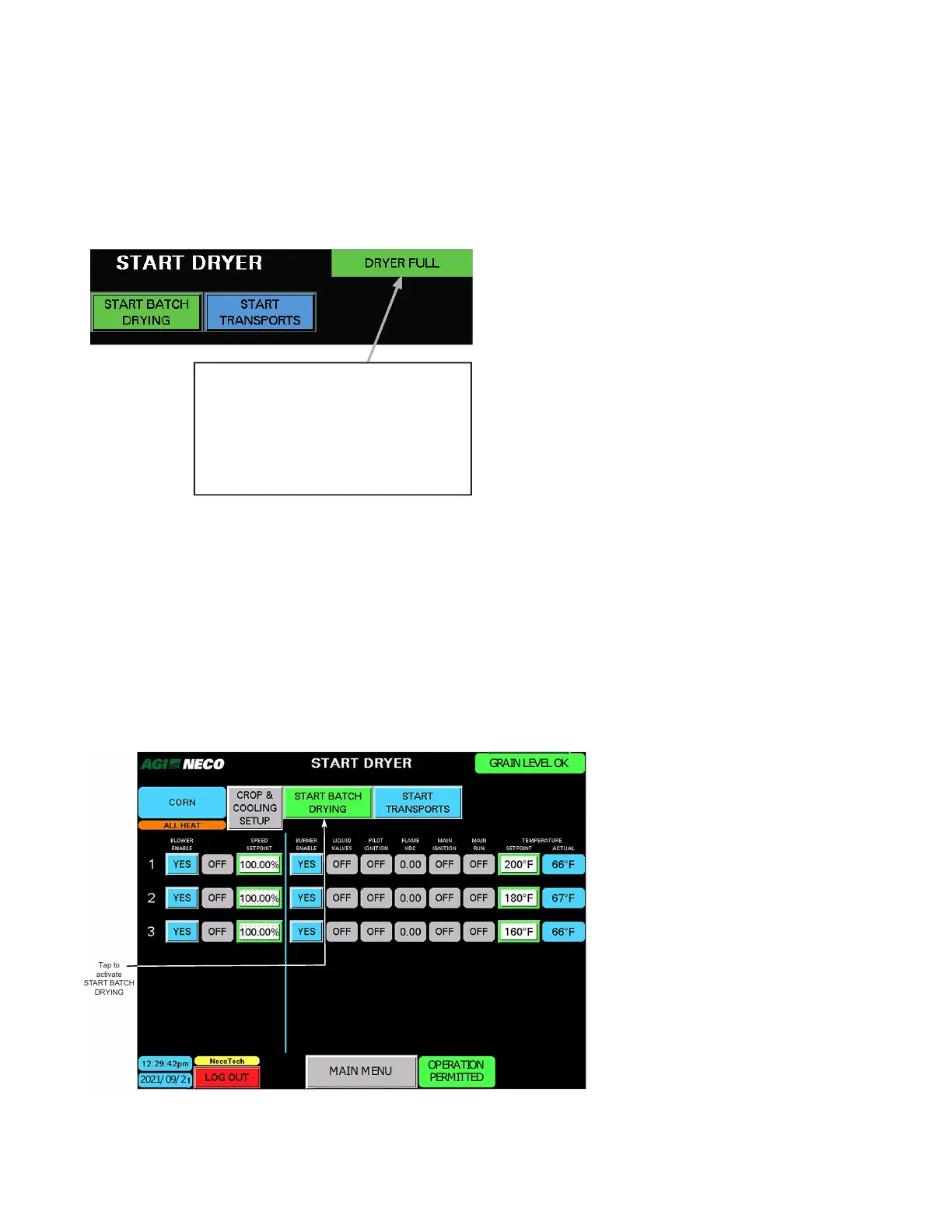
• Current dryer status is displayed in the upper-right corner of the screen.
• The START BATCH DRYING or START AUTO DRYING buttons appear when all required conditions are met.
Figure 105. Current dryer status
DRYER GRAIN STATUS IS SHOWN HERE:
• DRYER FULL
• GRAIN LEVEL OK
• GRAIN LEVEL LOW
• WET BIN EMPTY
• DRY BIN FULL
• MAX FILL TIME EXCEEDED
4.6.3 To Start Batch Drying
• Batch drying CAN be activated with any of the grain level status indicators.
Note
Batch drying can begin when grain is at any level within the dryer. If grain is below the top-most set of
tier ducts, be aware that the drying heat from that section is wasted.
• Tap the START BATCH DRYING button to proceed. Immediately, the blower and burner starting sequence
begins.
Figure 106. Starting batch drying
MAIN MENU
2021/09/2
OPERATION
PERMITTED
GRAIN LEVEL OK
Tap to
activate
START BATCH
DRYING
CONTINUOUS MIXED-FLOW GRAIN DRYER WITH COMMANDER CONTROL SYSTEM 4. OPERATION



 To Next Page