80 7713395 R2
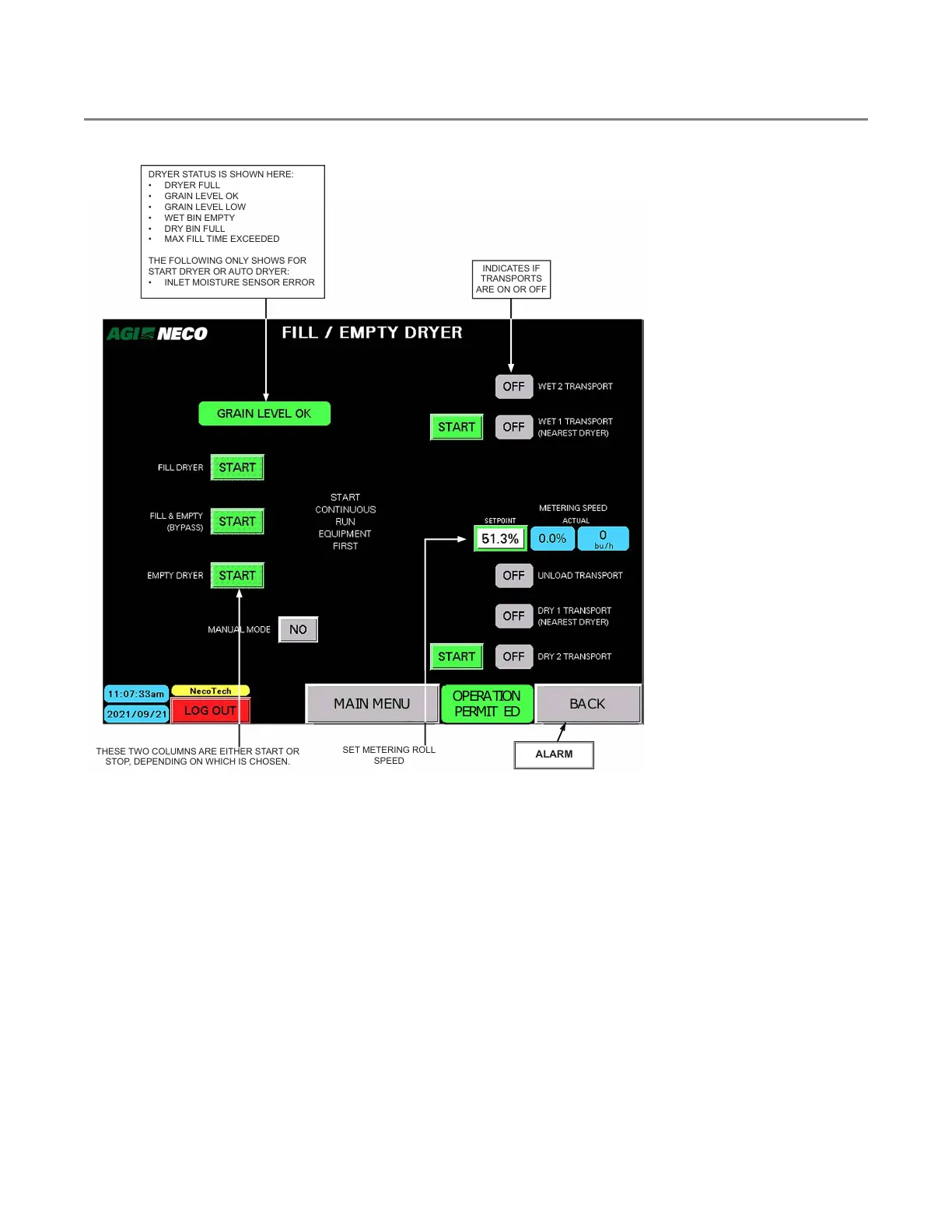
4.5. Fill/Empty Dryer
Figure 97. Fill/Empty Dryer
MAIN MENU
OPERATION
PERMIT ED
BACK
DRYER STATUS IS SHOWN HERE:
• DRYER FULL
• GRAIN LEVEL OK
• GRAIN LEVEL LOW
• WET BIN EMPTY
• DRY BIN FULL
• MAX FILL TIME EXCEEDED
THE FOLLOWING ONLY SHOWS FOR
START DRYER OR AUTO DRYER:
• INLET MOISTURE SENSOR ERROR
THESE TWO COLUMNS ARE EITHER START OR
STOP, DEPENDING ON WHICH IS CHOSEN.
SET METERING ROLL
SPEED
ALARM
INDICATES IF
TRANSPORTS
ARE ON OR OFF
Note
If an error occurs, a flashing ALARM indicator/button appears in place of the BACK button. Tap this
button to open the ALARMS screen to view and reset the alarm after the condition has been resolved.
Set Manual Metering Roll Speed
• See Section 8.1 – Manual Dryer Speed on page 127 for recommended metering roll speed starting point.
• This speed will be used as the manual setpoint for Batch Mode drying and for initial Automatic Drying Mode
until the DryerMaster gathers enough moisture data to take full automatic control.
4. OPERATION CONTINUOUS MIXED-FLOW GRAIN DRYER WITH COMMANDER CONTROL SYSTEM



 To Next Page