90 7713395 R2
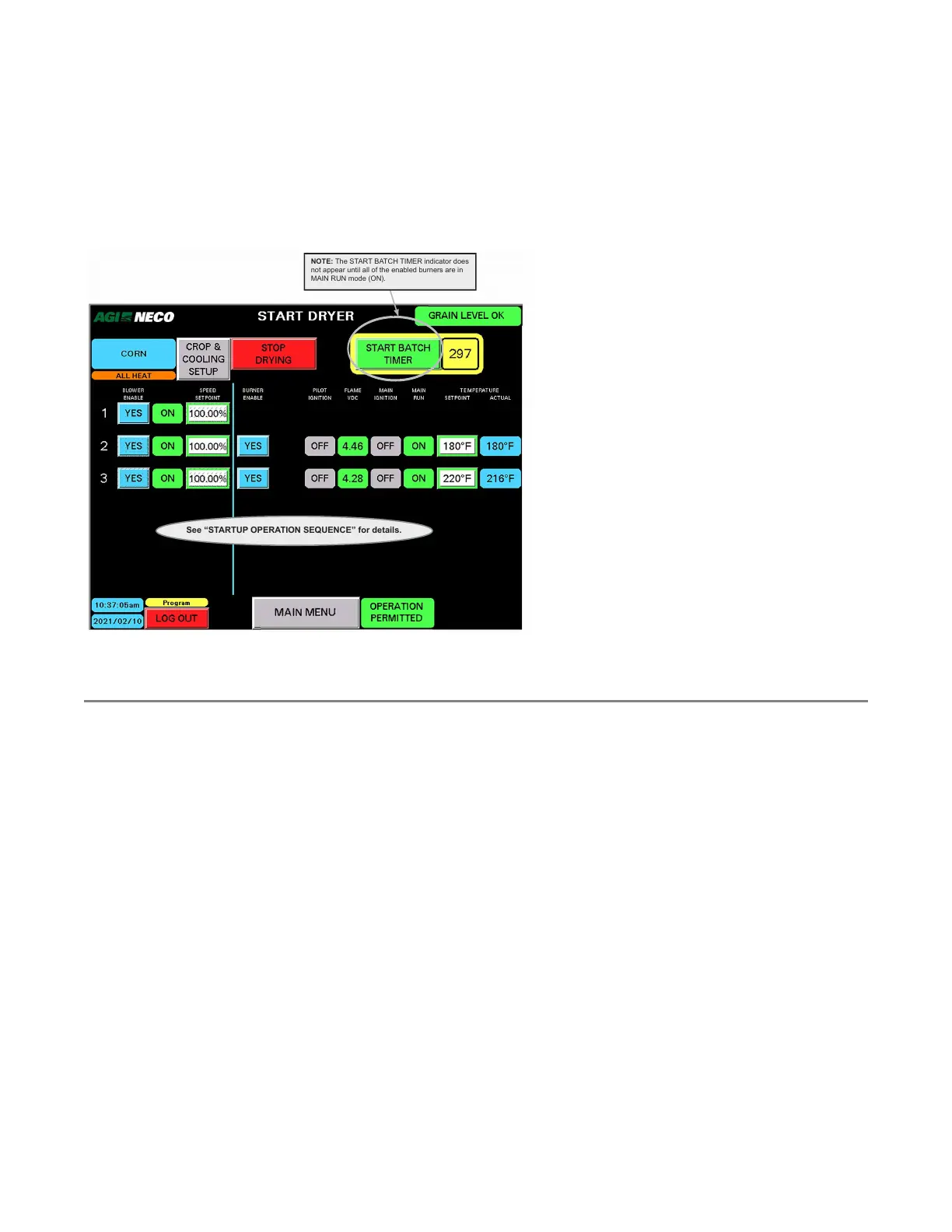
Start the Batch Timer
• The START BATCH TIMER indicator only appears after all enabled burners are ON as shown in the MAIN RUN
status column.
• As soon as the START BATCH TIMER indicator appears, the control allows 30 seconds of the operator to tap/
activate it. If this does not occur in the time allotted the system will change to COOLING mode.
Figure 107.
See “STARTUP OPERATION SEQUENCE” for details.
NOTE: The START BATCH TIMER indicator does
not appear until all of the enabled burners are in
MAIN RUN mode (ON).
4.7. Batch Drying Mode
4.7.1 Batch Drying Overview
Batch operations are generally used to start or end a drying cycle and can utilize all or some of the system
blowers and burners.
• Refer to the following sections (designated A, B and C) to set up and operate in Batch Drying Mode:
– Section – A. Set Drying Time on page 91
Note
If you switch from BATCH DRYING MODE directly into AUTO DRYING MODE , steps B and C are
skipped. However, before AUTO DRYING MODE can start, two conditions must be met. For
details, see Section 4.8 – Auto Drying Mode on page 94
– Section – B. Cooling on page 93
– Section – C. Restart on page 93
General batch drying notes:
• The operation run time is manually set and can be up to 120 minutes.
• Temperature setpoints can be changed at any time during the process. The actual temperature data per
dryer section is shown in the final column.
4. OPERATION CONTINUOUS MIXED-FLOW GRAIN DRYER WITH COMMANDER CONTROL SYSTEM



 To Next Page