7713395 R2 91
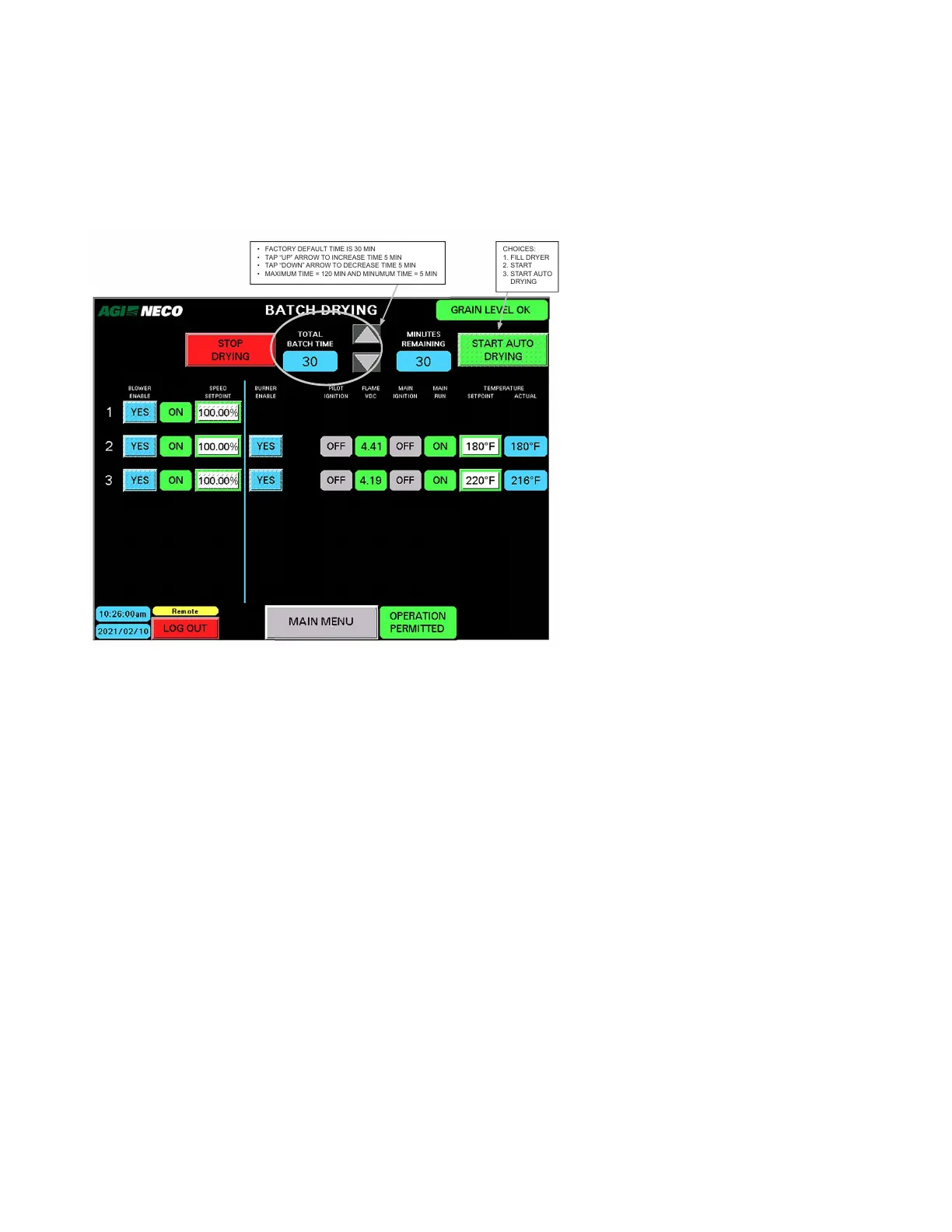
• The status indicators ON or OFF indicate the progression of startup or shutdown for the various equipment
items such as blower, burner, liquid valves, pilot, main ignition, and main run. See Startup Operation
Sequence on page 87 for a complete description of this sequence.
A. Set Drying Time
Figure 108. Setting drying time
• FACTORY DEFAULT TIME IS 30 MIN
• TAP “UP” ARROW TO INCREASE TIME 5 MIN
• TAP “DOWN” ARROW TO DECREASE TIME 5 MIN
• MAXIMUM TIME = 120 MIN AND MINUMUM TIME = 5 MIN
CHOICES:
1. FILL DRYER
2. START
3. START AUTO
DRYING
Total Batch Time
• Default total time = 30 minutes
• Tapping the UP button (p) increases the total time by 5 minutes (to a maximum run time of 120 minutes).
• Tapping the DOWN button (q) decreases the total time by 5 minutes (to a minimum run time of 5 minutes).
• The total run time can be changed at any time prior to the time remaining value reaching zero. When the
total run time is modified, the time remaining changes accordingly.
Minutes Remaining
• Shows the number of minutes remaining to operate in Batch Drying — Heated mode.
• At a value of 0 the dryer proceeds to Batch Drying — Cooling mode
CONTINUOUS MIXED-FLOW GRAIN DRYER WITH COMMANDER CONTROL SYSTEM 4. OPERATION



 To Next Page