7713395 R2 63
4.3. Commander Control Setup
4.3.1 Log In
Prior to Logging In
Note
On-screen controls (buttons, icons, tabs, etc.) that are unavailable (are not currently functional) appear
with a “hatched” background pattern. This pattern switches to solid when the control becomes
available. Some on-screen items are informational only, while others call up screens, sub-screens or
menus.
Figure 72. Unavailable screen control
UNAVAILABLE
(HATCHED
BACKGROUND)
Figure 73. Available screen control
AVAILABLE
(SOLID
BACKGROUND)
When the power is turned ON, if the The USB device is connected. message appears:
Figure 74. Main menu screen
The USB device is connected.
X
The
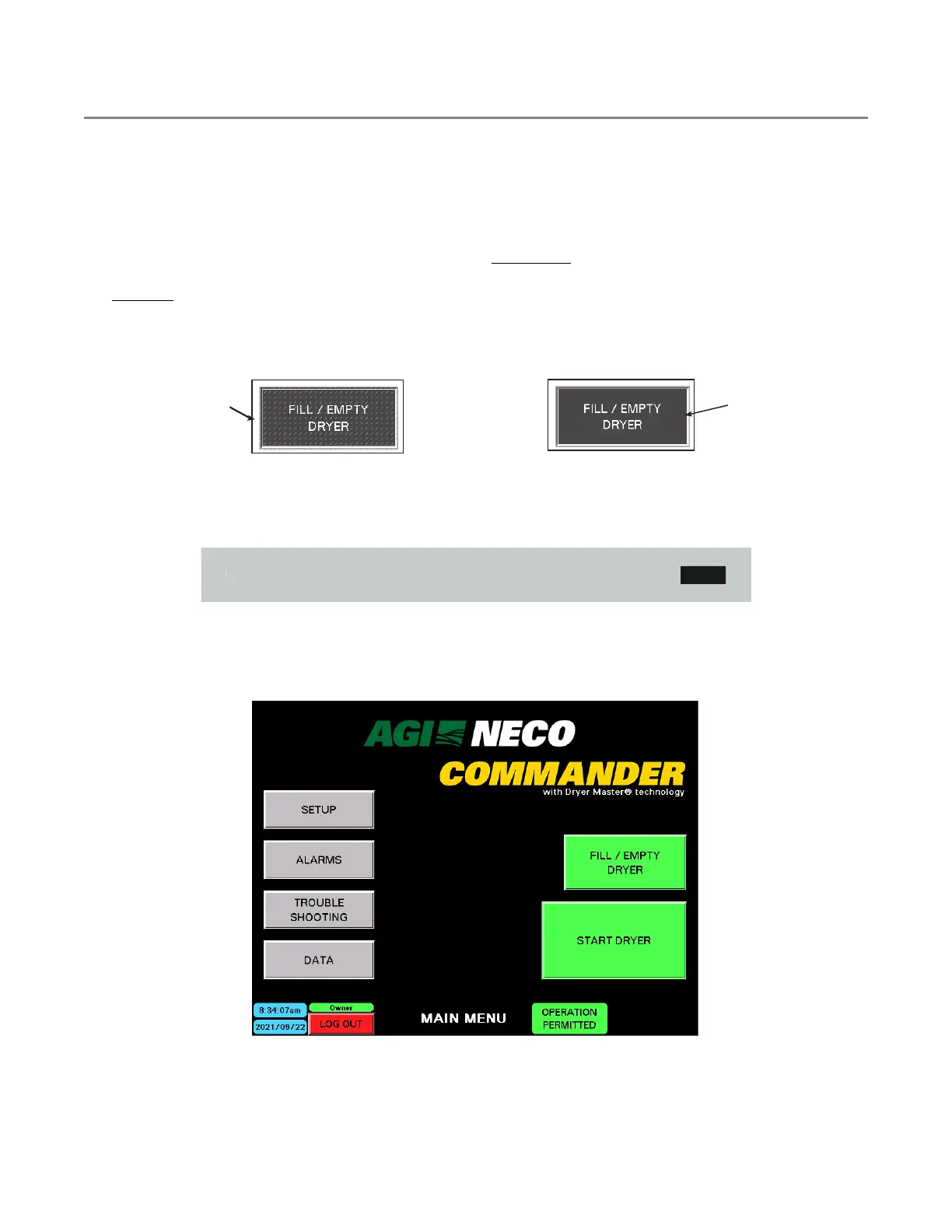
1. Tap X to clear the message. The MAIN MENU appears, with the time/date and LOG IN button near the
middle-bottom of the screen.
Figure 75. Main menu screen
CONTINUOUS MIXED-FLOW GRAIN DRYER WITH COMMANDER CONTROL SYSTEM 4. OPERATION



 To Next Page